

Find Our Latest Video Reviews on YouTube!
If you want to stay on top of all of our video reviews of the latest tech, be sure to check out and subscribe to the Gear Live YouTube channel, hosted by Andru Edwards! It’s free!
Latest Gear Live Videos
OS X Mountain Lion Developer Preview now available for download

Posted by Andru Edwards Categories: Apple, PC / Laptop, Software,
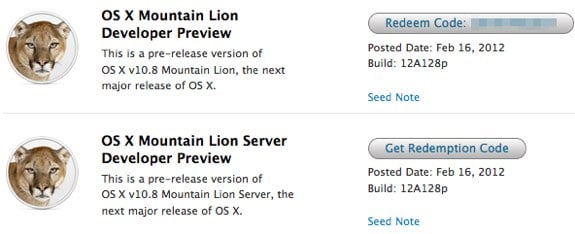
This morning Apple announced OS X Mountain Lion, and alongside the announcement they've also made available the first Mountain Lion Developer Preview. Anyone with a Developer Account can log into Apple's Dev portal to download the first build (12A128p) of OS X 10.8, which will be available to all later this summer.
Read More  | Mac Developer Portal
Gallery: OS X Mountain Lion Developer Preview now available for download






Advertisement
Mountain Lion Messages app brings iMessage to the Mac - download the beta now!
Posted by Andru Edwards Categories: Apple, PC / Laptop, Software,
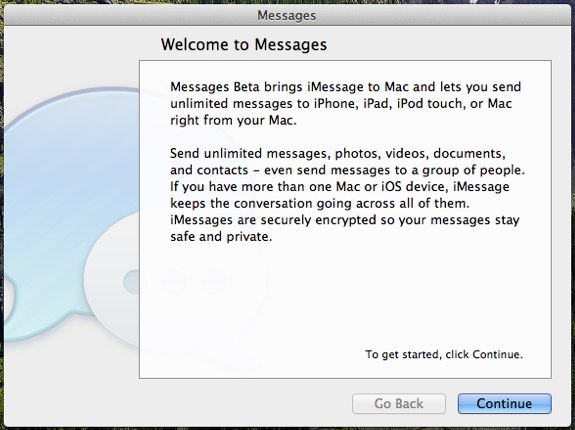
Ever since iMessage was introduced as part of iOS 5, we've been waiting impatiently for Apple to bring that goodness over to the Mac. With OS X Mountain Lion, announced earlier this morning, it will be a reality. In Mountain Lion, Apple will be replacing iChat completely with a new app called Messages. We've installed Mountain Lion and have been playing with it a bit, and what we've basically found is that Messages is everything that iChat was, but with the addition of iMessage and FaceTime rolled in (still no MSN Messenger support.) Apple has actually released Messages in beta, so you don't need to wait for Mountain Lion to get in on the fun, as long as you're running OS X 10.7.3. Head on over to Apple's Messages page to download it.
Gallery: Mountain Lion Messages app brings iMessage to the Mac - download the beta now!
Apple OS X 10.8 Mountain Lion brings more iOS features to the Mac this summer
Posted by Andru Edwards Categories: Apple, PC / Laptop, Software,

This morning Apple announced OS X Mountain Lion (10.8,) the next version of its flagship desktop operating system. OS X 10.8 will ship later this summer, and will be available through the Mac App Store. As with OS X 10.7 Lion, Mountain Lion is geared towards bringing more iOS goodness to the desktop, and further blurs the lines between Apple's mobile devices and computers. New features that will be coming to the Mac with Mountain Lion include a new Messages app that will replace iChat and bring iMessage and FaceTime into one app, Notification Center, tighter iCloud integration, AirPlay mirroring from the Mac to an Apple TV, the Reminders app, Notes app, Game Center leaderboards, Twitter built-in to the OS, Share Sheets to make sharing of any content easier, and Gatekeeper, a new security feature that allows you to set preferences for what can and can't be downloaded. We will go more in-depth on each in a separate feature later today.
With the announcement of Mountain Lion, Apple also made it known that it will stick to a new yearly release cycle for its desktop OS.
Read More | Mountain Lion Sneak Peek
Gallery: Apple OS X 10.8 Mountain Lion brings more iOS features to the Mac this summer
Enter to win 1 of 20 $25 iTunes gift cards in our Vonage Mobile giveaway!
Posted by Andru Edwards Categories: Announcements, Smartphones, Features, Software,

Vonage Mobile has launched, and we're giving away 20 iTunes gift cards to our readers to celebrate! In case you're unaware, Vonage Mobile allows you to make free phone calls to other users of the app (which is currently available for iOS and Android,) anywhere in the world. In addition, you can also send free text messages as well to other users of the app, cross platform, anywhere in the world. Even better, you can call any phone number, and if that other person doesn't have Vonage Mobile, then the rate is much lower than what your mobile carrier would charge, and is even 30% less than what Skype would charge you as well.
The app works over both Wi-Fi and cell service (3G and 4G) and it uses your existing contacts and address book, rather than requiring you to set up a new username, get a new phone number, etc. Even cooler, you don't need a Vonage account to pay for your calls - instead, you just add your minutes right from the App Store or Android Market!
So, how do you enter to win one of the $25 iTunes credits? We've got a few different ways for you to enter. You only need to enter once, but for each method of entry, you gain an additional entry in the contest. Here's how you enter:
- Download the Vonage Mobile app (it's free!)
- TWITTER ENTRY: Follow the Gear Live Twitter account and take a picture of the app on your phone. Include that image in a post with this tweet exactly as written: “Hey @GearLive I got @Vonage Mobile! Hook me up with that prize! http://gear.lv/vonagecontest” (Click here to tweet this now)
- FACEBOOK ENTRY: Like the Gear Live Facebook page, and take a picture of the Vonage Mobile app on your phone. Leave a post on our wall and include that photo.
- YOUTUBE ENTRY: Subscribe to Gear Live on YouTube and leave us a video response on this video showing us that you downloaded the Vonage Mobile app.
That's it! Again, there is no requirement for you to perform all three methods of entry, but you do get a point for each entry that you do. At the end of the week, we'll choose twenty winners at random who followed the rules!
Click to continue reading Enter to win 1 of 20 $25 iTunes gift cards in our Vonage Mobile giveaway!
Gallery: Enter to win 1 of 20 $25 iTunes gift cards in our Vonage Mobile giveaway!
Install Siri on any jailbroken iPhone, iPad, or iPod touch with Spire

Posted by John Ball Categories: Apple, Handhelds, Mods / Hacks, Software,

The first legal Siri port has been developed and released for jailbroken iPhone 4, iPhone 3G and 3GS, iPod touch 3rd and 4th generations, and both iPads, and it's called Spire. The way the tweak works is by using an external proxy server to mimic Apple’s own Siri servers, which are used exclusively for the iPhone 4S. Spire has a quick install and a simple setup that takes no time at all to get up and running. There are some minor issues with the method however, namely that for every iDevice connected to a proxy server, Apple is losing money. The problems don’t stop there though. This also leaves the "official" iPhone 4S Siri possibly open to vulnerability for use with these proxy servers, which can potentially lead to unreliability within the phone itself and possible personal information being leaked from all the connected devices.
Moving away from the negatives to the positive, looking at the Spire, it functions exactly like its older sibling for the iPhone 4S as you are not running it on the iPod Touch 3rd generation (the tweak takes full advantage of the external microphone.) Have you got Siri up and running on your jailbroken iPhone, iPad, or iPod touch?
Click to continue reading Install Siri on any jailbroken iPhone, iPad, or iPod touch with Spire
Gallery: Install Siri on any jailbroken iPhone, iPad, or iPod touch with Spire
Apple Airport Utility 6.0 brings iCloud, fixes to Time Capsule, Airport Extreme, and Airport Express
Posted by John Ball Categories: Accessories, Apple, Peripherals, Software, Wireless / WiFi,
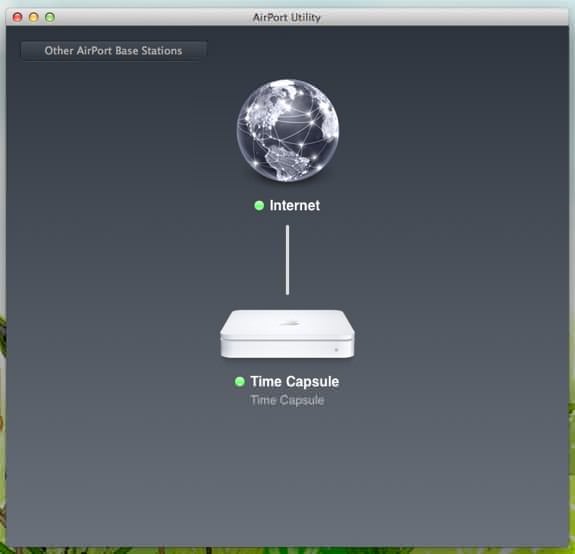
Apple has been on fire these last few weeks rolling out all kinds of updates. Most recently Apple updated its Airport Express, Airport Extreme and Time Capsule base stations to include iCloud support for Back to My Mac and a few bug fixes with the 802.11n wireless network problems.
Also included with this update is the ability to wirelessly access your backed up data on these devices. It should be noted, however, that in order to take full advantage of the remote access included in this update you will have to be running OS X Lion. Run Software Update to grab the new hotness.
Gallery: Apple Airport Utility 6.0 brings iCloud, fixes to Time Capsule, Airport Extreme, and Airport Express
If you haven’t already realized, Firefox 10 is now available, and we definitely recommend that you upgrade. As far as the UI is concerned, the most notable change is to the “forward” button. That is that there isn’t one, at least unless you hit the “back” button first. New APIs allow for Anti-aliased WebGL graphics, full screen viewing of apps, and a few other nifty features. CSS 3D transitions are now supported as well.
Of course with all new things there are bound to be a few problems, and with Firefox 10 on OS X, Silverlight videos don't load and there are some jerky Gmail scrolling problems (as well as general trackpad scrolling issues) that Mozilla needs to get sorted out.
Gallery: Firefox 10 now available
How to create free iPhone ringtones with iTunes

Posted by Andrey Malskiy Categories: Apple, Smartphones, Features, Handhelds, Software,
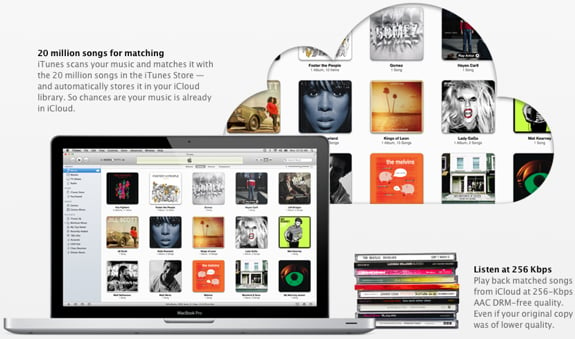
With recent updates to iTunes, Apple removed the native funtion that allowed you to create ringtones from the songs you've purchased. You can still purchase ringtones directly from iTunes for about a buck, but seriously, who would wanna pay a $1 for a 30 second clip of music that will get old in three weeks? That's where we step in and bring you our tutorial on how to use iTunes to create iPhone ringtones using any track you've got in your library, completely for free. Yep - you aren't limited just to tracks purchased from iTunes, and you don't have to give up any money that would be better spent on something at the dollar menu at the nearest drive-thru. Read on for our full walkthrough!
Click to continue reading How to create free iPhone ringtones with iTunes
Gallery: How to create free iPhone ringtones with iTunes
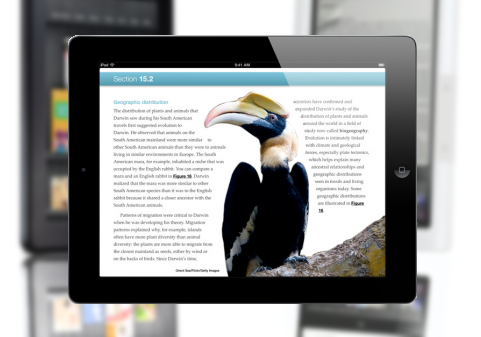
Apple iBooks 2 was released to the public just a few days ago and the support for it has been astonishing. Within the first 3 days of the new iBooks being available, 350,000 iBooks Textbooks were downloaded from the iBookstore. Alongside this, 90,000 copies of Apple’s iBooks Author e-book creation software were downloaded from the Mac App Store in the same period of time.
iBooks Textbooks are seen by Apple as the future replacement to the current bulky classroom textbooks that cost a small fortune to make. Apple’s iBooks can reduce the cost of producing a textbook by up to 80%. This means cheaper books for students, as well as a more available book source.
Gallery: Apple sells 350,000 iBooks Textbooks in three days
Absinthe A5 iPhone 4S and iPad 2 jailbreak tool now available
Posted by Andru Edwards Categories: Apple, Smartphones, Handhelds, Mods / Hacks, Software,

Many iPad 2 owners have waited almost a full year for this moment, and it has finally come. Both the iPad 2 and iPhone 4S now have their own bona fide jailbreak tool in Absinthe A5. To be clear, Absinthe A5 is an untethered jailbreak method - this is the one you want, otherwise you have to have your iOS device connected to your Mac or PC with a cable whenever it boots up. This has no such requirement.
iOS hacker p0sixninja says that the jailbreak software works for A5 devices that are running iOS 5.0 and iOS 5.0.1. If you've updated to the iOS 5.1 beta, then you're out of luck if you wanna jailbreak. Your best bet might be to downgrade. To get started, you'll need to download the latest version of greenpois0n, and it currently only works on a Mac (Windows is "coming soon".) The specific builds that are supported are iPhone 4S with iOS 5.0 build 9A334 and iOS 5.0.1 builds 9A405 and 9A406, as well as iPad 2 running iOS 5.0.1 build 9A405.








