

Latest Gear Live Videos
Bleeding Edge TV 611: How I Slay Email - Sanebox Review

Posted by Andru Edwards Categories: Features, PC / Laptop, Podcasts, Videocasts, Videos,
Email overload is real, and I am here to save you with the help of Sanebox! This is my Sanebox review - I've been a hardcore Sanebox fan for over 5 years, and it helps me stay on top of my email inbox. You guys regularly comment on the number of unread emails I have on my phone and computer, and now I show you the Inbox Zero trick that I rely on - my inbox stays neat and organized with only the important stuff.
Don't forget to subscribe to Gear Live's YouTube channel--also, we are giving away awesome perks for our Patreon backers - thanks for your support!
Click to continue reading Bleeding Edge TV 611: How I Slay Email - Sanebox Review
Advertisement
You can now attach money to your Gmail messages
Posted by Andru Edwards Categories: Google, Internet,
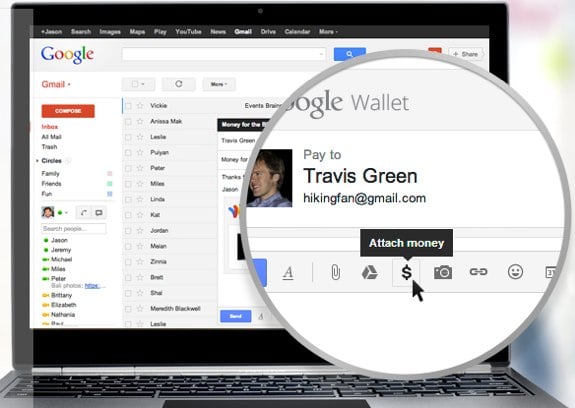
Google is making the practice of sending money to friends as easy as attaching a document to an email. Using Gmail, you'll be able to attach cash money to your emails using your Google Wallet account, for free. The nice thing is that you don't have to have funds on your account to do this--you can just have a bank account attached to your Wallet account. Recipients of your paper won't need to have a Gmail account, which is one more thing you don't need to worry about, and anyone you send money to can return it to you as well. Google is rolling out the feature now to Gmail users over the age of 18. Check out a video that explains it all, after the break.
Click to continue reading You can now attach money to your Gmail messages
Google Hangouts now live, brings together Google Talk, Voice, Messenger
Posted by Andru Edwards Categories: Apple, Google, Internet, Software,
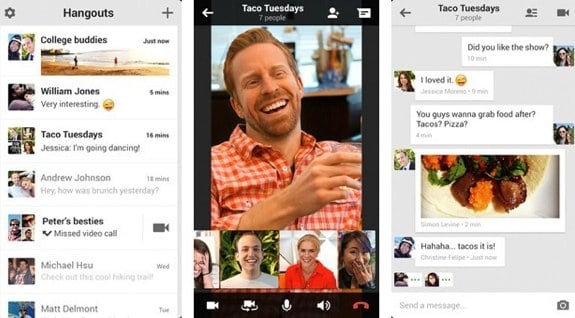
The new Google Hangouts has arrived, bringing together Google's Talk, Hangouts, Voice, and Google+ Messenger under one app and umbrella. Google Hangouts offers unified, synchronized chat that retains history across all devices, allowing you to dig into your history wherever you are, delete messages, and check out files, photos, etc. Hangouts naturally includes the previous Google Hangouts video chat features, which allows multiple people to video chat with each other, again, from a smartphone, tablet, or computer.
Hangouts it now available on iOS, Android, Chrome, and within the Gmail web client. Get a look at the video promo after the break.
Click to continue reading Google Hangouts now live, brings together Google Talk, Voice, Messenger
Google releases Gmail 2.0 for iOS

Posted by Jason Diaz Categories: Productivity, App Updates, Google, Free Apps,
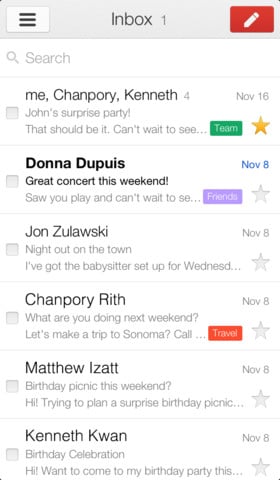
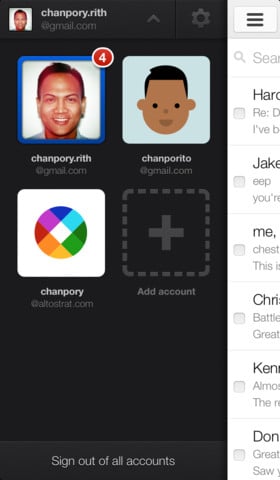
Google has finally released version 2.0 of its native Gmail client app for iOS. It has much requested features and a complete resign that is cleaner than before. TechCrunch columnist MG Siegler says the app had no influence from the Sparrow acquisition, which is surprising since version 2.0's UI looks decent. Here is a list of the updated features.
- Multiple account support
- App redesigned with a new, cleaner look
- Search predictions as you type
Hopefully the team turns its attention to the YouTube app for iOS which is sorely needing a clean revamp that also supports iPhone 5 and the iPad. Fingers crossed.
Read More  | Gmail
Google just bought Sparrow and killed it
Posted by Andru Edwards Categories: Apple, Corporate News, Google, Software,
The ultra-popular Sparrow mail client is now dead. This morning, Google announced that it had acquired the company and team behind what many called the best Mac and iOS Gmail client. It's great for Google, and well-deserved for the Sparrow team, but as a user, it's disappointing. The company was set to release Sparrow for iPad very shortly, but today Google confirmed that there will be no new updates to the Sparrow apps, nor will it be released for any new platforms. We assume that this means the iPad client is now off the table.
We suspect that the crew behind Sparrow will be rolled into the Gmail team, and we'd even bet that we will see the official Gmail apps for Android and iOS become rebranded and fully-integrated versions of what Sparrow was. If you missed out on Sparrow, you can still get it on the App Store for the time being.
Click to continue reading Google just bought Sparrow and killed it
Google bumps Gmail storage to 10 GB free
Posted by Andru Edwards Categories: Corporate News, Google, Internet, Storage,

Google is busy handing out free storage to its users today, first with the launch of Google Drive, and now with a Gmail storage bump. Yep, when Gmail launched back in 2004, everyone got 1 GB of email storage for free. Today, eight years later, that figure is 10x larger. Prior to the storage increase, users had about 7.5 GB of Gmail storage for free, so this adds another 2.5 GB gratis.
Read More | Google
China suspected in Google Gmail phishing attacks
Posted by Andru Edwards Categories: Corporate News, Google, Internet,
Spear phishing attempts to penetrate the personal Gmail accounts of U.S. officials, journalists, and activists, reported by Google in June, have not ceased, according to a security researcher who first discovered the attempts in February.
Spear phishing uses bogus emails to trick recipients into entering personal details, like home addresses and Gmail passwords.
"I am posting this only to highlight the fact that once compromises happen and are covered in the news, they do not disappear and attackers don't give up or stop. They continue their business as usual," wrote Mila Parkour, a D.C.-based security researcher on her Contagio Malware Dump blog, as picked up by ComputerWorld.
Click to continue reading China suspected in Google Gmail phishing attacks
SaneBox has saved me from email overload
Posted by Andru Edwards Categories: Internet,
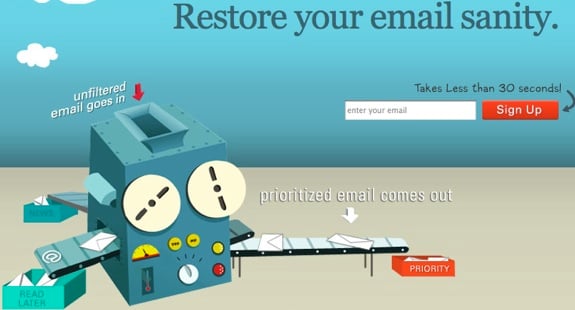
If you're overwhelmed by the amount of email that you have to deal with on a regular basis, we feel you. I've tried all sorts of Inbox Zero tips and tricks, but at the end of the day, manually processing the amount of email that hits my inbox is a chore in and of itself. However, I finally found something that has made everything better and wanted to quickly share it. It's called SaneBox. It works with Exchange, Gmail, AOL, Yahoo! mail, MobileMe, and just about anything else you can think of. What does it do? Well, it automatically prioritizes your email (way better than Google Priority Inbox does it) into a few different folders that you have full power over managing and defining. You can also set up your own folders for, say, receipts or Groupon purchases or whatever else. All you need to do to train SaneBox is drag an email into the folder that you want those kinds of messages to appear. It just learns based on your actions, and takes it from there. Click the link below for a 30-day free trial of the service. The $5 a month that it costs is totally worth it in our book.
Read More | SaneBox
Get a preview of the new Gmail design right now
Posted by Andru Edwards Categories: Google, Internet,
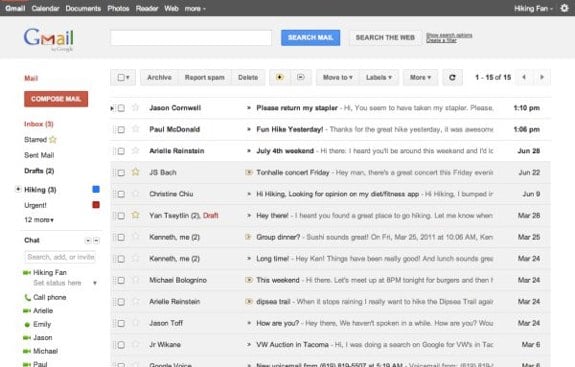
Gmail is set to get a redesign that brings it in line with the the visual UI of Google+. While the final redesign hasn't been pushed out yet, you can still apply it to your current Gmail setup using a theme that Google has made available. Simply log in to Gmail and go into your theme settings and choose either "Preview" or "Preview (Dense)" to apply the new hotness. What do you think of the new layout?
Oh, and it looks like Google Calendar picks up the redesign as well.
The best of April Fool’s Day 2011 from around the web
Posted by Andru Edwards Categories: Features, Google, Internet,
April Fool's Day is upon us, and that means that you can never be too sure if anything you read today is true or bogus. Everyone from Google and Hulu to Funny or Die and Groupon have come up with their own gags, and here's a look at some of the ones circulating this morning. If you see any other notable April Fool's Day jokes, let us know in the comments.
Chromercise: In a throw-back to Jane Fonda and the Jazzercise era, Google is helping you get your fingers limbered up for some searching with Chromercise. Strap on your most flattering 80s fingerwarmers and Google-fied headbands, and feel the burn.
YouTube: While you might think that YouTube was founded in the last decade, it actually dates back to 1911, when videos of horse and buggy crashes and pre-talkie fruit conversations dominated the airwaves. And of course, pets were still able to play instruments with ease; trumpet cat ftw.
Autocompleter: You thought those auto-completes on Google were done by an algorithm? Nah, it's just Michael, an auto-completer at Google. He started out as a spell checker, but now provides users with suggestions as they type. Michael averages about 34,000 words per minute and goes through a keyboard every eight days.
Comic Sans for Everyone: As we all know, comic sans is everyone's favorite font. As a result, Google will roll it out as its default fonts across all Google products, effective April 4. It's live for a few lucky people in the Google Labs Trusted Tester Beta Preview Sandbox program, so check it out.
Gmail Motion: Typing and using a mouse to write emails? Blech. With Gmail Motion, you can use your Webcam and simple movements to tell Gmail what to write. To open an email, move your hands like your opening an envelope. To reply, point your thumb behind you; use both hands to reply all.
Click to continue reading The best of April Fool’s Day 2011 from around the web








