

Find Our Latest Video Reviews on YouTube!
If you want to stay on top of all of our video reviews of the latest tech, be sure to check out and subscribe to the Gear Live YouTube channel, hosted by Andru Edwards! It’s free!
Latest Gear Live Videos
iBooks Author 1.1 released, supports iPad Retina Display

Posted by Andru Edwards Categories: Apple, Handhelds, Software,

Apple released a bunch of software updates today to bring all of its services and devices in parity with each other, and that includes iBooks Author. iBooks Author is the free software that allows you to create rich eBooks for the iPad. WIth the new Retina display iPad being launched today at the iPad event, it's only natural that iBooks Author would see Retina display support. You can grab the update from the Mac App Store.
Gallery: iBooks Author 1.1 released, supports iPad Retina Display






Advertisement
iPhoto updated to allow deleting photos from Photo Stream
Posted by Andru Edwards Categories: Apple, PC / Laptop, Software,
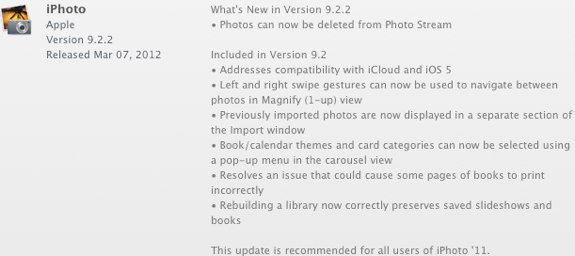
Continuing the plethora of Apple updates today, iPhoto has been updated to version 9.2.2. the big change here is that now you can delete pictures from your iCloud Photo Stream, a feature that was also released in iOS 5.1 today as well. You can get the download through Software Update, or through the Mac App Store.
Gallery: iPhoto updated to allow deleting photos from Photo Stream

Apple just updated GarageBand to version 6.0.5, bringing with it compatibility with the updated iOS version of the software, as well as squashing a few bugs. You can download the update now through Software Update or the Mac App Store!
Gallery: GarageBand updated to 6.0.5
iTunes 10.6 with 1080p video support now available
Posted by Andru Edwards Categories: Apple, HDTV, Movies, Software,
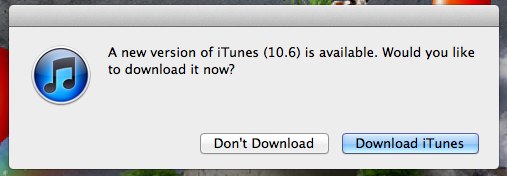
During today's iPad event, Apple announced that the new iPad, new Apple TV, and iTunes would all support 1080p television and movies. The first piece of that puzzle is now available. You can now download iTunes 10.6, which includes 1080p content downloads! While you're at it, be sure to grab iOS 5.1 as well, kay?
Gallery: iTunes 10.6 with 1080p video support now available
iOS 5.1 now available for iPhone, iPad, iPod touch
Posted by Andru Edwards Categories: Apple, Smartphones, Handhelds, Software,
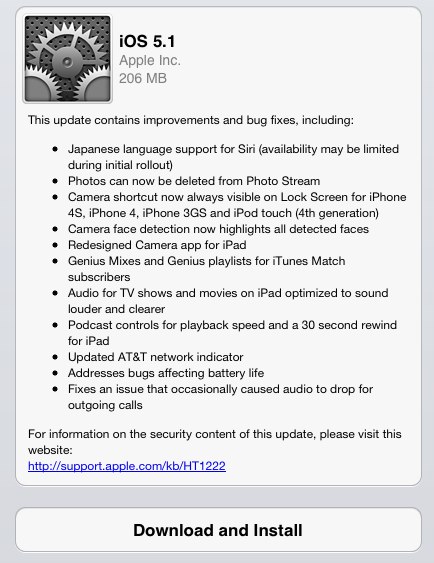
As Apple promised this morning during its iPad event, iOS 5.1 is now available for download. What's new? Well the major items include the fact that Siri can now speak to you in Japanese, photos can be deleted from Photo Stream (finally!), and a camera shortcut is now always visible on the lock screen of the iPhone and iPod touch. Other additions include a 4G indicator on the AT&T iPhone 4S, and optimized audio for iTunes TV and movies to make the audio louder and clearer when watching on an iPad. Download it now!
Gallery: iOS 5.1 now available for iPhone, iPad, iPod touch

At today's iPad event, Tim Cook announced that iOS 5.1 would be publicly available today, and included in the release is a new language for Siri: Japanese.
Developing...
[Photo: GDGT]
Gallery: Siri now speaks Japanese in iOS 5.1
How to export files from an iPhone using iExplorer

Posted by Andrey Malskiy Categories: Smartphones, Features, Software,

As we've told you previously, iExplorer is a piece of free software allows you to browse the contents of your iPhone for select files. The nice thing is that iExplorer even lets you export files that were created and saved in third-party apps. In this tutorial, we show you how to do that yourself. As a point of reference we’ll be using MusicBox, a Rhapsody-type of serivce. Follow these few steps, and you’ll be on your way to moving files to and from your iPhone with ease.
Click to continue reading How to export files from an iPhone using iExplorer
Gallery: How to export files from an iPhone using iExplorer
Using iExplorer to search your iPhone, iPad, and iPod touch
Posted by Andrey Malskiy Categories: Apple, Software,

The iPhone has been a game changer from the beginning, but many nay-sayers complain about the lack of user control that iOS devices suffer from. With many phones
Normally when you connect a storage device to a computer, you’re given the option of managing its files. You’re able to locate individual files for exporting and editing purposes. However, trying to attempt this with an Apple iOS device is a different story, since they aren't recognized as a mass storage device over USB. There are roundabout ways of bypassing this, but who really wants to mess around with that? We’d rather connect the iPhone and search our files through a Finder- or Explorer-like UI. Thanks to the guys over at Macroplant, you can now search your files on an iPhone.
Click to continue reading Using iExplorer to search your iPhone, iPad, and iPod touch
Gallery: Using iExplorer to search your iPhone, iPad, and iPod touch
Download the Windows 8 Consumer Preview right now
Posted by Andru Edwards Categories: Corporate News, Microsoft, PC / Laptop, Software,
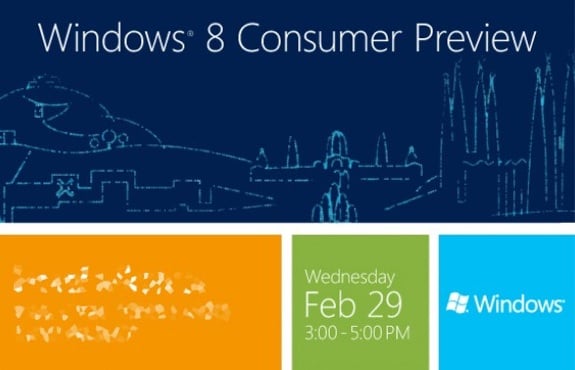
Today Microsoft released the Windows 8 Consumer Preview to the world, and it's been the talk of the day. Why? Well, Windows 8 is a huge departure from everything that Windows has ever been, and at the same time, it's very different than what you'd expect from OS X as well. Sure, both Mountain Lion and Windows 8 are super touch-centric, but Microsoft truly decided to come up with some new, innovative, and different techniques for the next major version of Windows, and now anyone can give it a try. A word of warning though--this is a preview in every sense of the word. If you prefer, we can call it a beta. This isn't final software, so don't expect it to be all buttery smooth. Still wanna try it though? Yeah, we thought so. Head on over to Microsoft to download it!
Gallery: Download the Windows 8 Consumer Preview right now
Zune and Windows Live will die with the release of Windows 8
Posted by Andrey Malskiy Categories: Microsoft, PC / Laptop, Rumors, Software,
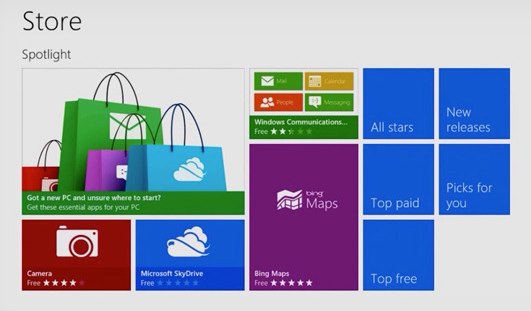
It looks like two Microsoft products are about to get killed off (or really, renamed) with the release of Windows 8. When the next major Windows OS launches, that'll be the end of the Zune and Windows Live brands. Yep, Microsoft is finally getting rid of the brand that was supposed to rival the Apple's iPod/iTunes ecosystem, but failed miserably. It’s not just the physical player they’re killing off - they did that last year while holding onto Zune as the name of the desktop software and music service. Now, Zune will be no more.
In addition, in an effort to further simplify things, the Windows Live brand is also going away. Here's a look at what to expect, and what will replace the two brands:
- Microsoft Account (Windows Live ID)
- Mail (Windows Live Mail)
- Calendar (Windows Live Calendar)
- People (Windows Live Contacts)
- Photos (Windows Live Photo Gallery)
- Music (Zune Music Player)
- Video (Zune Video Player)
We also wouldn't be surprised if Microsoft replaced Zune with a streaming music service similar to Spotify. The sad part is that Zune could have been what Spotify Premium currently offers had Microsoft been more forward thinking with the concept. We've actually said many times in the past that the Zune Pass was the best deal in music. Currently there are other well-established music services with dedicated users like Spotify, Rdio, MOG, and Rhapsody. If this is Microsoft’s attempt to dominate a new market, we sure hope they've got a better plan than they did with the original Zune launch.
Read More  | The Verge








