

Find Our Latest Video Reviews on YouTube!
If you want to stay on top of all of our video reviews of the latest tech, be sure to check out and subscribe to the Gear Live YouTube channel, hosted by Andru Edwards! It’s free!
Latest Gear Live Videos
Ask Andru: How can I make my iPad louder?

Posted by Andru Edwards Categories: Apple, Editorial, Features, Handhelds, Videos,
In today's Ask Andru column, we get a question about an issue with the iPad that we've actually experienced ourselves for years. Ever since the release of the original iPad, it's been painfully obvious that the speaker on the Apple tablet isn't exactly up to snuff. It's fine if you're somewhere quiet, but go somewhere that has any ambient noise, and all of a sudden it's a challenge to enjoy any audio-based entertainment. So, on to the submitted question:
I love my new iPad, but I wish it were louder. It seems that everything about the new iPad is high-quality, with the exception of the speaker! Is there any way I can get more volume out of this thing?
I hear you! As I said earlier, the low volume issue has been around since the very first iPad. When the iPad 2 was released, the speaker grille was larger, and many assumed that this meant that the device would be louder. Unfortunately, despite the visual cue, the iPad 2 suffered from the same issue, and the new third-generation model (see our new iPad review) seems to have the exact same speaker as its predecessor. Luckily, there are a few things you can do to alleviate the frustration.
Click to continue reading Ask Andru: How can I make my iPad louder?
Gallery: Ask Andru: How can I make my iPad louder?






Advertisement
New iPad (3rd generation) review
Posted by Andru Edwards Categories: Apple, Features, Handhelds, Product Reviews, Videos,
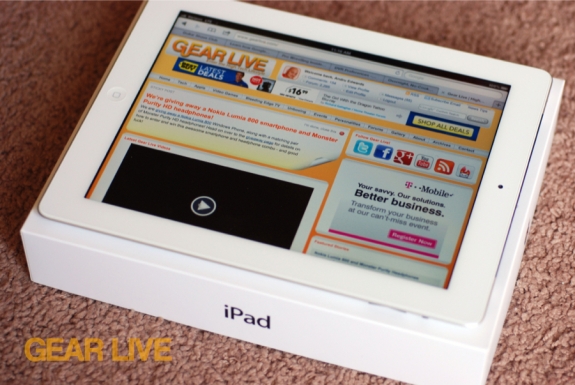
The new iPad. When the third-generation Apple slate was announced, it gained a few new features, but lost a number. Hey, you can't blame Apple for simplifying things, right? Really, though, the new iPad is anything but a simple machine.
When Apple announced the new iPad, the company focused on a few key features that set the third-generation model apart from the iPad 2. The iPad product line is such a runaway success, that we felt it would be more appropriate to focus our review on the things that've changed or been added. After all, the iPad 2 is still a capable tablet, and Apple's still selling it, now at a discounted $399 for the 16 GB model, while the new iPad starts at $499 (although you can get it for less on Amazon.) So let's focus on what the new iPad (3rd generation) brings to the table, and if it's worth your attention. We're talking about things like the Retina display, 4G LTE, A5X SoC processor with quad-core graphics, and dictation. Is that stuff enough to warrant your attention? Let us take you through our iPad (3rd generation) review, and get these questions answered, shall we?
Click to continue reading New iPad (3rd generation) review
Gallery: New iPad (3rd generation) review
Nokia Lumia 800 and Monster Purity Headphones giveaway!
Posted by Andru Edwards Categories: Accessories, Smartphones, Features, Music,
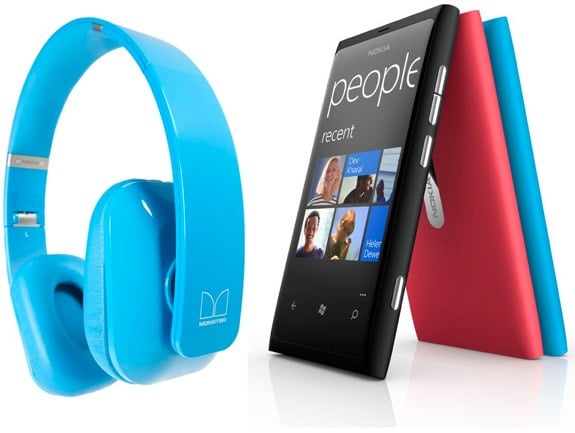
If you've been checking out the Gear Live Twitter and Facebook pages, then you've likely been looking forward to our next giveaway, featuring the Nokia Lumia 800 and Monster Purity Headphones. Well, the time is now!
The Nokia Lumia 800 is a super-sexy Windows Phone device for AT&T that features a 3.7-inch 800x480 ClearBlack AMOLED display, 1.4 GHz processor, Carl Zeiss 8 megapixel wide angle lens with dual LED flash, and a seamless, curved glass one-piece body design.
The Purity HD stereo headphones from Monster feature Windows Phone playback controls, as well as ControlTalk Universal. This means you can control both your media and phone calls hands-free. It's also got a tangle-resistant cable, and comes with a hard shell carrying case. The best part? The headphone color matches the color of your Lumia 800!
Microsoft only sells the Lumia 800 as part of an $899 bundle here in the US, but we're giving you the opportunity to win the smartphone and Purity HD headphones right here, for free! Here's how to enter:
- Follow the Gear Live Twitter account and post this exact tweet: “Hey @gearlive hook me up with that @Nokia Lumia 800! #PuritybyMonster http://gear.lv/e-lumia800” (Click here to tweet this now)
- Use the hashtag #PuritybyMonster in your tweets over the next week
Do that, and you're in! Now here is the fun part - you can enter as many times as you'd like by including the hashtag #PuritybyMonster in your tweets next seven days. At the end, we will pick a winner randomly from all valid entries. If you use Twitter regularly, just throw #PuritybyMonster into your tweets over the next week, and you could walk away with this awesome prize. The winner must be over 18, and must have a mailing address within the US to be eligible. Contest ends at 12:00am on April 12th!
Gallery: Nokia Lumia 800 and Monster Purity Headphones giveaway!
Are cloud music services like Rdio and Spotify the same song and dance?
Posted by Andru Edwards Categories: Features, Internet, Music,

We sat in on a panel where Pandora's Jackson Gates, Daren Tsui of mSpot, and Kevin Wortis were interviewed by Gartner's Mike McGuire about the future of cloud music services at SXSW. It was an interesting discussion, focusing on what the benefit of the cloud brings to music, and the problems associated with expecting users to pay for something that they've been used to getting for free for at least a generation. It's an interesting time, and obviously the models differ substantially for companies like Pandora and Spotify, for example. Click on through for the highlights of the discussion!
Click to continue reading Are cloud music services like Rdio and Spotify the same song and dance?
Gallery: Are cloud music services like Rdio and Spotify the same song and dance?
Video: New iPad 4G LTE speed test
Posted by Andru Edwards Categories: Apple, Broadband, Features, Product Reviews, Videos, Wireless / WiFi,
Now that we've gone over the new iPad Retina display and the iPad Dictation feature, we're ready to focus on the next big feature of the 3rd generation Apple tablet. The introduction of 4G LTE into the iPad is a bigger deal than many realize, because now you have speeds that rival many home broadband connections, wherever you are. The 3rd generation iPad can even be used as an LTE hotspot, for no additional cost, if you pick up the Verizon Wireless model. In this video, we compare our Wi-Fi network speeds (we have FiOS) against the 4G LTE Verizon Wireless connection. As you'll see, it's impressive.
Gallery: Video: New iPad 4G LTE speed test
Video: iPad (3rd generation) Dictation review
Posted by Andru Edwards Categories: Apple, Features, Product Reviews, Videos,
We gave you a look at the new iPad Retina display in our last video, and now we're here to show off the DIctation feature. Dictation allows you to speak your words to the iPad while it listens and attempts to turn your words into text typed into the app your using. As you can see in the video, Dictation is easy to use (it's right on the keyboard, next to the space bar,) but it doesn't always get everything perfect. You also need to remember to speak your punctuation when using the feature. It's definitely convenient, and easy to go in and clean up any mistakes after the fact. Get a look at how it all works in the video above.
Gallery: Video: iPad (3rd generation) Dictation review
Video: A look at the iPad (3rd generation) Retina display
Posted by Andru Edwards Categories: Apple, Features, Handhelds, Product Reviews, Videos,
The new iPad (3rd generation) was released two weeks ago, and in that time, Apple has already sold millions. The biggest and best feature of the device is the high resolution Retina display. When you compare it against the original iPad and iPad 2 displays, it's apparent that it's a big step up from what we've had before. In fact, it's the highest resolution display ever shipped on a portable device. We give you a look at the iPad (3rd generation) focusing on the Retina display in this, the first in a series of videos where we will focus on a major feature of the new iPad.
Gallery: Video: A look at the iPad (3rd generation) Retina display
Ten One Design Magnus Magnetic iPad Stand review
Posted by Andru Edwards Categories: Accessories, Apple, Features, Handhelds, Product Reviews,
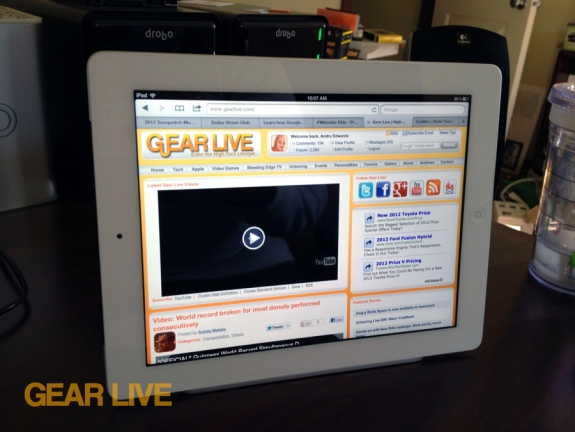
The Apple Smart Cover is a convenient way to protect the display of your iPad, and can also double as a simple stand. However, there are times where you'd prefer to have something a little more sturdy, and a little more elegant, and that's where something like the Ten One Design Magnus Magnetic Stand for iPad comes in. The Magnus is a magnetic stand that works with the new iPad, as well as with the iPad 2, and even the original. I was able to get my hands on one and have been testing it for a bit. It's really a simply-but-elegant product, so there isn't much to it. How does it work, and will it fit in with your workflow? Head on down for our full review of the Magnus to find out!
Click to continue reading Ten One Design Magnus Magnetic iPad Stand review
Gallery: Ten One Design Magnus Magnetic iPad Stand review
Magnus Magnetic Stand for iPad gallery
Posted by Andru Edwards Categories: Accessories, Apple, Design, Features, Handhelds,

We just got our hands on the Ten One Design Magnus, a magnetic stand for the Apple iPad. The stand features a striking minimalist design that works with all three generations of iPad that have been released to date. It's made of a nice, hand-finished brushed aluminum look that matches the rear metallic casing on the iPad itself. They sell out pretty regularly, but you can find them on Amazon for $47. We'll have a full review up later today, but for now, enjoy these images showing off the Magnus.
Edit: And here's our Magnus iPad Stand review!
Read More  | Magnus Magnetic iPad Stand
Gallery: Magnus Magnetic Stand for iPad gallery
Hands-on with New Rdio redesign: More social, much faster
Posted by Andru Edwards Categories: Features, Internet, Music, Product Reviews, Software,
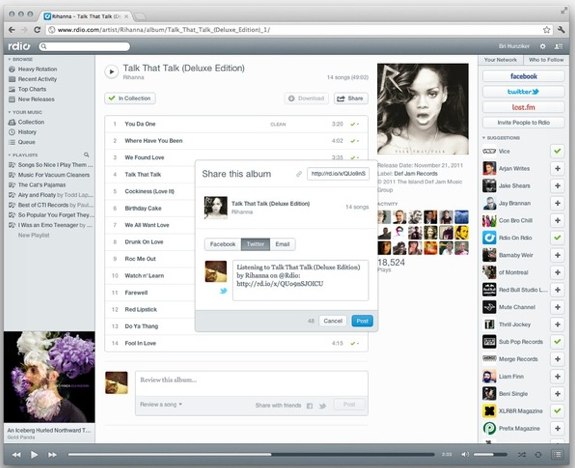
Last week at a press event in Austin at SXSW, Rdio gave us a look at its brand new, completely overhauled music experience. We got a look at the new Rdio, and we walked away impressed by the beauty of what the streaming music company is attempting to pull off. There are a lot of changes, and we think that most people will think they're all good.
New Rdio isn't just a visual makeover though. Wilson Miner, head of design for Rdio said, "We want back to ground zero and rethought the whole user experience from the groud up to put the focus 100% on music and people." That people part is a big deal, because social integration is a big part of the new Rdio. When you log in, you've got a constant bar on the right-hand side that shows your online contacts and what they're listening to. There's also another tab that gives recommendations of who to follow (oh, and you should definitely follow the Gear Live Rdio profile!) Wanna share a track or album with a contact? The old way still works, but now you can just drag and drop content onto contacts as well. Very fluid.
Click to continue reading Hands-on with New Rdio redesign: More social, much faster








