

Find Our Latest Video Reviews on YouTube!
If you want to stay on top of all of our video reviews of the latest tech, be sure to check out and subscribe to the Gear Live YouTube channel, hosted by Andru Edwards! It’s free!
Latest Gear Live Videos
Napster founders Sean Parker and Shawn Fanning talk digital music at SXSW

Posted by Andru Edwards Categories: Apple, Features, Music, Software,

The revolutionary promise of digital music became reality with the rise of Napster. The file sharing network pioneered a functional and comprehensive catalog of music with its enthusiastic users. Developed by then-teenaged Shawn Fanning in 1998, Napster became a worldwide phenomenon in less than a year. Co-founder Sean Parker helped develop Napster into a company. Mass acceptance came quickly, but legal challenges ultimately doomed the original service. Despite the controversy and lawsuits, Napster changed the music business and paved the way for iTunes, Rhapsody, Spotify, and other music services. The divide between the cultural establishment and technology innovators was defined by the disputes raised by Napster. After more than a decade of declining sales of recorded music and imperfect attempts to present a licensed alternative, the influence of Napster continues to be felt.
At SXSW, I listened in on a discussion with Sean Parker and Shawn Fanning where they discussed these issues in an effort to promote their film Downloaded. The panel opened with a montage of clips from the VH1 rockDocs Downloaded film. The trailer touched on the start of Napster, the revelation of how easy it was to get music based on a search term, how quick the results were in the age of dial-up, and the growth of Napster as a company. There are a couple of gems there as well, such as when Fanning said back in 1999 that he believed the future was instant music access from multiple devices, including stereos and smartphones (well, he said "cell phones," but still.) this is a movie about kids revolutionizing an industry they knew nothing about.
Click to continue reading Napster founders Sean Parker and Shawn Fanning talk digital music at SXSW
Gallery: Napster founders Sean Parker and Shawn Fanning talk digital music at SXSW






Advertisement
Why Turntable.fm matters, and how it enhances music discovery
Posted by Andru Edwards Categories: Editorial, Features, Internet, Music,
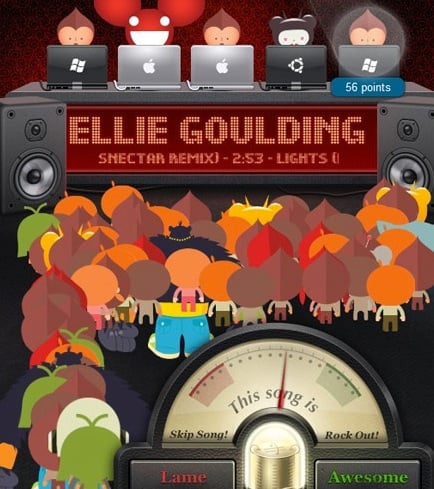
Right now I'm at SXSW, sitting in on the Turntable.fm DJ Battle that's taking place over the next two hours. There are a few DJs on stage playing their best tracks in an attempt to rock the crowd, and as things are unfolding, I can see some real potential for Turntable.fm to bring something to the table that the Spotifys, Rdios, and Rhapsodys of the world just aren't able to deliver at the moment, especially now that Turntable has secured licensing rights from all four of the major record labels here in the U.S.
Click to continue reading Why Turntable.fm matters, and how it enhances music discovery
Gallery: Why Turntable.fm matters, and how it enhances music discovery
How to fix: Apps Installed on the iPhone could not be Determined
Posted by Andru Edwards Categories: Apple, Features, PC / Laptop, Software,
I've been putting up with an annoying iTunes error when trying to sync my iPhone 4S. The sync always fails, telling me that it's because "Apps installed on the iPhone could not be determined" - We figured there were others out there receiving the same message, so we wanted to share how we fixed it. The problem would always start with iTunes attempting to transfer apps from the iPhone that it says weren't in the iTunes library - however, this is incorrect, as each time it wanted to transfer over all 153 apps from the iPhone. After the transfer started, the error would appear. Here are some things you can try if you're experiencing the same problem:
First, make sure you're running the latest version of iOS and iTunes. Restart your iPhone (or other iOS device) by holding down the home button and the sleep/wake button at the same time until the Apple logo appears. While it's rebooting, quit and restart iTunes. For some, this will usually fix the problem, but for us it didn't.
The next step is to reboot your computer. When it's back up, launch iTunes and update all apps in iTunes and do the same on your iPhone. Once this is done and both devices have the latest version of the apps that you own, connect your iPhone (and be sure you're using a first-party Apple sync cable) and attempt to sync. This will fix the issue if your iPhone and iTunes each have different versions of an app that might be corrupt. However, in our case, things were still failing. In this case, I had to watch the iTunes status during the sync and noticed that the error came up when it attempted to sync the Price is Right app. I manually deleted it from my phone, synced again, and it worked just fine.
Hope this saves some of you guys out there some frustration!
Gallery: How to fix: Apps Installed on the iPhone could not be Determined
How to export files from an iPhone using iExplorer

Posted by Andrey Malskiy Categories: Smartphones, Features, Software,
As we've told you previously, iExplorer is a piece of free software allows you to browse the contents of your iPhone for select files. The nice thing is that iExplorer even lets you export files that were created and saved in third-party apps. In this tutorial, we show you how to do that yourself. As a point of reference we’ll be using MusicBox, a Rhapsody-type of serivce. Follow these few steps, and you’ll be on your way to moving files to and from your iPhone with ease.
Click to continue reading How to export files from an iPhone using iExplorer
Gallery: How to export files from an iPhone using iExplorer
How to delete your Google Web History before tomorrow’s privacy policy change
Posted by Andrey Malskiy Categories: Features, Google, Internet,
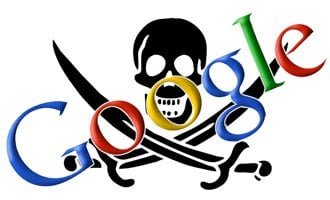 On March 1st (that's tomorrow!), Google will be changing its privacy settings. The changes will unify all Google services under one umbrella, as far as privacy is concerned. In other words, what you search for on YouTube will be accessible by Google Search, and all other Google services. As of today, all your site and search history stayed sandboxed within the specific services that you used. Tomorrow, that'll be a different story.
Your search and activity history can obviously reveal a lot of personal data that you may not want Google to know. Things like medical conditions, location, personal habits, and more. That said, there are a few easy steps you can take to keep your search history private and outta Google’s reach. Taking these steps does not prevent Google from gathering and storing this information internally, and doesn't change the fact that this information can be requested and possibly turned over to law enforcement for legal matters. However, what it does do is make it so that Google anonymizes the information after 18 months, and that Google doesn't use your web history to offer you customized search results. With Web History enabled, Google will keep your records indefinitely. Keep on reading for a walkthrough!
Gallery: How to delete your Google Web History before tomorrow’s privacy policy change
ChicBuds Chicboom keychain speaker review

Posted by Taylor Peterson Categories: Accessories, Features, Portable Audio / Video, Product Reviews,

I usually listen to music on my MacBook Air rather than on my iPhone or iPad, so initially I wasn't sure how much use I'd get out of the ChicBuds Chicboom. The Chicboom is a small, portable 2W amplified speaker that is attached to a key ring that lets you have a speaker wherever you are. It's super small, so it's not inconvenient by any means to have with you. You connect it to any device using the included 3.5mm stereo jack connection.
Click to continue reading ChicBuds Chicboom keychain speaker review
Gallery: ChicBuds Chicboom keychain speaker review
Top 5 Hottest Hatchback Cars in the U.S.
Posted by Andrey Malskiy Categories: Editorial, Features, Transportation,

Europe always seems to get the best of breed when it comes to cars. Regardless of the make or model, Europe takes delivery of vehicles we can only dream of over here in America. Here in the States we’re often left with slightly bland, dumbed down, and unappealing vehicle selection. Even Ford, an American company, offers vehicles in Europe that we can’t get here at home like the Ford Falcon and Focus RS, which we’ll zone in more later in the article.
Europeans have a knack for the ultimate driving experience, and one thing we noticed during a visit over the Atlantic during the summer was their love of hatchbacks. No, we're not talking about some hokey-puck cheap car that you'd find a teenager racing around town in. These vehicles are actually pretty awesome. We've put together our list of five hot hatches to look out for and consider if and when you’re in the market. Read on!
Click to continue reading Top 5 Hottest Hatchback Cars in the U.S.
Gallery: Top 5 Hottest Hatchback Cars in the U.S.
Enter to win 1 of 20 $25 iTunes gift cards in our Vonage Mobile giveaway!
Posted by Andru Edwards Categories: Announcements, Smartphones, Features, Software,
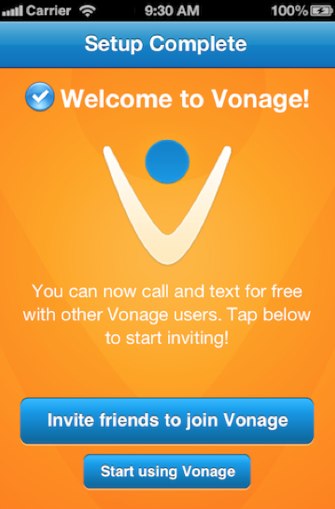
Vonage Mobile has launched, and we're giving away 20 iTunes gift cards to our readers to celebrate! In case you're unaware, Vonage Mobile allows you to make free phone calls to other users of the app (which is currently available for iOS and Android,) anywhere in the world. In addition, you can also send free text messages as well to other users of the app, cross platform, anywhere in the world. Even better, you can call any phone number, and if that other person doesn't have Vonage Mobile, then the rate is much lower than what your mobile carrier would charge, and is even 30% less than what Skype would charge you as well.
The app works over both Wi-Fi and cell service (3G and 4G) and it uses your existing contacts and address book, rather than requiring you to set up a new username, get a new phone number, etc. Even cooler, you don't need a Vonage account to pay for your calls - instead, you just add your minutes right from the App Store or Android Market!
So, how do you enter to win one of the $25 iTunes credits? We've got a few different ways for you to enter. You only need to enter once, but for each method of entry, you gain an additional entry in the contest. Here's how you enter:
- Download the Vonage Mobile app (it's free!)
- TWITTER ENTRY: Follow the Gear Live Twitter account and take a picture of the app on your phone. Include that image in a post with this tweet exactly as written: “Hey @GearLive I got @Vonage Mobile! Hook me up with that prize! http://gear.lv/vonagecontest” (Click here to tweet this now)
- FACEBOOK ENTRY: Like the Gear Live Facebook page, and take a picture of the Vonage Mobile app on your phone. Leave a post on our wall and include that photo.
- YOUTUBE ENTRY: Subscribe to Gear Live on YouTube and leave us a video response on this video showing us that you downloaded the Vonage Mobile app.
That's it! Again, there is no requirement for you to perform all three methods of entry, but you do get a point for each entry that you do. At the end of the week, we'll choose twenty winners at random who followed the rules!
Click to continue reading Enter to win 1 of 20 $25 iTunes gift cards in our Vonage Mobile giveaway!
Gallery: Enter to win 1 of 20 $25 iTunes gift cards in our Vonage Mobile giveaway!
3 ways to avoid speeding tickets that won’t cost you a thing
Posted by Andrey Malskiy Categories: Features, Transportation,

Each day I commute about 60 miles and I see a lot of things on the road. Some things are just gorgeous, like the snowcapped Olympic Mountains, while the other stuff I see is sheer stupidity, like the lady who decided to go against the flow of traffic today. These a pretty much non-issues in the world of driving, while we think that the real threat are the boys in blue. Now don’t get me wrong, I have nothing against our task force, but getting dinged for going 5 mph over the speed limit is a bit too ridiculous in my book. Over the years, I’ve noticed ways of how to avoid tickets at little or no cost to you. Continue reading for some tips!
Click to continue reading 3 ways to avoid speeding tickets that won’t cost you a thing
Gallery: 3 ways to avoid speeding tickets that won’t cost you a thing
Ask Andru: Should I get Kinect if I use my Xbox 360 primarily for watching Netflix?
Posted by Andru Edwards Categories: Features, Microsoft, Video Games, Videos,

We're back with another edition of Ask Andru - this time we're focusing on the wildly popular Kinect add-on, and how useful it might be for Xbox 360 owners who primarily use their consoles for watching streaming video. On to the question:
My family has an Xbox 360 but we end up using it primarily for Netflix, not games. I've read that the recent Xbox Live update added more ways to navigate menus and content using voice and gestures with Kinect. Is it worth buying a Kinect just for those controls, if we don't use it to play games? Is talking and waving at the TV better than using the controller?
It's true--Microsoft recently released an update for the Xbox 360, known as the Fall 2011 Dashboard Update, that has fully optimized the console's interface for use alongside the Kinect add-on. Many early adopters of Kinect complained about how clunky and tacked on the experience felt when trying to navigate menus while using the Xbox 360 outside of gaming, and the update pretty much solved all of those problems. Now, it's easy to "grab" something on screen, swipe through menus, and make selections using hand gestures. Even cooler, though, is that the dashboard is now pretty much fully navigable using just your voice. Simply say "Xbox" and all your options for where you can go are displayed on the screen. If you can see it, you can pretty much say it. Here's a video I made that looks at the features you'll find in the latest update:








