

Articles tagged Ask Andru
Latest Andru Edwards Videos
Ask Andru: Which Macs can run OS X Yosemite?

Posted by Andru Edwards Categories: Apple, Editorial, Features, PC / Laptop, Software,
OS X 10.10, better known as Yosemite, represents the next-generation in Apple's desktop operating system. Yosemite brings a new look to the desktop experience, and also ties OS X and iOS together through a feature called Continuity that I bet will make work a lot easier for Apple users. With any big change, customers will wonder if their older hardware will be supported. We recently received this question from a reader named Steve:
Q: I'm excited to check out OS X Yosemite once it launches, the redesigned interface looks great! My MacBook Air is from 2010, and I was curious if you knew if it would run Yosemite without any issues, or if I have to upgrade my computer?
A: I agree--I think the look and feel of OS X Yosemite is a breath of fresh air. I've been using the Developer Preview since it was made available at WWDC 2014, and when I use a Mac that is running Mavericks or earlier, it already feels like a big step backwards from a design perspective. Now, on to system requirements! The nice thing about Yosemite is that Apple hasn't changed any of the system requirements from what was required to run Mavericks. In other words, all Macintosh products capable of running OS X Mavericks will be supported by Yosemite; as with Mavericks, 2 GB of RAM, 8 GB of available storage, and OS X 10.6.8 (Snow Leopard) or later are required to upgrade. To make it easier to figure out if you're specific Mac is compatible, here is a listing of all the Apple hardware that is Yosemite-capable:
- iMac Mid-2007 or newer
- MacBook (13-inch Aluminum, Late 2008), (13-inch, Early 2009 or later)
- MacBook Pro (13-inch, Mid-2009 or later), (15-inch, Mid/Late 2007 or later), (17-inch, Late 2007 or later)
- MacBook Air (Late 2008 or later)
- Mac Mini (Early 2009 or later)
- Mac Pro (Early 2008 or later)
- Xserve (Early 2009)
As you can see, anyone who has bought a Mac within the past five years is covered and will be able to run OS X Yosemite. Mac Pro, MacBook Air, and MacBook aluminum buyers as far back as 2008 are also good. In fact, some MacBook Pro and iMac buyers from back in 2007 can even get in on the Yosemite action, and those computers are now 7 years old! This is a pretty large blanket of Mac users that will be able to enjoy the next generation of OS X, and I comment Apple for including as many Macs as it did.
OS X 10.10 Yosemite is set to launch later this fall, and will be available exclusively on the Mac App Store. At WWDC, Apple announced that it will be made available completely free to its users. Can't beat that!
Advertisement
Ask Andru: How to improve Touch ID and secure your iPhone
Posted by Andru Edwards Categories: Apple, Smartphones, Features, Software,
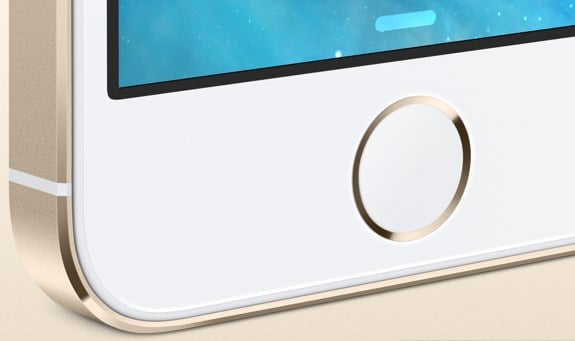
We're back for another installment of Ask Andru, where I take your burning tech questions and give you practical answers! This time, we have a two-parter as it pertains to securing your iPhone 5s (see our iPhone 5s review) and iPad, as well as making Touch ID work as well as expected. Here we go, these questions were sent in by Mike:
I have two questions,
- I have a two part question, what is the best security app for the iPad mini with Retina display & the iPhone 5s?
- Since I picked up my new iPhone 5s from the AT&T Store-Lynwood this past October and two exchanges for two new replacement phones from the Apple Store @ Alderwood Mall, the Touch ID still has not worked for me. Have other users had problems with the Touch ID? In regards to exchanging my 5s for a 5c or a Droid phone, I have been informed that it is past their respective fourteen day warranty period to facilitate an exchange because their operating systems will not allow this transaction to take place. So thus, AT&T and Apple have left me with a defective product.
Regards,
Mike
Let's start with that first one. When most people talk about security apps, I think they're asking about something that will protect them from viruses and malware getting installed on their mobile devices. For Android, for example, you might want to have something installed due to the rampant malware that can be found in the Google Play store. However, Apple sandboxes each app, and as such, none get full access to take over your device, no matter how hard they try. Apple also has a vetting process for each app as well, so there are no antivirus or anti-malware apps that you'll need. Yet, one app that I do love for security and protection is called 1Password. Let me explain.
Click to continue reading Ask Andru: How to improve Touch ID and secure your iPhone
Ask Andru: Will OS X Mavericks be compatible with my Mac?
Posted by Andru Edwards Categories: Apple, Features, PC / Laptop, Software,
Apple announced OS X Mavericks a few days ago during the WWDC 2013 keynote, and we've been getting a bunch of questions about which Macs will work with the new operating system, like this one from Anette:
Q: OS X Mavericks looks cool, despite the silly name. However, it seems that when new software is introduced, a bunch of hardware is left out of the mix. Apple didn't make it clear which Macs will be able to run Mavericks. Do you know? Here's hoping my 2010 MacBook Air isn't left out in the cold!
A: Thankfully, it appears that Mavericks will be pretty forgiving, and won't need super-new hardware in order to run. In fact, it will run on some Macs that are as much as 6-years old. Here's the list:
- iMac (Mid-2007 or later)
- MacBook (13-inch Aluminum, Late 2008), (13-inch, Early 2009 or later)
- MacBook Pro (13-inch, Mid-2009 or later), (15-inch, Mid/Late 2007 or later), (17-inch, Late 2007 or later)
- MacBook Air (Late 2008 or later)
- Mac Mini (Early 2009 or later)
- Mac Pro (Early 2008 or later)
- Xserve (Early 2009)
As you can see, anyone who has bought a Mac within the past four years is covered and will be able to run OS X Mavericks. Mac Pro, MacBook Air, and MacBook aluminum buyers as far back as 2008 are also good. In fact, some MacBook Pro and iMac buyers from back in 2007 can even get in on the Mavericks action. We'd say that this is a pretty large blanket of Mac users that will be able to enjoy the next generation of OS X.
OS X 10.9 Mavericks is set to launch later this fall, and will be available exclusively on the Mac App Store. No pricing has been announced just yet, but if history is any indication, it will cost between $19.99 and $29.99.
Ask Andru: Where is Apple’s innovation? It takes time
Posted by Andru Edwards Categories: Apple, Smartphones, Editorial, Features, Handhelds,
The day after Apple's latest earnings call, I got an email from a reader that asked if the days of Apple leading the world in consumer electronics innovation has come to an end, and if the playing field is leveling out:
Q: What's up with Apple? It seems the stock is down, profits are great, and products are stagnant, only seeing revisions rather than new product categories. Have they gotten too big to be as nimble as they used to be?
Coincidentally, I was browsing Facebook earlier, and I came across a post where a friend was very unimpressed by Apple's announcement of the 128 GB iPad:
Maybe it's the jet lag, but the latest 'New Thing' is a 128GB iPad?
This is it?
Where's Apple innovation?
I dunno, it seems that people expect way more from Apple than any other company. They update their iOS products on a yearly cycle, and they even updated the iPad mid-cycle last time (which people got upset about too, because it was too soon. Wait, what?)
Do people forget that the original iPod was released in 2001, and then the iPhone 6 years later, and then the iPad another three years after that? The iPad isn't even three years old yet, and people are saying Apple has lost something. Big, game-changing products like this take time.
Click to continue reading Ask Andru: Where is Apple’s innovation? It takes time
Ask Andru: How do I convert cassette tapes to digital format?
Posted by Andru Edwards Categories: Features, Music, PC / Laptop, Software,
With the move to cloud and digital content that's taken the world by storm, older technologies have fallen by the wayside. The problem, though, is that there are still plenty of great pieces of content that are relegated to VHS, film reels, cassette tapes, and records. Today in my Ask Andru column, we have a question from Janine, a kindergarten teacher who wants to know how to convert her books on cassette over to a digital format. Let's jump into it.
Q: I listen to your show and really enjoy all your tips. I teach Kindergarten and have many books on cassettes that my students love listening to. Some of the cassettes are getting a bit worn. So I thought I could convert them over to CDs instead of buying new books with CDs. Do you have any suggestions on what would be the best way to do this that is affordable?
Click to continue reading Ask Andru: How do I convert cassette tapes to digital format?
Ask Andru: How do I stop iPhoto from opening when I plug in my iPhone?
Posted by Andru Edwards Categories: Apple, Smartphones, Features, PC / Laptop, Software,
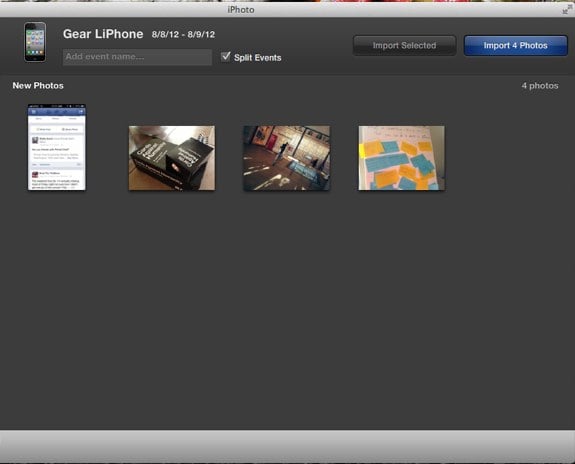
Apple tries to make it easy to use all of its products together harmoniously, but there are times where it might get in the way. Today we received a question that asks how to stop iPhoto from opening automatically whenever an iPhone is plugged in, and that's exactly the kind of synergy that can get annoying when all you want to do is charge up your device while you work. Luckily, I've got your answer. There are a couple of different ways to do this, and they look similar at the surface level, but actually serve two different purposes. Let's explore them.
Question: How do I stop iPhoto from automatically opening whenever I plug in my iPhone? It's annoying!
Click to continue reading Ask Andru: How do I stop iPhoto from opening when I plug in my iPhone?
Ask Andru: How do I prepare my Mac for Mountain Lion?
Posted by Andru Edwards Categories: Apple, Features, PC / Laptop, Software,
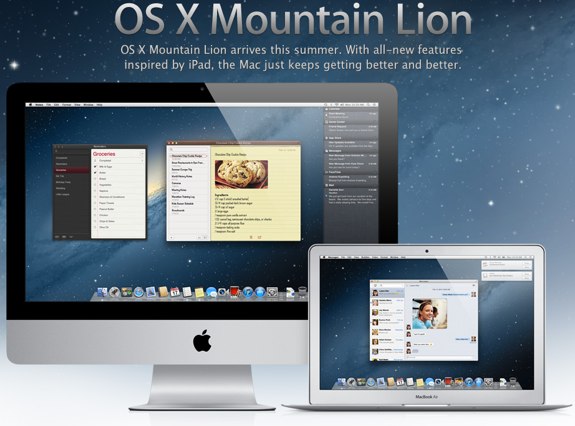
Apple is set to release it's next major operating system update, known os OS X Mountain Lion, later this month. In this edition of Ask Andru, Tracy writes in and asks if there is anything she should do to prepare her Mac computers for the Mountain Lion installation. I share some tips on what we can all do to ensure a smooth upgrade experience to Mac OS 10.8.
Question: I hear that Apple will be releasing a new version of OS X shortly. Is there anything I need to do in order to prepare for it to ensure that I can run it? Will it be expensive?
You're correct! Apple announced OS X 10.8 Mountain Lion just five months ago, and it will be available in under two weeks. Mountain Lion will sell exclusively on the Mac App Store for $19.99 (so, not expensive at all!) and will include some nice features, including AirPlay Mirroring from your Mac, tighter iCloud integration, Twitter and Facebook built-in at the system level, Reminders, Notes, Game Center, a new Messages app that will let you send and receive iMessages from the Mac, iPhone, iPod touch, and iPad. In total, there are over 200 new features that Apple is introducing in Mountain Lion.
Click to continue reading Ask Andru: How do I prepare my Mac for Mountain Lion?
Ask Andru: Is Wii U really a next-generation console?
Posted by Andru Edwards Categories: Editorial, Features, Video Games,
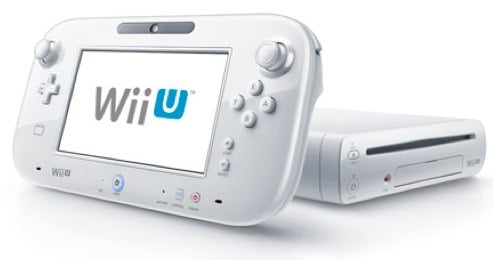
Today we received a question about Nintendo's upcoming console release, Wii U, with GeekWire reader Alex wondering why the company continues to release new peripherals for a console that's seen better days.
Question: What's up with the Wii U? Why is Nintendo releasing yet another expensive peripheral for the aging Wii?
Nintendo originally announced Wii U in June 2011 in a vague manner, leaving much of the pertinent details left to the imagination. Because of this, many assumed that Wii U was the name of the new tablet-esque controller, and that it would interface with the Wii console that originally hit stores in November 2006. Thankfully, nothing could be further from the truth.
Click to continue reading Ask Andru: Is Wii U really a next-generation console?
Ask Andru: How can I make my iPad louder?
In today's Ask Andru column, we get a question about an issue with the iPad that we've actually experienced ourselves for years. Ever since the release of the original iPad, it's been painfully obvious that the speaker on the Apple tablet isn't exactly up to snuff. It's fine if you're somewhere quiet, but go somewhere that has any ambient noise, and all of a sudden it's a challenge to enjoy any audio-based entertainment. So, on to the submitted question:
I love my new iPad, but I wish it were louder. It seems that everything about the new iPad is high-quality, with the exception of the speaker! Is there any way I can get more volume out of this thing?
I hear you! As I said earlier, the low volume issue has been around since the very first iPad. When the iPad 2 was released, the speaker grille was larger, and many assumed that this meant that the device would be louder. Unfortunately, despite the visual cue, the iPad 2 suffered from the same issue, and the new third-generation model (see our new iPad review) seems to have the exact same speaker as its predecessor. Luckily, there are a few things you can do to alleviate the frustration.
Click to continue reading Ask Andru: How can I make my iPad louder?
Ask Andru: Should I get Kinect if I use my Xbox 360 primarily for watching Netflix?
Posted by Andru Edwards Categories: Features, Microsoft, Video Games, Videos,

We're back with another edition of Ask Andru - this time we're focusing on the wildly popular Kinect add-on, and how useful it might be for Xbox 360 owners who primarily use their consoles for watching streaming video. On to the question:
My family has an Xbox 360 but we end up using it primarily for Netflix, not games. I've read that the recent Xbox Live update added more ways to navigate menus and content using voice and gestures with Kinect. Is it worth buying a Kinect just for those controls, if we don't use it to play games? Is talking and waving at the TV better than using the controller?
It's true--Microsoft recently released an update for the Xbox 360, known as the Fall 2011 Dashboard Update, that has fully optimized the console's interface for use alongside the Kinect add-on. Many early adopters of Kinect complained about how clunky and tacked on the experience felt when trying to navigate menus while using the Xbox 360 outside of gaming, and the update pretty much solved all of those problems. Now, it's easy to "grab" something on screen, swipe through menus, and make selections using hand gestures. Even cooler, though, is that the dashboard is now pretty much fully navigable using just your voice. Simply say "Xbox" and all your options for where you can go are displayed on the screen. If you can see it, you can pretty much say it. Here's a video I made that looks at the features you'll find in the latest update: