

Find Our Latest Video Reviews on YouTube!
If you want to stay on top of all of our video reviews of the latest tech, be sure to check out and subscribe to the Gear Live YouTube channel, hosted by Andru Edwards! It’s free!
Latest Gear Live Videos
Flipboard for Android leaks, available to all

Posted by Andru Edwards Categories: Smartphones, Google, Software,

When Samsung launched the Galaxy S III, one of the little touches of the presentation was that Flipboard would finally be coming to Android, with limited exclusivity to the Galaxy S III. Well, it looks like that's out the window. Now, if you're looking to pick up the Galaxy S III, no worries, you still get Flipboard. However, the app has leaked, and pretty much anyone running an Android device can install it, right now, long before the Galaxy S III even ships. You can grab the APK (Android installation file) over on the XDA-developers forum. We've got full instructions on how to install Flipboard for Android as well.
Gallery: Flipboard for Android leaks, available to all






Advertisement
Apple releases iOS 5.1.1
Posted by Andru Edwards Categories: Apple, Smartphones, Handhelds, Portable Audio / Video, Software,
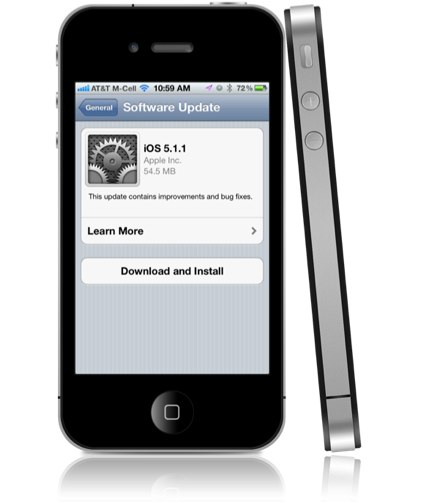
Apple has released iOS 5.1.1 for iPhone, iPad, and iPod touch, and with it comes various bug fixes and improvements. According to Apple, you should expect the following:
- Improves reliability of using HDR option for photos taken using Lock Screen shortcut.
- Addresses bugs that could prevent the new iPad from switching between 2G and 3G networks.
- Fixes bugs that affected AirPlay video playback in some circumstances.
- Improved reliability for syncing Safari bookmarks and Reading List.
- Fixes an issue where "Unable to Purchase" alert could be displayed after successful purchase.
iOS 5.1 was released two months ago, right before the release of the new iPad. You can grab iOS 5.1.1 by going into the Software Update option within the Settings app on your device, or you can connect your device to iTunes and do it there.
Read More  | Apple
Gallery: Apple releases iOS 5.1.1
Buy a Samsung Galaxy S III, get 50 GB of Dropbox storage for free
Posted by Andru Edwards Categories: Smartphones, Software, Storage,
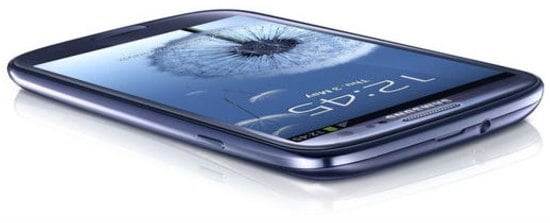
Alongside the announcement of the Samsung Galaxy S III, Samsung announced that buyers will also get another nice incentive--50 GB of free space on Dropbox. Buyers will simply need to register their Galaxy S III, and we presume they also need to install the Dropbox Android app. From there, they'll receive 50 GB of Dropbox storage for two years. Definitely a nice bonus if you ask us.
Gallery: Buy a Samsung Galaxy S III, get 50 GB of Dropbox storage for free
Apple releases Do Not Disturb feature for Mountain Lion Developer Preview 3
Posted by Andru Edwards Categories: Apple, Software,

Apple has released a small update for OS X Mountain Lion Developer Preview 3. Anyone running the latest OS X 10.8 Dev Preview can launch software update to grab the update, which includes a new Do Not Disturb feature for Notification Center. This effectively hides all banners and notifications from showing on the desktop so as not to distract you. They'll all be neatly stored and organized within the Notification Center pane when you're ready to review them. We're not seeing any other obvious changes, but if you catch any, hit us in the comments.
Gallery: Apple releases Do Not Disturb feature for Mountain Lion Developer Preview 3
Skype for Windows Phone now out of beta

Posted by Andrey Malskiy Categories: Smartphones, Corporate News, Microsoft, Software,
It’s been long in the making and long-awaited by many (ever since Microsoft bought Skype,) and now Skype is officially available for Windows Phone. The beta version of Skype has been around since February, but wasn't functional on all Windows Phone devices, according to Skype. However, with its official release, no such warnings exist. You can download Skype from the Windows Phone Marketplace now.
Read More | Skype
Gallery: Skype for Windows Phone now out of beta
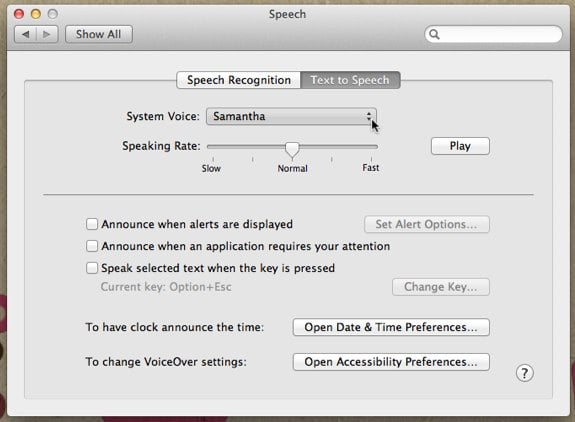
Siri has been relegated to the confines of the iPhone 4S for the past six months, while many a new iPad owner and Mountain Lion beta tester have wondered what's taking Apple so long to release the feature from beta. For those of you running the latest version of OS X, Reddit user Moosehadley figured out that you can inject Siri's female voice right into OS X Lion (we've confirmed that this works for Mountain Lion as well.) All you need to do is go into System Preferences > Speech > Text to Speech. Use the System Voice pulldown, and choose Customize. From the list, select "Samantha" and let it install. This is the same voice used for Siri, and should hold you over until her full functionality makes it to the Mac.
Gallery: How to bring Siri to your Mac
How to fix a frozen Finder, Dock, Menubar on your Mac
Posted by Andru Edwards Categories: Apple, Editorial, Features, PC / Laptop, Software,
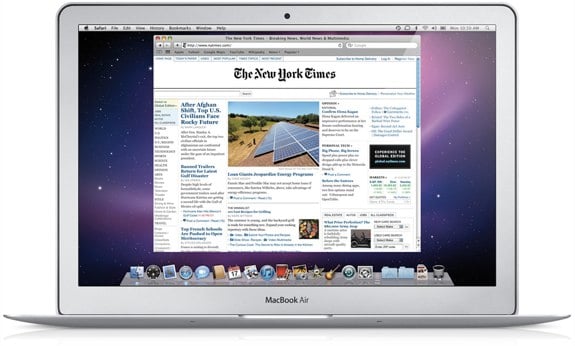
A few minutes ago, my dock crashed in OS X. Everything else was fine, but I couldn't launch anything or switch between apps. Usually, people would reboot in this situation, but there's a much faster and easier way to fix a frozen dock, which meant I could continue working without having to worry about saving and restarting everything. In fact, you can fix a stuck Finder, Menubar, and Spaces as well. All you need to do is launch Terminal, and type in a simple command for each. Here's what you do after launching terminal in these situations - these are all case-sensitive:
If the Finder crashes:
killall -KILL Finder
(Or, you can right-click the Finder and select Relaunch)
If the Dock crashes and becomes unresponsive:
killall -KILL Dock
If Spaces crashes and you can't swap between them:
killall -KILL Dock
If the Menubar crashes and can't be clicked (beachball):
killall -KILL SystemUIServer
There you go! Easy ways to quickly fix system issues that might crop up on your Mac.
Gallery: How to fix a frozen Finder, Dock, Menubar on your Mac
OS X 10.8 Mountain Lion Developer Preview 3 now available
Posted by Andru Edwards Categories: Apple, PC / Laptop, Software,
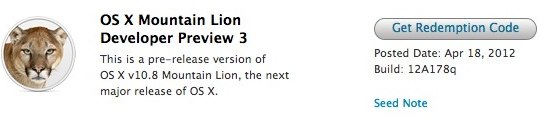
Apple has just released a new OS X 10.8 Mountain Lion Developer Preview about a month after the last release. Dubbed Mountain Lion Developer Preview 3, build 12A178q is the third beta release of the company's next major desktop operating system. Developers can grab a download redemption code in the Apple Developer portal, which will be used to get the update from the Mac App Store. OS X 10.8 Mountain Lion will be publicly released late this summer, but anyone with a Mac developer account can get access to the Developer Previews immediately. Release notes after the break.
Click to continue reading OS X 10.8 Mountain Lion Developer Preview 3 now available
Gallery: OS X 10.8 Mountain Lion Developer Preview 3 now available
iPad carrier settings update now available
Posted by Andru Edwards Categories: Apple, Handhelds, Software,
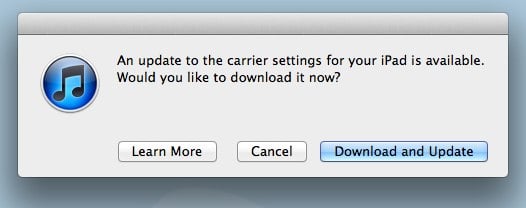
Apple has released a carrier settings update for the iPad. The one we're running if the Verizon LTE 3rd generation model, so your mileage may vary. Plug in and check iTunes to see if it's available for you. If it is, the download and update will take all of just a few seconds, and you're done! Also, if you haven't seen it, check out our new iPad review.
Gallery: iPad carrier settings update now available
Windows 8 Metro Testbed on iPad thanks to Splashtop
Posted by Andru Edwards Categories: Apple, Handhelds, Microsoft, Software,
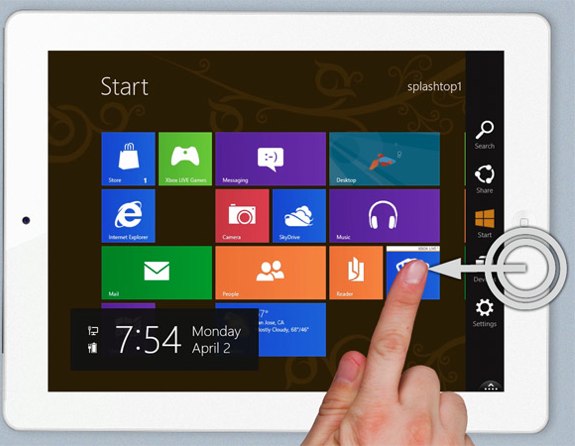
If you've been patiently awaiting the arrival of Windows 8 tablets while staring at your iPad with evil eyes, listen up. Now you can test apps in, and play with, the Microsoft Metro interface right on your iPad. While that may sound awkwards--dirty, even--it's perfectly easy to do using the Win8 Metro Testbed app from Splashtop. With it, you can swipe to switch between apps, access the Charms menu, and all the other stuff you'll be able to do within the confines of a Windows 8 tablet Metro interface. You can find the app in the iTunes App Store, where it costs $24.99 for a limited time. Afterwards, it'll be bumped up to $49.99, doubling in price. You need a PC running the Windows 8 beta for the app to work. Check out a video demo after the break.
Click to continue reading Windows 8 Metro Testbed on iPad thanks to Splashtop








