

Wednesday April 18, 2012 3:11 pm
OS X 10.8 Mountain Lion Developer Preview 3 now available

Posted by Andru Edwards Categories: Apple, PC / Laptop, Software
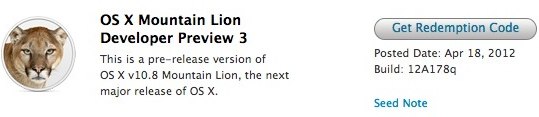
Apple has just released a new OS X 10.8 Mountain Lion Developer Preview about a month after the last release. Dubbed Mountain Lion Developer Preview 3, build 12A178q is the third beta release of the company's next major desktop operating system. Developers can grab a download redemption code in the Apple Developer portal, which will be used to get the update from the Mac App Store. OS X 10.8 Mountain Lion will be publicly released late this summer, but anyone with a Mac developer account can get access to the Developer Previews immediately. Release notes after the break.
- On systems with FileVault enabled, canceling the restart to the Mountain Lion Developer Preview 3 Installer may leave your system unable to present a password dialog at boot time. You can repair the problem by holding down command-R to boot to the Recovery OS and then using Disk Utility to unlock and Repair your volume.
- Installing OS X 10.8 over 10.7.2 or earlier with FileVault turned on may fail
- Pre-Lion FileVault user accounts are not supported in this Developer Preview- Some Apple menu items such as Restart may not work when a sandboxed app is in the foreground
- iTunes no longer syncs Notes
- Mail's photo browser cannot access the iPhoto library
- Back to My Mac doesn't work for the first 5 minutes after rebooting
- DVD Player may not launch after inserting a DVD on some systems
- Most help topics are unavailable in this Developer Preview
In the Recovery HD:
- Some icons may be missing
- Network Utility's Lookup pane does not work
- Time Machine restoration via a AFP share does not work
- Restoring from a Time Machine backup via AFP does not work
- Migration from a Time Machine backup that excludes paths such as /System may yield an unusable system
- Brightness settings may change unexpectedly after reboot
- Display brightness may be dim after sleep or reboot
- If Mail is hidden at logout time, it may not be correctly relaunched during a subsequent login but will appear to be running
- Java applets may not work in Safari
- QuickTime screen recordings may produce corrupted videos or cause an exception when run on machines with NVDIA graphics