

Latest Gear Live Videos
Google Pixel 9 Pro Fold Long-Term Review: Still Worth It?

Posted by Andru Edwards Categories: Smartphones, Google, Product Reviews, Videos,
Imagine a phone so thin it rivals the latest iPad Pro, yet it's packed with Google's AI smarts and folds seamlessly in half. That’s the Pixel 9 Pro Fold—a cutting-edge device that redefines elegance and functionality in the foldable smartphone market. But does its second iteration live up to expectations? Let’s dive in and explore everything that makes this device stand out, from its impossibly slim design to its powerful AI integration.
Ultra-Slim Hardware That’s a Marvel of Engineering
The Pixel 9 Pro Fold feels like something straight out of a sci-fi movie. At just 0.2 inches thick when opened, it’s one of the slimmest smartphones ever created, rivaling the thinness of the iPad Pro. Google achieved this feat with ingenious engineering, particularly the hinge mechanism. This hinge folds completely flat, ensuring smooth transitions between phone and tablet modes. It’s a small but impactful detail that enhances everyday usability.
Weighing in at 9.1 ounces, the device strikes a perfect balance between portability and durability. While it’s not the lightest foldable on the market, the weight distribution makes it feel sturdy and premium in hand. If you’ve ever struggled with a clunky foldable, you’ll appreciate the sleekness that Google has achieved here.
Click to continue reading Google Pixel 9 Pro Fold Long-Term Review: Still Worth It?
Advertisement
Google Wants You To Chat with Your TV Using Gemini AI
Posted by Andru Edwards Categories: Displays, Google, Home Entertainment,
|
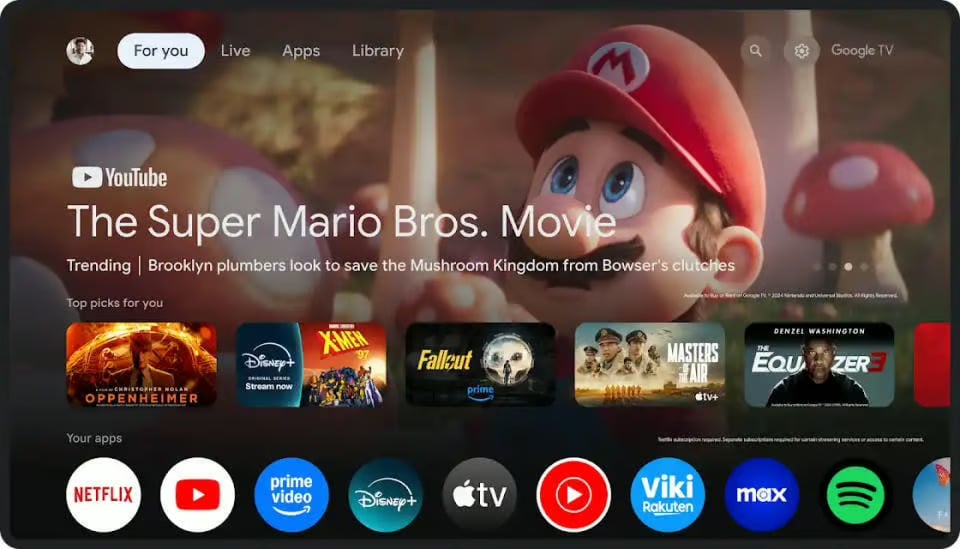
Google is upping the ante on smart TVs by giving Google TV a serious glow-up with far-field microphones and Gemini AI integration, announced at CES 2025. Soon, you won’t need to press a button or say “Hey Google”—just ask away. Want to know Disney’s latest movie releases or what beaches to hit in Asia this summer? Your TV’s got you. |
What's new? |
|
|
Google isn’t alone in the AI-powered entertainment race—LG and Samsung are adding Microsoft’s Copilot to their TVs. It’s official: The TV arms race has shifted from screen resolution to making your TV your new best friend. |
MWC 2023 Showed Us The Future of Smartphones
Posted by Andru Edwards Categories: Smartphones, Corporate News,
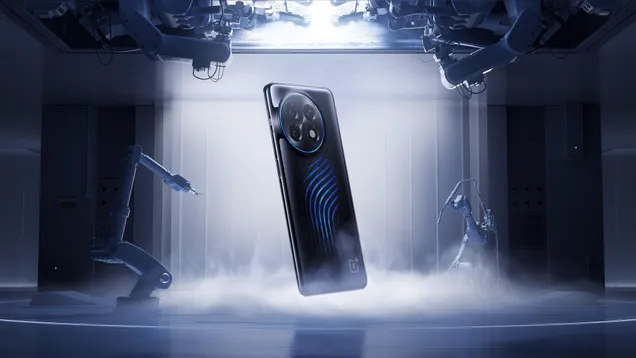
Mobile World Congress 2023, the biggest event for the mobile industry, took place in Barcelona from February 27 to March 2. The event showcased some of the most innovative and exciting trends and technologies that are shaping the future of smartphones.
One of the main themes of MWC 2023 was repairability. Several smartphone makers unveiled devices that are designed to be more durable, modular, and easy to fix. For example, Motorola announced its Moto G100, which features a replaceable battery, a headphone jack, and a microSD card slot. Fairphone also showcased its Fairphone 4, which is made of recycled materials and can be upgraded with new components.
Click to continue reading MWC 2023 Showed Us The Future of Smartphones
Geared Up: AirPods Pro review, foldable Motorola RAZR, and the Pixel 4’s Shortcomings
Posted by Andru Edwards Categories: Smartphones, Features, Google, Transportation,
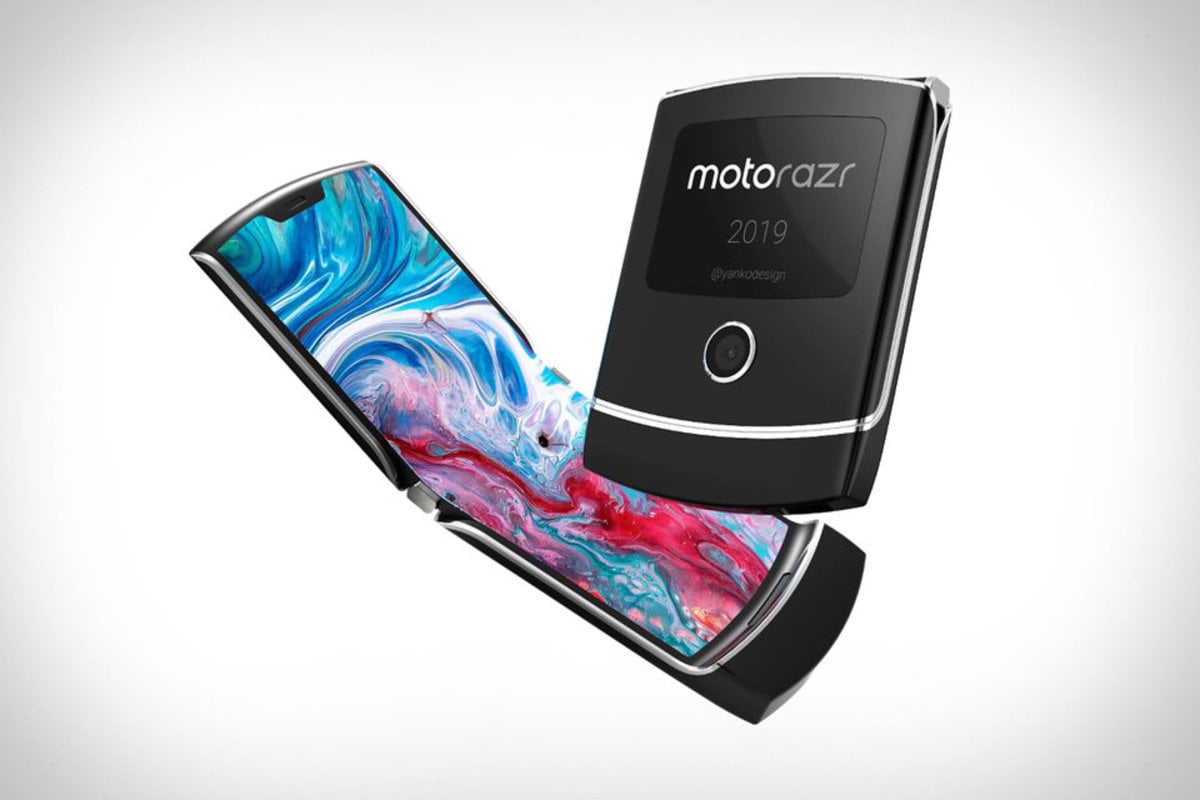
The AirPods Pro have been out for a week, and we bring you our hands-on (and ears-on) thoughts on Apple’s noise-cancelling earbuds. Motorola is about to bring back the RAZR, this time with a foldable display! Are folding clamshell smartphones about to make a comeback? We also talk about the woes of the Google Pixel 4, wondering if Google actually wants its smartphone line to do well in the market, or if they have other goals with their handhelds. Tesla is going to finally announce and reveal its Cybertruck in just over a week - we speculate on what we can expect!
LINKS MENTIONED IN THE SHOW
- AirPods Pro: Top 5 Features
- Hands-on with AirPods Pro
- Geared Up on YouTube
- Jon Rettinger on YouTube
- Andru Edwards on YouTube
SPONSOR: National Car Rental - skip the line with the Emerald Club. Go National. Go Like a Pro.
Listen to the episode in the player above or subscribe to Geared Up in your favorite podcast app to listen on the go:
Geared Up: Why is the Google Pixel 4 So…Weird?
Posted by Andru Edwards Categories: Smartphones, Google, Handhelds,
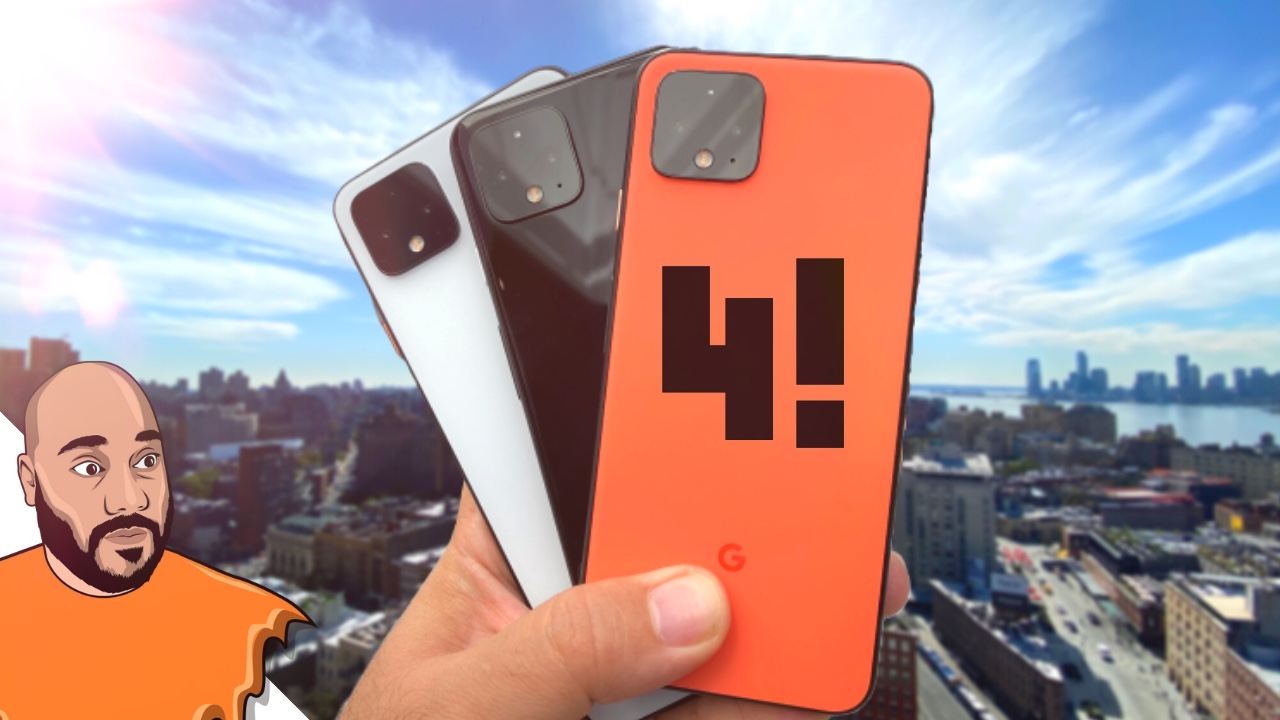
Google’s new Pixel 4 and Pixel 4 XL are now available, and in this episode Andru & Jon each bring you their thoughts on the newest flagship Google smartphone. Find out what sets the Pixel 4 apart from other smartphones on the market, as well as where the Pixel 4 falls short. Ultimately, if you’re in the market for a new smartphone, find out if the Pixel 4 is for you!
LINKS MENTIONED IN THE SHOW
SPONSOR: National Car Rental - skip the line with the Emerald Club. Go National. Go Like a Pro.
Listen to the episode in the player above or subscribe to Geared Up in your favorite podcast app to listen on the go:
Google Pixel 3a Thoughts, iOS 13 Leaked Features, & Google Duplex on the Web - Geared Up!
Posted by Andru Edwards Categories: Apple, Smartphones, Corporate News, Google, Smart Home,
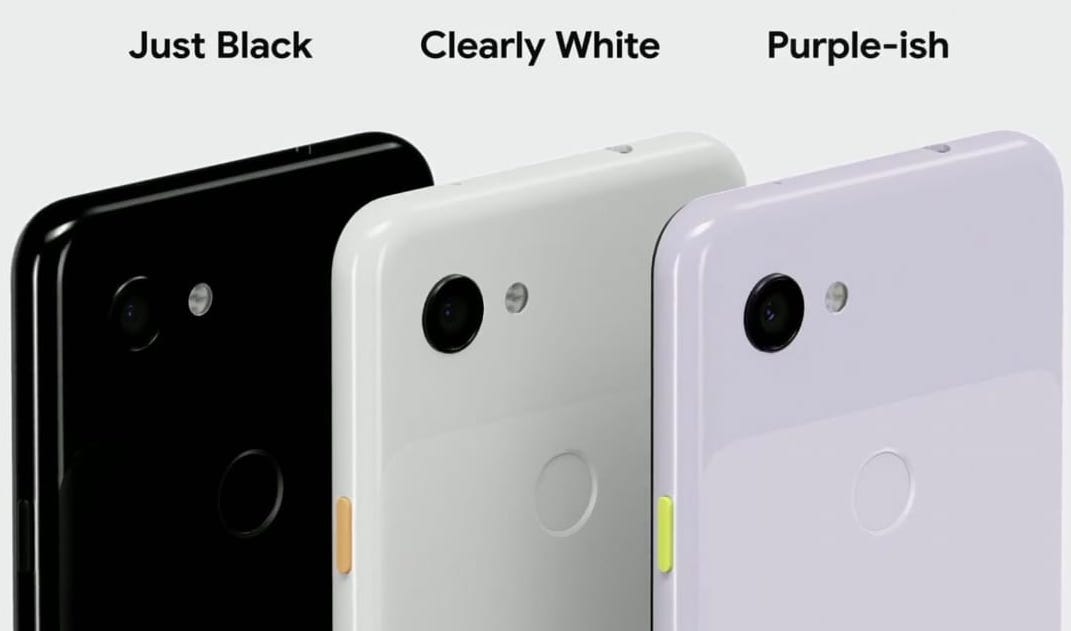
The Google I/O 2019 keynote took place yesterday, and I bring you a recap of the news, including my thoughts on the newly announced Google Pixel 3a and Pixel 3a XL mid-range smartphones. Will Google's strategy of shipping a budget phone with one of the best cameras out there pay off?
We also talk about the leaked iOS 13 features report from Bloomberg, and we've got a lot to talk about here. If you've been wondering what can we expect from Apple's next major software release for the iPhone and iPad, this is what you've been waiting for.
Google announced new features coming for Google Duplex, and we talk about how the Google Assistant will be able to help you even more in the coming months. At Google I/O, we got a demo where the Google Assistant fills in everything on the web automatically and allows you to confirm and leaves you in control of the flow after asking “Hey Google, Book a National Car Rental for my upcoming trip.” The Assistant understood the dates of the trip and the vehicle preferences based on confirmations found in Gmail and the users Google calendar. Google Duplex on the Web is coming later this year.
This isn’t something that’s exclusive to National Car Rental or anything, but apparently Google used them as the example because their back end for booking vehicles didn’t require any extra engineering work due to National’s web and mobile platforms already being engineered to allow these newer technologies to work with them now, today. That said, you can imagine in the near future doing something similar with movie tickets, restaurant reservations, or really anything where you have to fill out forms and make choices. The Google Assistant can fill out the forms and make the choices that it knows you’d like based on the context it has about you already, and all you need to do is take a look at the choice it made and confirm them in a matter of seconds. It's cool and exciting, and we discuss it in further detail. All this and more on this episode of Geared Up!
SPONSOR: National Car Rental - skip the line with the Emerald Club. Go National. Go Like a Pro.
Listen to the episode in the player below or subscribe to Geared Up in your favorite podcast app to listen on the go:
Listen to this episode of the Geared Up podcast for analysis of the latest from Google and Apple.
Geared Up: Apple’s big week of hardware releases, and Google’s vision for the future of gaming
Posted by Andru Edwards Categories: Apple, Wearables, PC / Laptop, Portable Audio / Video, Video Games,

This week Apple announced a slew of new hardware products with the return of the iPad Air, an update to the iPad mini, new AirPods, and spec bumps for the iMac. In addition, Google revealed their vision for the future of gaming - it's cloud-based, and it's called Stadia.
Listen to the episode in the player below or subscribe to Geared Up in your favorite podcast app to listen on the go:
Listen to this episode of the Geared Up podcast for analysis of the latest from Apple and Google.
Mega Smartphone Giveaway: Win an iPhone X, Pixel 2, or Galaxy Note 8!
Posted by Andru Edwards Categories: Announcements, Apple, Smartphones, Features, Handhelds, Videos,
Welcome to our MEGA Smartphone Giveaway! We are giving away three of the best smartphones of 2017 to celebrate the end of the year, and this is your opportunity to walk away with an iPhone X, Samsung Galaxy Note 8, and Google Pixel 2! Here is how it will work:
- The first place winner gets to choose their pick from the 3 smartphones - iPhone X, Note 8, and Pixel 2
- The second place winner gets to choose between the 2 that are left
- The third place winner gets the remaining smartphone (The winner that chooses the iPhone may substitute an iPhone 8 or iPhone 8 Plus instead of the iPhone X if they prefer)
Big shout out to Erica Griffin and David Cogen (The Unlockr) for teaming up with me on this giveaway! Good luck to all! Which phone would you pick if you won? Do the Pixel 2 cameras call your name? Are you all about Face ID with the iPhone X? The stylus of the Galaxy Note 8? Let me know!
Chromecast Audio allows you to stream music to your speakers, new or old
Posted by Andru Edwards Categories: Accessories, Google, Home Entertainment,
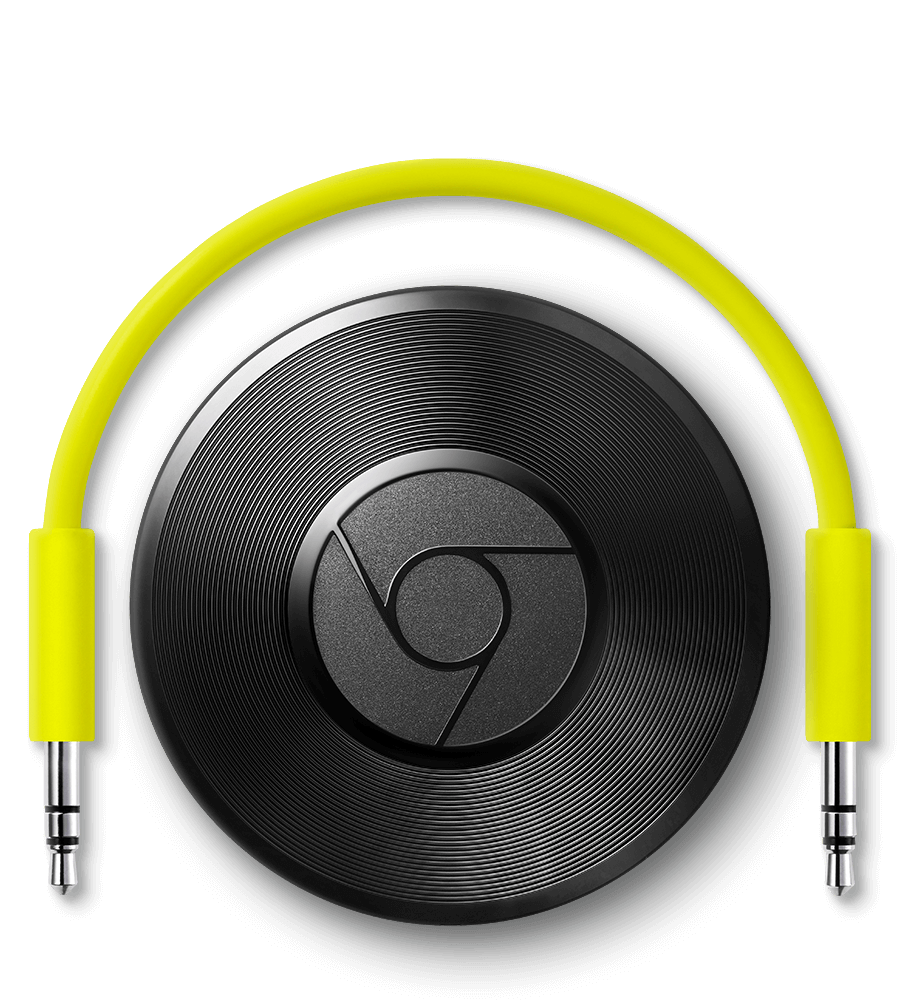
The future of music is streaming - whether that means streaming from a service like Spotify, Apple Music, or Google Play Music, or streaming your local library throughout your home to various devices in your house. Did you know that you can take any of your old speakers and breath new life into them, allowing them to join in on streaming content from either your local library or the cloud?
All you need is the Google Chromecast Audio and a Wi-Fi network. Simply plug the device into an available speaker through the AUX port, then into USB for power, and your old speakers are now ready for your streaming music. You can send audio from your smartphone, tablet, or computer right over your Wi-Fi network, which provides a much stronger and robust connection than using Bluetooth.
Click to continue reading Chromecast Audio allows you to stream music to your speakers, new or old
Google Pixel vs. Nexus 6P: Which is the Better Android Smartphone?

Posted by Kevin Nether Categories: Smartphones, Editorial, Handhelds, Product Reviews,
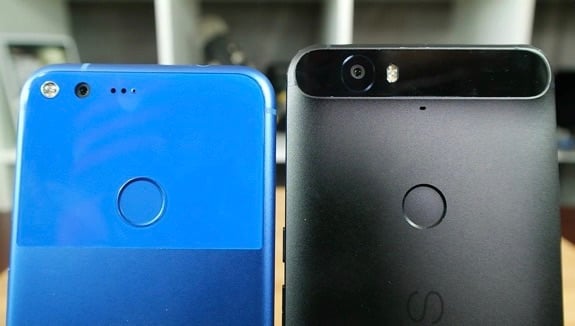
The Pixel and the Nexus are like brothers from another mother. On the one hand, you've got Google's best from last year and on the other, Google's best from this year. But how does the Nexus 6P stack up against the Pixel, one year later? Let's find out.
If you look at design, they're pretty far apart. The 6P's metal build with a visor up top is definitely premium but so is the Pixel's metal and glass combination. Their size comes down to personal preference but you can pick up the Pixel over the Pixel XL if size matters to you.
Click to continue reading Google Pixel vs. Nexus 6P: Which is the Better Android Smartphone?








