

Tuesday September 8, 2026 12:58 pm
Logitech’s $99 MX Keypad Bets Your AI Prompts Deserve a Physical Button

Posted by Andru Edwards Categories: Accessories, Peripherals, Artificial Intelligence
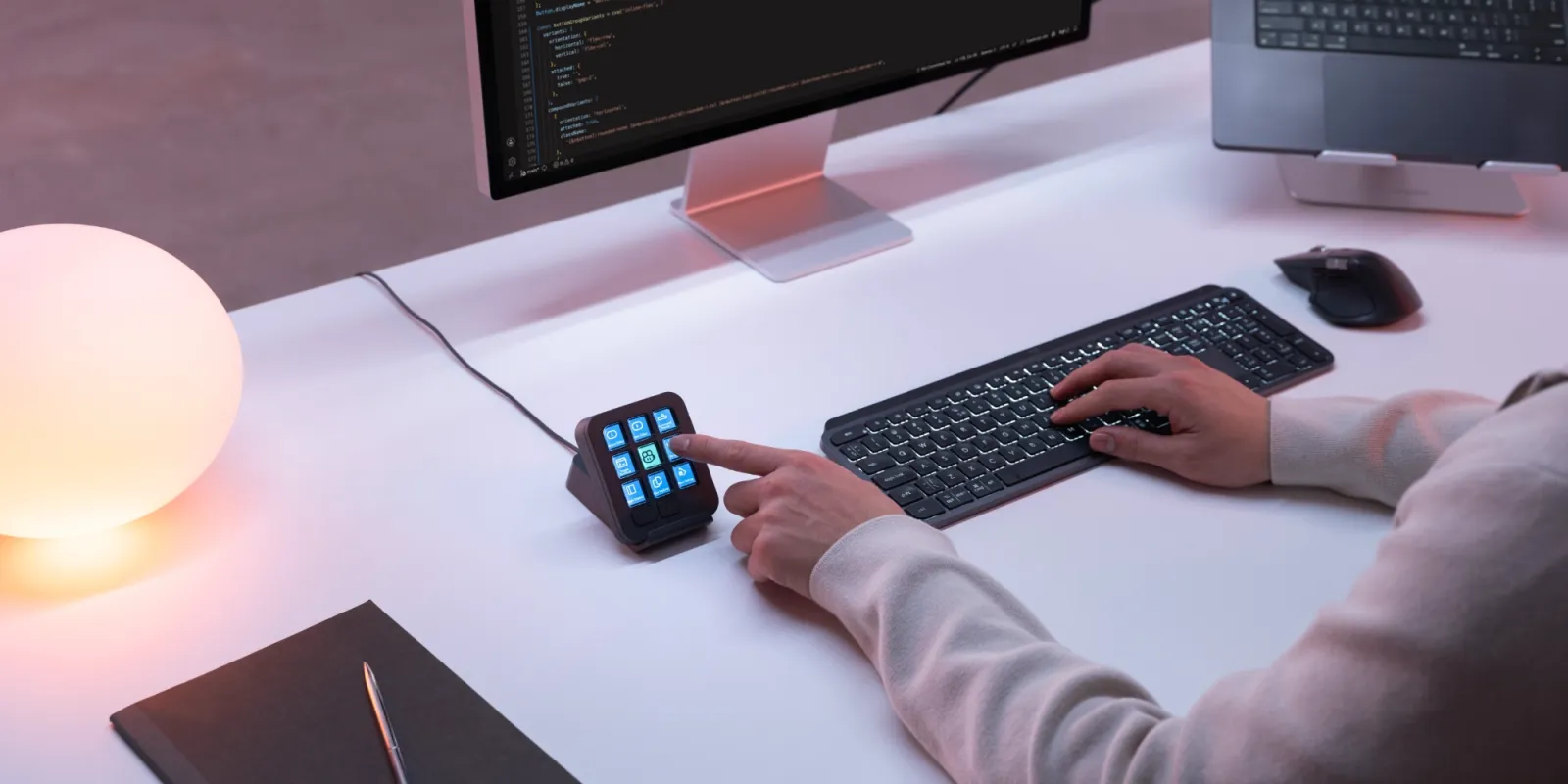
You probably have a prompt you retype several times a day. Something like "run the tests and fix whatever breaks," or "explain this function to me like I just joined the team." You paste it into Copilot, then paste it again into a terminal ten minutes later. Logitech's bet is that a prompt like that has earned a physical button.
The MX Keypad went on sale September 8 for $99.99 in Graphite and Pale Grey. You get nine keys, each one a small full-color LCD you can drop an icon on, plus two page buttons that cycle through as many as 15 pages of layouts. It measures 3.6 by 3.1 inches, weighs 96 grams, plugs in over USB-C, and works with macOS 13 or later and Windows 10 or later.
What the nine keys actually do
Each key can hold a keyboard shortcut, a saved prompt, a script, or a macro. Logitech's free Logi Options+ app handles the assignments and adds app-aware profiles, so the same nine keys change function based on whatever window you're in. VS Code gets one layout, IntelliJ IDEA gets another, and the pad switches on its own instead of making you remember which page you left it on.
GitHub Copilot integration ships at launch, and Logitech is throwing in three free months of Copilot Pro+ for new and existing subscribers, redeemable inside Options+. Community plugins for Claude Code and OpenAI Codex are already out there. Logi Marketplace carries plugins, profiles, and icon packs, and there's a built-in icon editor if you want your own art on the keys. Anyone who'd rather build their own integration can use the Logi Actions SDK, which takes C# and Node.js.
Logitech is aiming at a category Elgato has owned
Stream Deck has been the default answer here for years, largely because streamers needed a way to switch scenes without hunting for a hotkey. Logitech has been working its way into the same space for a while now. It bought Loupedeck in 2023, then shipped the $199.99 MX Creative Console for people who live in Adobe apps. The MX Keypad is that same idea pointed at a different desk. Swap the streamer switching cameras for a developer firing a saved prompt at a coding agent.
Martin Woodward, GitHub's VP of Developer Relations, says the pad "makes working with GitHub Copilot feel like a natural part of the workflow, so developers can spend less time navigating tools and more time building." That's a partner talking on launch day, so grade it accordingly. The Copilot support in VS Code is real and shipping, though, which is more than most accessories with "AI" in the pitch can say.
A hundred dollars for nine keys
That is the part I keep chewing on. The MX Keypad is wired, which is easy to defend on an accessory that will sit in one spot forever, though it reads oddly in a Logitech lineup that went wireless a long time ago. And the AI angle, unpacked, mostly amounts to saving a prompt and pressing a button to send it. That is a text expander with screens on it.
Whether it earns the desk space comes down to repetition, which is the argument for any macro pad. If you bounce between four tools, lean on a dozen shortcuts, and keep blanking on half of them, a lit key with a picture on it fixes something real. If you already have everything bound in Vim and your hands never leave the home row, no amount of LCD is going to move you.
Who should actually buy one
Developers working across several apps who want their most-used prompts and scripts one press away, especially anyone already paying for Copilot Pro+, since three free months takes some of the sting out. Everyone else can wait and see whether the plugin library grows past the early Claude Code and Codex community efforts, because a macro pad is only as good as the things people build for it.
It's shipping now in select markets. If you can already name the nine things you'd put on it, you're the buyer. If you had to stop and think, keep the hundred dollars.