Categories
RSS Feeds
Archive
- May, 2008
- April, 2008
- March, 2008
- February, 2008
- January, 2008
- December, 2007
- November, 2007
- October, 2007
- September, 2007
- August, 2007
- July, 2007
- June, 2007
- May, 2007
- April, 2007
- March, 2007
- February, 2007
- January, 2007
- December, 2006
- November, 2006
- October, 2006
- September, 2006
- August, 2006
- July, 2006
- June, 2006
- May, 2006
- April, 2006
- March, 2006
- February, 2006
- January, 2006
- December, 2005
- November, 2005
- October, 2005
- September, 2005
- August, 2005
- July, 2005
- June, 2005
- May, 2005
- April, 2005
- March, 2005
- February, 2005
- January, 2005
- December, 2004
- November, 2004
- October, 2004
- September, 2004
- August, 2004
- July, 2004
- June, 2004
Latest Video: Unboxing Live 035: Drobo and DroboShare
Thursday April 10, 2008 1:02 pm
Twinkle, the iPhone Twitter client

Posted by Andru Edwards
Categories:
Apple,
Cell Phones,
Features,
Handhelds,
Internet,
Software
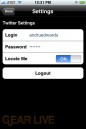
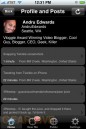
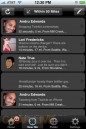
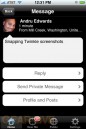
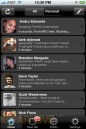
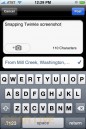
If you own an iPhone and use Twitter, you are gonna wanna keep an eye on Twinkle. The app was just released this morning, and it is already my favorite iPhone Twitter client. Better than the mobile version of Twitter, better than Hahlo, and better than MobileTwitter. It supports photos with your Tweets, taken right from the iPhone camera, as well as geolocation. There is even a “Near Me” section that will show you other Twitter users in your area.
In order to install Twinkle, you’ll need to jailbreak your iPhone, and then add “http://www.polarbearfarm.com/repo/” to your Installer.app sources list. We’ve compiled a few screenshots of Twinkle, which you can find in our Twinkle gallery.
Gallery: Twinkle, the iPhone Twitter client
- Related Tags:
- apple, cell phones, cellphones, galleries, installer.app, iphone, iphone apps, photo gallery, software, twinkle, twitter, twitter clients
Advertisement
Advertisement
Advertisement
© Gear Live Inc. 2007 – User-posted content, unless source is quoted, is licensed under a Creative Commons Public Domain License. Gear Live graphics, logos, designs, page headers, button icons, videos, articles, blogs, forums, scripts and other service names are the trademarks of Gear Live Inc.
Gear Live Presents: Venturus
- Blog Business Summit: 10 Ways To A Killer Blog
- Blog Business Summit: Jason Calacanis Keynote - From Weblogs, Inc. to Netscape
- Blog Business Summit: What’s Next In Online Communication?
- Blog Business Summit: Setting Up TypePad
- Live-Blogging Blog Business Summit: Dave Taylor Keynote, The Future of Findability

Digg This
Comments
The “Near Me” location feature crashes the app! Solve that and this app rocks.
link to this comment
Can’t click on URL links in tweets but other than that really liking this.
link to this comment
They’ve updated Twinkle, so now you CAN click on links
link to this comment