

Latest Gear Live Videos
The history of Mac OS X pricing: How we got to free

Posted by Andru Edwards Categories: Apple, Features, PC / Laptop, Software,
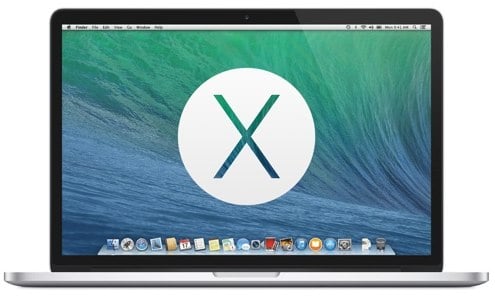

We had a few readers email in yesterday after it was announced that OS X Mavericks would be free, a first for a major desktop operating system release. It seems a few of you are curious about how Apple got here, and what the history is as it relates to the pricing of OS X. So, here's a quick history lesson.
- 10.0 Cheetah: Released March 24, 2001 for $129
- 10.1 Puma: Released September 25, 2001 for $0
- 10.2 Jaguar: Released August 23, 2002 for $129
- 10.3 Panther: Released October 24, 2003 for $129
- 10.4 Tiger: Released April 29, 2005 for $129
- 10.5 Leopard: Released October 26, 2007 for $129
- 10.6 Snow Leopard: Released August 28, 2009 for $29
- 10.7 Lion: Released July 20, 2011 for $29
- 10.8 Mountain Lion: Released July 25, 2012 for $19
- 10.9 Mavericks: Released October 22, 2013 for $0
So, as you can see, both OS X 10.1 Puma and 10.9 Mavericks were released as free updates, however, Puma was released just six months after 10.0 Cheetah, so that would have been ridiculous if Apple has chosen to charge for it. Other than that anomaly, OS X updates remained at $129 each until Snow Leopard in 2009, which sold for $29. The last $129 version of OS X was Leopard, which saw massive delays due to Apple pulling engineers from it to work on iPhone OS 1.0 (now known as iOS.) Lion was also sold for $29, and was the first version of OS X to be available as a digital download from the Mac App Store. The following year, Mountain Lion debuted at just $19--the best bargain in OS X release history until yesterday, when Mavericks launched for free. The trend has always been that OS X updates would cost the same as the previous year, or less--never more (discounting the Puma issue, which was a huge bugfix patch.) As this point, it appears that OS X has gone the way of iOS, where all updates from here on out will be available for free, on an annual basis.
You can download OS X Mavericks, for free, right now.
Advertisement
Ask Andru: How do I prepare my Mac for Mountain Lion?
Posted by Andru Edwards Categories: Apple, Features, PC / Laptop, Software,
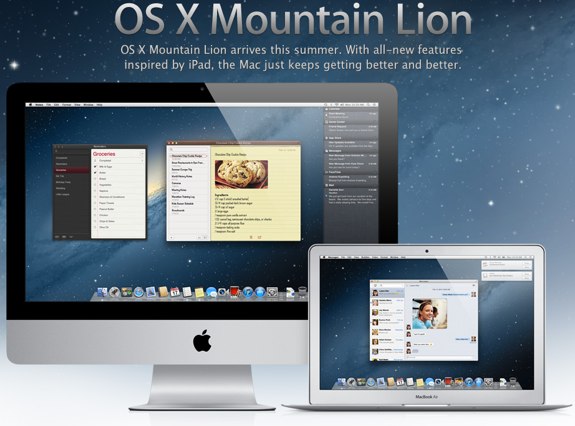
Apple is set to release it's next major operating system update, known os OS X Mountain Lion, later this month. In this edition of Ask Andru, Tracy writes in and asks if there is anything she should do to prepare her Mac computers for the Mountain Lion installation. I share some tips on what we can all do to ensure a smooth upgrade experience to Mac OS 10.8.
Question: I hear that Apple will be releasing a new version of OS X shortly. Is there anything I need to do in order to prepare for it to ensure that I can run it? Will it be expensive?
You're correct! Apple announced OS X 10.8 Mountain Lion just five months ago, and it will be available in under two weeks. Mountain Lion will sell exclusively on the Mac App Store for $19.99 (so, not expensive at all!) and will include some nice features, including AirPlay Mirroring from your Mac, tighter iCloud integration, Twitter and Facebook built-in at the system level, Reminders, Notes, Game Center, a new Messages app that will let you send and receive iMessages from the Mac, iPhone, iPod touch, and iPad. In total, there are over 200 new features that Apple is introducing in Mountain Lion.
Click to continue reading Ask Andru: How do I prepare my Mac for Mountain Lion?
OS X Mountain Lion ships in July for $19.99
Posted by Andru Edwards Categories: Apple, Corporate News, PC / Laptop, Software,
Apple just announced final details for OS X Mountain Lion during its WWDC 2012 keynote. First, the ship date. Mountain Lion will be available eclusively from the Mac App Store in July. Second, the price. Mountain Lion will be the cheapest OS X update in history, selling for just $19.99. Users running Lion or Snow Leopard will be able to upgrade to Mountain Lion using the Mac App Store starting next month.
Mac OS X 10.6.7 update now available
Posted by Andru Edwards Categories: Apple, Software,
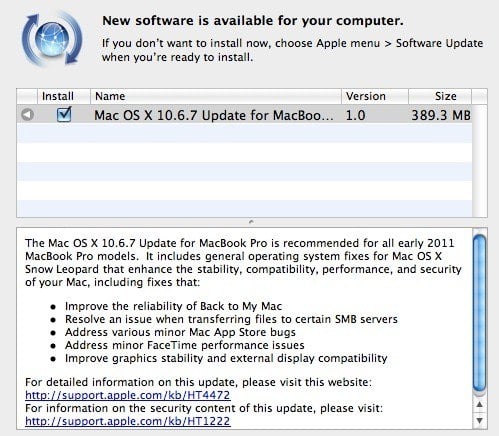
Sure, Mac OS X Lion is getting all the hype, but Apple isn't resting on its Snow Leopard laurels, having just released 10.6.7. The update focuses on improving Back to My Mac, fixing some Mac App Store bugs, FaceTime improvements, and also takes care of that Thunderbolt Cinema Display issue as well. Grab the goods by launching Software Update now.
New MacBook Pro to sport SSD for OS, larger trackpads?
Posted by Andru Edwards Categories: Apple, PC / Laptop, Rumors,
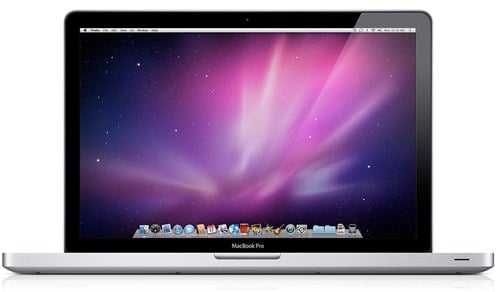
Our pals over at BGR are reporting that sources have told them that the new Sandy Bridge MacBook Pro models, which should be available sometime in the next two weeks, will be sporting a the following new features:
- Even larger surface area for the glass trackpad
- A 8 or 16GB SSD specifically dedicated to running OS X
- They'll be about a half-pound lighter on average than the current models
The bit about the SSD dedicated to the operating system is the most suspect of the bunch, but that would certainly be one way to speed things up. I use an SSD in my Mac Pro that dedicated to running OS X and holding my applications folder, with separate hard drives for data storage. These rumors are added to the one that says that Light Peak may make its debut on the new MacBook Pro as well.
Read More  | BGR
| BGR
Mac App Store opens with 1,000 apps, 1 million downloads on first day

Posted by Patrick Lambert Categories: Apple, Corporate News, Software,
.jpg)
Yesterday, the Mac App Store, the new portal for Mac users to download application, opened up to the public as part of the Mac OS X 10.6.6 update. After installing the update, a new icon will appear, giving you access to the new store. In it, you'll find the familiar interface shown on iOS devices, and even in iTunes itself. Apps are categorized by type, like business, education, and finance. There's also a "Top Free" and "Top Paid" list. Once bought, downloading and installing an app is straight forward. You can also redownload the app if you delete it, and once you buy it, you can install it on all your other Macs. Another benefit of the App Store is the update process. Like on iOS, all the updates can be found on the App Store, and you can update all your applications in a single click. Some of the early users did report a few issues, like an "Error 100" that keeps popping up, which can be resolved by signing in and out of your account and restarting your computer.
This morning, Apple announced that they've surpassed one million downloads from the Mac App Store in just the first 24 hours. “We’re amazed at the incredible response the Mac App Store is getting,” said Apple CEO Steve Jobs. They've definitely hit the ground running.
Read More | Apple
Mac App Store opens January 6
Posted by Patrick Lambert Categories: Apple, PC / Laptop, Software,
.jpg)
It's been two months now since Apple announced some of the upcoming features that the Mac platform will be getting. One of the most interesting ones is bringing an App Store to the desktop. Apple promised it would be out within 90 days, and now we know it will open its doors on January 6. This means that if you own a Mac, on that date you'll be able to buy and download applications directly from the Mac App Store. The store will be available in 90 countries for both paid and free apps, and feature everything from games, productivity, lifestyle and education software. Mac developers have already been at work in integrating their applications with the new App Store, and they will get to keep 70% of the selling price while Apple gets 30%. The new store will be available to Snow Leopard users through a free download.
Read More | Apple
Apple releases Mac OS X 10.6.5 update
Posted by Andru Edwards Categories: Apple, PC / Laptop, Software,
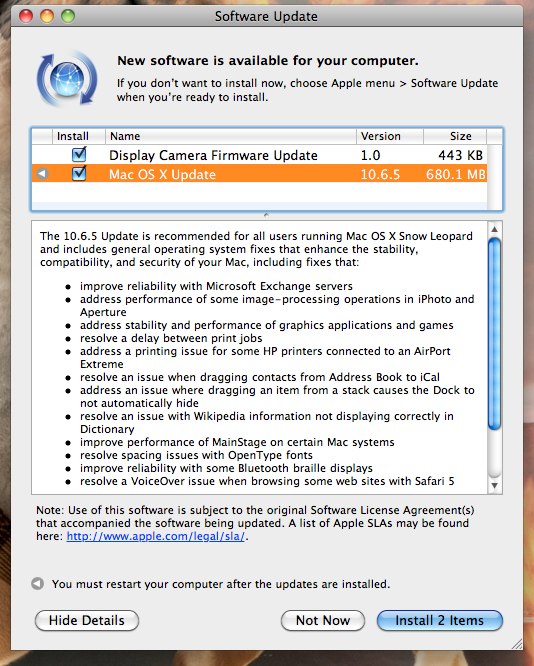
Apple just released Mac OS X 10.6.5, the latest update to Snow Leopard. Hit Software Update to get the 680 MB download now. Here's a sampling of some of the changes and improvements this update brings:
- improve reliability with Microsoft Exchange servers
- address performance of some image-processing operations in iPhoto and Aperture
- address stability and performance of graphics applications and games
- resolve a delay between print jobs
- address a printing issue for some HP printers connected to an AirPort Extreme
- resolve an issue when dragging contacts from Address Book to iCal
- address an issue where dragging an item from a stack causes the Dock to not automatically hide
- resolve an issue with Wikipedia information not displaying correctly in Dictionary
- improve performance of MainStage on certain Mac systems
- resolve spacing issues with OpenType fonts
- improve reliability with some Bluetooth braille displays
- resolve a VoiceOver issue when browsing some web sites with Safari 5
Let us know how it goes!
iLife ‘11: Sadly, not 64 bit
Posted by Andru Edwards Categories: Apple, Software,
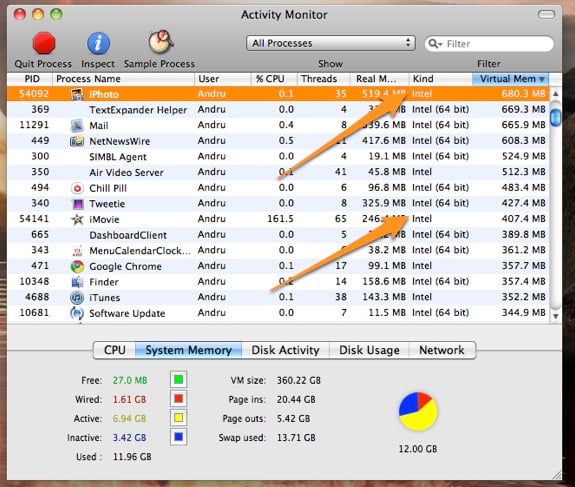
Yesterday, Apple announced the new features and availability of iLife '11. We were definitely excited about picking it up, even though we noticed that a lot of the features that Apple was showing off in iMovie and iPhoto seemed to be fairly incremental (we aren't big users of GarageBand, so we couldn't tell you if the new features there were awesome or not.) So we figured that one unannounced "feature" would likely be that the iLife suite had been converted to 64 bit. After all, Snow Leopard has had more than enough time to mature out in the wild, and it seems that developers left and right have jumped onto the 64 bit bandwagon. That's why we were sorely disappointed when we launched Activity Monitor and found that, unlike just about every other process and application we are running on the Mac Pro, the iLife apps are still labeled as "Intel" rather than "Intel 64 bit." I guess we will have to wait and see what happens with iLife '12 or '13 at this point.
iOS 4.2 beta 3 8C5115c released to developers
Posted by Andru Edwards Categories: Apple, Software,
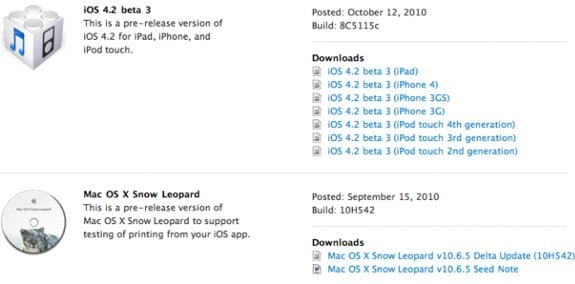
Hey, all you iOS devs—Apple just released iOS 4.2 beta 3 8C5115c for testing on the iPad, iPhone, and iPod touch, and it’s available now for download. The iOS SDK 4.2 beta 3 10M2423 is also available, alongside a new Mac OS X Snow Leopard 10.6.5 10H542 beta as well. Let us know if you find any new hotness, will you?








