

Thursday August 15, 2013 7:41 pm
Apple releases iOS 7 beta 6 build 11A4449d to developers

Posted by Andru Edwards Categories: Apple, Smartphones, Handhelds, Software
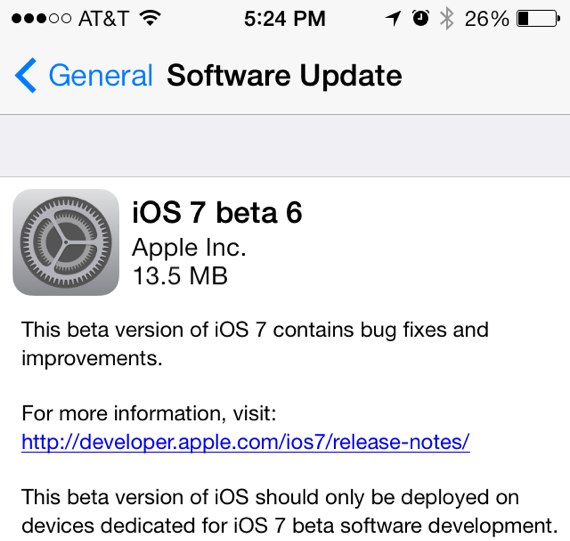
Apple has just released iOS 7 beta 6, which can be found in the Developer Portal right now. iOS 7 beta 6 build 11A4449d works with supported iPhone, iPad, and iPod touch models, and is available as an over-the-air update to users already running a previous iOS 7 beta on their devices. If you're already running iOS 7, you can update over-the-air by going into Settings > General > Software Update. Or you can go and grab the necessary download at http://developer.apple.com. Apple originally showed off iOS 7, and released its first beta, at WWDC 2013. The full released will come in the fall.
If you are a paid members of Apple's iOS developer program, here are the links for iOS 7 beta 5 downloads:
- iPad (4th generation Model A1458)
- iPad (4th generation Model A1459)
- iPad (4th generation Model A1460)
- iPad mini (Model A1432)
- iPad mini (Model A1454)
- iPad mini (Model A1455)
- iPad Wi-Fi (3rd generation)
- iPad Wi-Fi + Cellular (model for ATT)
- iPad Wi-Fi + Cellular (model for Verizon)
- iPad 2 Wi-Fi (Rev A)
- iPad 2 Wi-Fi
- iPad 2 Wi-Fi + 3G (GSM)
- iPad 2 Wi-Fi + 3G (CDMA)
- iPhone 5 (Model A1428)
- iPhone 5 (Model A1429)
- iPhone 4S
- iPhone 4 (GSM Rev A)
- iPhone 4 (GSM)
- iPhone 4 (CDMA)
- iPod touch (5th generation)
- Mobile Device Installer Package
iOS 7 beta 6 seems to specifically address an issues with iTunes in the Cloud where some purchases may download or play unexpected items, without much else changing.
iOS 7 beta 5 (previous beta) changes:
- The Setting app has been redesigned with icons that look similar to app icons, differentiating the different settings
- The power off slider has been redesigned with rounded corners
- Control Center can now be set to be disabled when you are running an app
- You can now pull down on notifications for more info
- In-call icons have been resized, and put in circles
- When booting up your device, the display now matches the color of the face of your device, so white iPhones get a white background with black Apple logo
- Major performance improvements across the board