

Latest Gear Live Videos
iPhoto 9.3.1 fixes album migration bugs

Posted by Andru Edwards Categories: Apple, PC / Laptop, Software,
Apple has released iPhoto 9.3.1, an update to the popular photo library management system. This particular update fixes a couple of bugs that could creep up for MobileMe members who are migrating photo galleries into iPhoto now that MobileMe is gone, and also addresses an issue that somg experienced when upgrading libraries would result in a freeze and crash. The update weighs in at 600 MB. Here are the release notes according to Apple:
What’s New in Version 9.3.1
- Addresses a problem during the migration of albums from MobileMe Gallery that may cause photos to be moved from their original events into a new event called “From MobileMe”
- Fixes an issue that in rare cases could cause iPhoto to hang when upgrading libraries
Download the iPhoto update now!
Advertisement
iPhoto will auto import your MobileMe galleries
Posted by Andru Edwards Categories: Apple, Software,
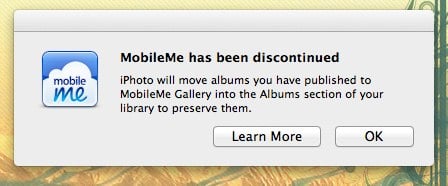
Apple's MobileMe has been discontinued, but there are still a few stubborn users who have yet to migrate their data. Luckily, Apple is making it as easy as possible. For example, when you launch iPhoto, you'll get a prompt that lets you know that, since MobileMe is gone, the software will grab any photo galleries you had stored on the service and move them to your computer so that you don't lose them. Much better than losing those precious memories simply because you forgot about the deadline, or had Apple's reminder emails hitting your spam folder.
MobileMe shuts down tomorrow, time to migrate to iCloud
Posted by Andru Edwards Categories: Apple, Corporate News, Internet, Storage,
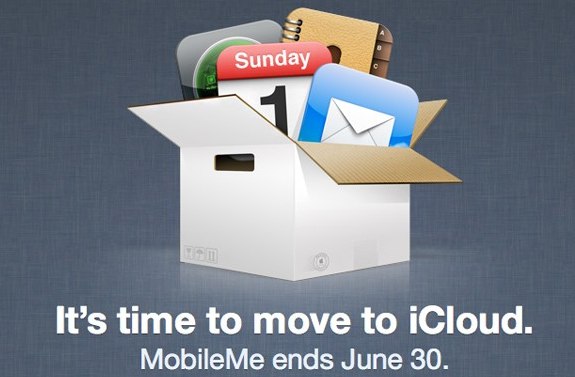
When Apple announced iCloud a year ago, it was with the intention of making cloud storage, syncing, and services mainstream. Demoting the computer to just another client that can access your centrally stored data. iCloud has been a success, but we know there are still some of you out there clinging on to your MobileMe iDisk storage for dear life. Well, while Apple has allowed you to continue to use the service, it's now coming to an end. MobileMe will shut its doors for good tomorrow, June 30th. You can still migrate your data to iCloud, and you should probably do that. There's no iDisk replacement though, so you might wanna just drag and drop any of that stuff over to Dropbox, which is a free (and awesome) replacement.
Read More  | MobileMe
Apple prepping to push banner alerts on iCloud.com
Posted by Andru Edwards Categories: Apple, Internet, Rumors,
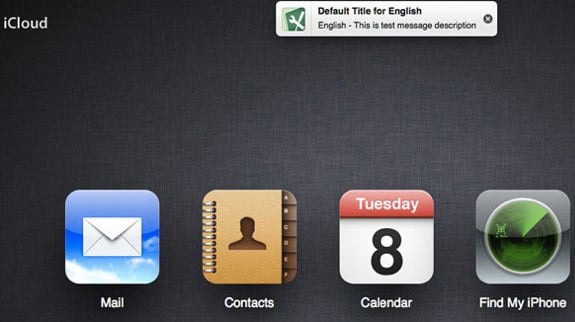
It looks like Apple is prepping a small upgrade to iCloud.com with the introduction of iOS-style banner alerts. As you can see in the image above, a test banner was accidentally pushed out to some users. This will likely replace the pop-up window alerts that Apple currently uses on the iCloud web client. Banner alerts are also set to be included in the next version of OS X, Mountain Lion.
Read More | AppleInsider
Apple reports that 85 million people have signed up for iCloud
Posted by Andru Edwards Categories: Apple, Corporate News, Internet,
During its Q1 2012 earnings call where Apple announced a record-breaking holiday quarter, CEO Tim Cook also announced that there are now 85 million iCloud accounts. What's impressive there is that iCloud is just three months old, coming in as a replacement for the aging MobileMe, so that's a tremendously positive number as it pertains to user adoption. In fact, that 85 million number is 50 million more than iPhone 4S units sold.
How to access your iDisk after upgrading to iCloud
Posted by Andru Edwards Categories: Apple, Internet, Storage,
 Today my brother asked me how he could access his MobileMe iDisk now that he had upgraded to iCloud. I told him that he should just look in this Finder, without realizing that iDisk is gone for many MobileMe users who've migrated over to iCloud. However, there's still a way to get to your iDisk (at least, until Apple pulls the plug on MobileMe for good next year!):
- Open Finder and press ⌘K (Command + K)
- Enter 'https://idisk.me.com/yourMobileMeName' as the Server Address (without the quotes)
- Click the Connect button
Your iDisk should mount in the Finder, although it may ask you for your MobileMe password first, if it isn't saved to your Keychain.
Apple developers now able to migrate from MobileMe to iCloud
Posted by Andru Edwards Categories: Apple, Internet, Storage,
Developers can now move their MobileMe accounts over to iCloud. Apple has opened a new portal at me.com/move that allows devs to transition their entire account to the new platform.
When users log in through the portal, and Apple will port their Mail, Contacts, and iCal information to iCloud. It also says that iWeb, iDisk, and Photo Gallery will be accessible until June 30, 2012. However, Dashboard widget sync, dock item sync, keychains, signatures, mail account rules, mail smart boxes, and mail preferences are among the features that are no longer available.
But if you're not a developer, you're going to have to wait a little longer to move your account. Users trying to to log in with a standard MobileMe account and was met with a page telling me "this account is not yet eligible."
Click to continue reading Apple developers now able to migrate from MobileMe to iCloud
Apple iCloud storage upgrade pricing revealed
Posted by Andru Edwards Categories: Apple, Internet, Storage,
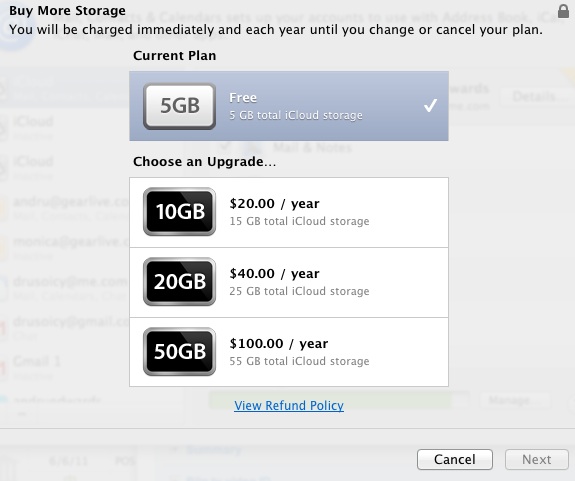
Apple offers 5 GB of storage for free with any iCloud account, which they say should be fine for most users. However, if you've got more storage needs than that paltry 5 GB can handle, Apple has a few extra options on the table:
- 10 GB for $20 per year
- 20 GB for $40 per year
- 100 GB for $100 per year
Do note that these are in addition to your free 5GB of storage. In other words, if you opt to pay for 10 GB a year, you will actually have 15 GB total--the 10 GB that you are paying for, plus the original 5 GB that's included. If you're a developer with an iCloud account, you can purchase your additional space starting now.
SaneBox has saved me from email overload
Posted by Andru Edwards Categories: Internet,
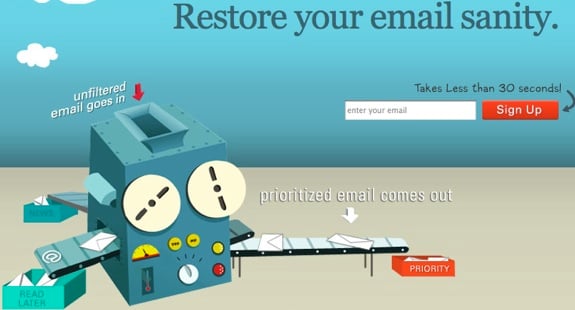
If you're overwhelmed by the amount of email that you have to deal with on a regular basis, we feel you. I've tried all sorts of Inbox Zero tips and tricks, but at the end of the day, manually processing the amount of email that hits my inbox is a chore in and of itself. However, I finally found something that has made everything better and wanted to quickly share it. It's called SaneBox. It works with Exchange, Gmail, AOL, Yahoo! mail, MobileMe, and just about anything else you can think of. What does it do? Well, it automatically prioritizes your email (way better than Google Priority Inbox does it) into a few different folders that you have full power over managing and defining. You can also set up your own folders for, say, receipts or Groupon purchases or whatever else. All you need to do to train SaneBox is drag an email into the folder that you want those kinds of messages to appear. It just learns based on your actions, and takes it from there. Click the link below for a 30-day free trial of the service. The $5 a month that it costs is totally worth it in our book.
Read More | SaneBox
Here’s what happens when you use up your iCloud storage
Posted by Andru Edwards Categories: Apple, Internet, Storage,
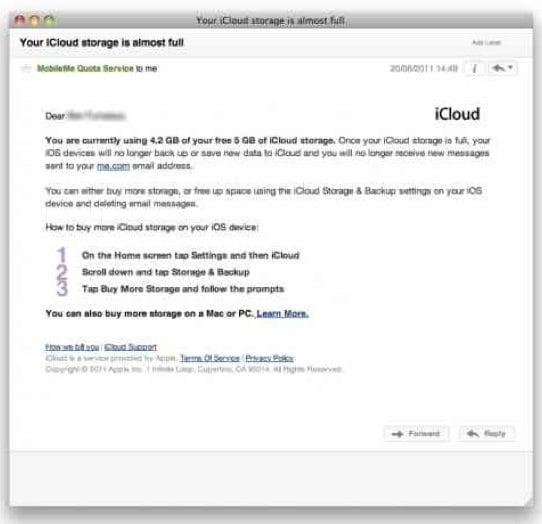
When Apple introduced iCloud at WWDC 2011, the big news was that the service would be free. Of course, Steve Jobs did make sure to mention that the 5 GB of storage included with iCloud would be more than enough "for most users," and we believe him. However, there are others out there (like us) who fall outside of that category. For example, I am only currently able to have iCloud back up just my iPhone 4. When I try to also add my iPad 2 to the backup, it errors out, telling me that I don't have enough space available, and that I need to buy ore storage space. Of course, since iCloud is still in beta, I'm unable to do that. Another iCloud user has come very close to hitting his 5 GB quota, and received the email above from Apple. Surprisingly to us, it says that once he reaches 5 GB stored, he won't even be able to receive any new email messages. Sounds like people are gonna have to really keep an eye on how much storage they are using, especially if they have more than one iOS device backing up to the cloud.
Read More | MacRumors








