

Find Our Latest Video Reviews on YouTube!
If you want to stay on top of all of our video reviews of the latest tech, be sure to check out and subscribe to the Gear Live YouTube channel, hosted by Andru Edwards! It’s free!
Latest Gear Live Videos
7.85-inch iPad mini render based on leaked schematics

Posted by Andru Edwards Categories: Apple, Design, Handhelds, Rumors,
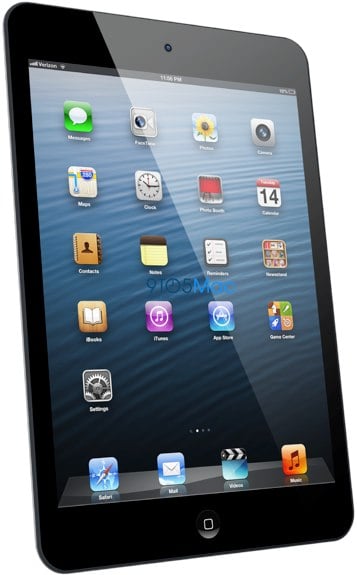
Based on recent reports on the design of the upcoming 7.85-inch iPad mini, take a look at the new renders of the device. As you can see, the iPad sports a thinner bezel on the sides of the display which makes it look more similar to an iPhone or iPod touch than it does its larger iPad brethren.
Designer Maurizio Vitale put the image together using purportedly leaked schematics.
Read More  | 9to5Mac
Gallery: 7.85-inch iPad mini render based on leaked schematics






Advertisement
Report: Next-generation iPhone 5 pre-orders to begin September 12
Posted by Andru Edwards Categories: Apple, Smartphones, Handhelds, Rumors,
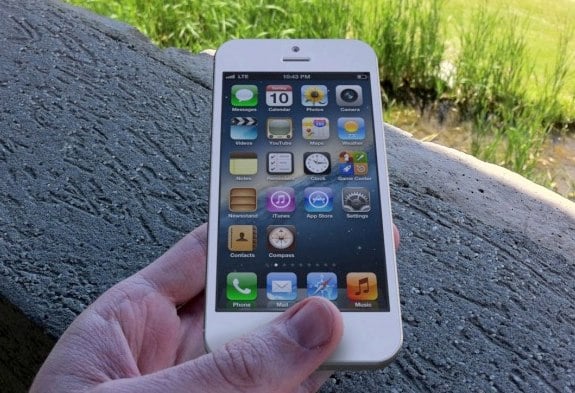
Apple is set to begin pre-orders of the next-generation iPhone 5 on September 12, according to iMore. You might recognize that date as being the same day that Apple will unveil its next smartphone to the world, so it looks like pre-orders will begin later that day. The smaller 7.85-inch iPad is also heavily rumored to make an appearance on 9/12 as well. The next iPhone is expected to see a September 21 release, with international sales kicking off on October 5.
Read More | iMore
Gallery: Report: Next-generation iPhone 5 pre-orders to begin September 12
Mountain Lion OS X 10.8.1 now available to developers
Posted by Andru Edwards Categories: Apple, PC / Laptop, Software,

Apple has seeded the first build of OS X Mountain Lion 10.8.1 to developers through its Mac Developer Portal. Interestingly, there are no known issues despite it being the first build, so we'd imagine that the 10.8.1 update will be released to the public in short order. Apple has focused on improving Active Directory, Microsoft Exchange in Mail, PAC Proxies in Safari, SMB, USB, and WiFi and Audio when connected to the Apple Thunderbolt Display for the first Mountain Lion update, which weighs in at just 38.54 MB in size. If you haven't upgraded yet, you can download Mountain Lion from the Mac App Store.
Gallery: Mountain Lion OS X 10.8.1 now available to developers
Ask Andru: How do I stop iPhoto from opening when I plug in my iPhone?
Posted by Andru Edwards Categories: Apple, Smartphones, Features, PC / Laptop, Software,
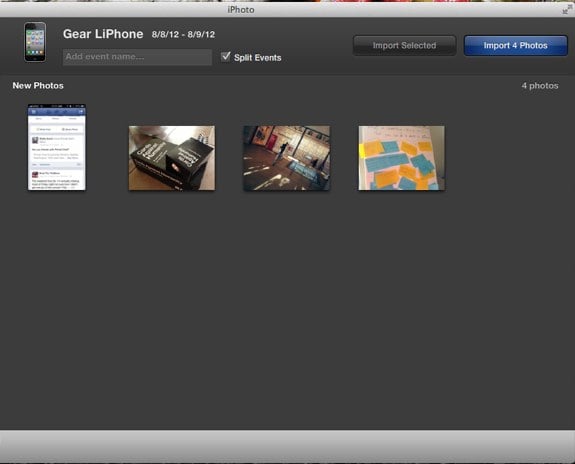
Apple tries to make it easy to use all of its products together harmoniously, but there are times where it might get in the way. Today we received a question that asks how to stop iPhoto from opening automatically whenever an iPhone is plugged in, and that's exactly the kind of synergy that can get annoying when all you want to do is charge up your device while you work. Luckily, I've got your answer. There are a couple of different ways to do this, and they look similar at the surface level, but actually serve two different purposes. Let's explore them.
Question: How do I stop iPhoto from automatically opening whenever I plug in my iPhone? It's annoying!
Click to continue reading Ask Andru: How do I stop iPhoto from opening when I plug in my iPhone?
Gallery: Ask Andru: How do I stop iPhoto from opening when I plug in my iPhone?
Pomodorable brings refreshing touch to task management on the Mac
Posted by Andru Edwards Categories: Apple, PC / Laptop, Software,
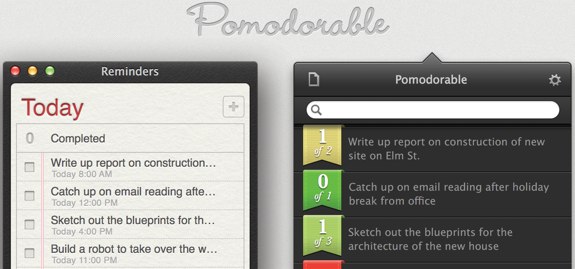
This morning Pomodorable, a new task management and productivity app from Monocle Society, hit the Mac App Store. Pomodorable relies on the Pomodoro technique, a method of accomplishing things on your task list by using a 25-minute timer and focusing on one item exclusively during that timeframe, while also logging distractions.
The nice thing about Pomodorable is how versatile the software is. You can use it exclusively as your task management (and time management) app, but if you're already using an alternative task manager like iCloud Reminders, OmniFocus, or Things, then you can continue using those apps to manage your tasks and Pomodorable will two-way sync between them. This way, you don't need to change how you do things, while still taking advantage of Pomodorable's powerful time features.
Click to continue reading Pomodorable brings refreshing touch to task management on the Mac
Gallery: Pomodorable brings refreshing touch to task management on the Mac
Pixelmator 2.1 brings iCloud, Mountain Lion, Retina display support
Posted by Andru Edwards Categories: Apple, Software,
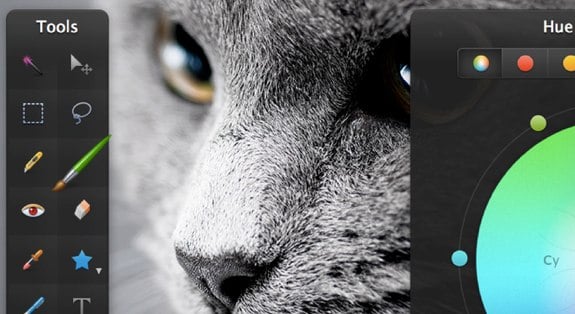
Pixelmator, the app that we like to refer to as "Photoshop for the masses," has just updated with a big release this morning bringing powerful new features to the Mac app. Pixelmator 2.1 introduces iCloud sync, Mountain Lion service sharing (allowing one to send images directly to Facebook, iPhoto, Flickr, Aperture, and more,) as well as support for the Macbook Pro with Retina display.
Additionally, new photo effects allow you to quickly add filters (vintage, miniaturize, rain, snow, etc.) to your images, and the Effects Browser lets you preview them quickly and easily.
Last, the price of the app has been dramatically reduced, as Pixelmator is now selling for $14.99, way down from the $59.99 price tag. You can buy Pixelmator on the Mac App Store.
Read More | Pixelmator
Gallery: Pixelmator 2.1 brings iCloud, Mountain Lion, Retina display support
Purported iPhone 5 parts leak out of China
Posted by Andru Edwards Categories: Apple, Smartphones, Rumors,
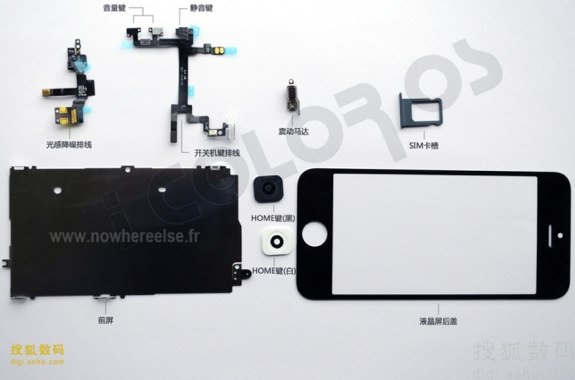
Apple continues to be unable to keep information on the next-generation iPhone under wraps, as more purported iPhone 5 parts have leaks out of China. If real, the parts confirm the news of both a small home button, centered FaceTime camera, larger display, and nano-SIM card tray.
It won't be long before these things are confirmed, and proved to be false, as Apple is set to debut the new iPhone on September 12, with a September 21st launch following soon thereafter.
Read More | NowhereElse
Gallery: Purported iPhone 5 parts leak out of China
Apple now selling refurbished iPad (2012) for $50 discount
Posted by Andru Edwards Categories: Apple, Handhelds, Hot Deals,
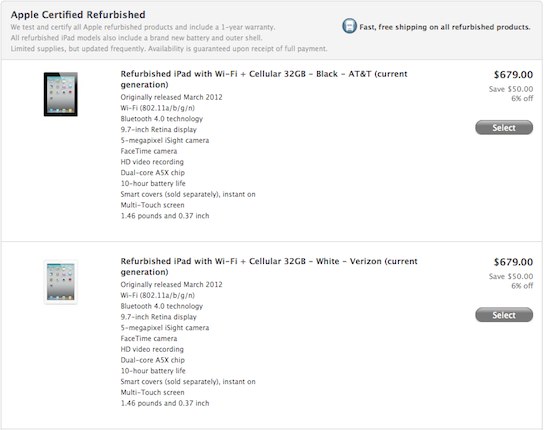
It sure took a while, but Apple is finally selling refurbished models of the new iPad (2012) for a pretty nice discount. All models sell for $50 less than the standard MRSP for a brand new model, so if you're okay with refurbished goods, it's a nice deal. You even get the one-year of AppleCare included, just in case anything goes wrong. Anyone gonna pick one up?
Be sure to read our iPad (2012) review if you're on the fence.
Read More | Refurbished iPad
Gallery: Apple now selling refurbished iPad (2012) for $50 discount
iOS 6 can scale to 1136 x 640, the expected display resolution of the next iPhone
Posted by Andru Edwards Categories: Apple, Smartphones, Rumors, Software,
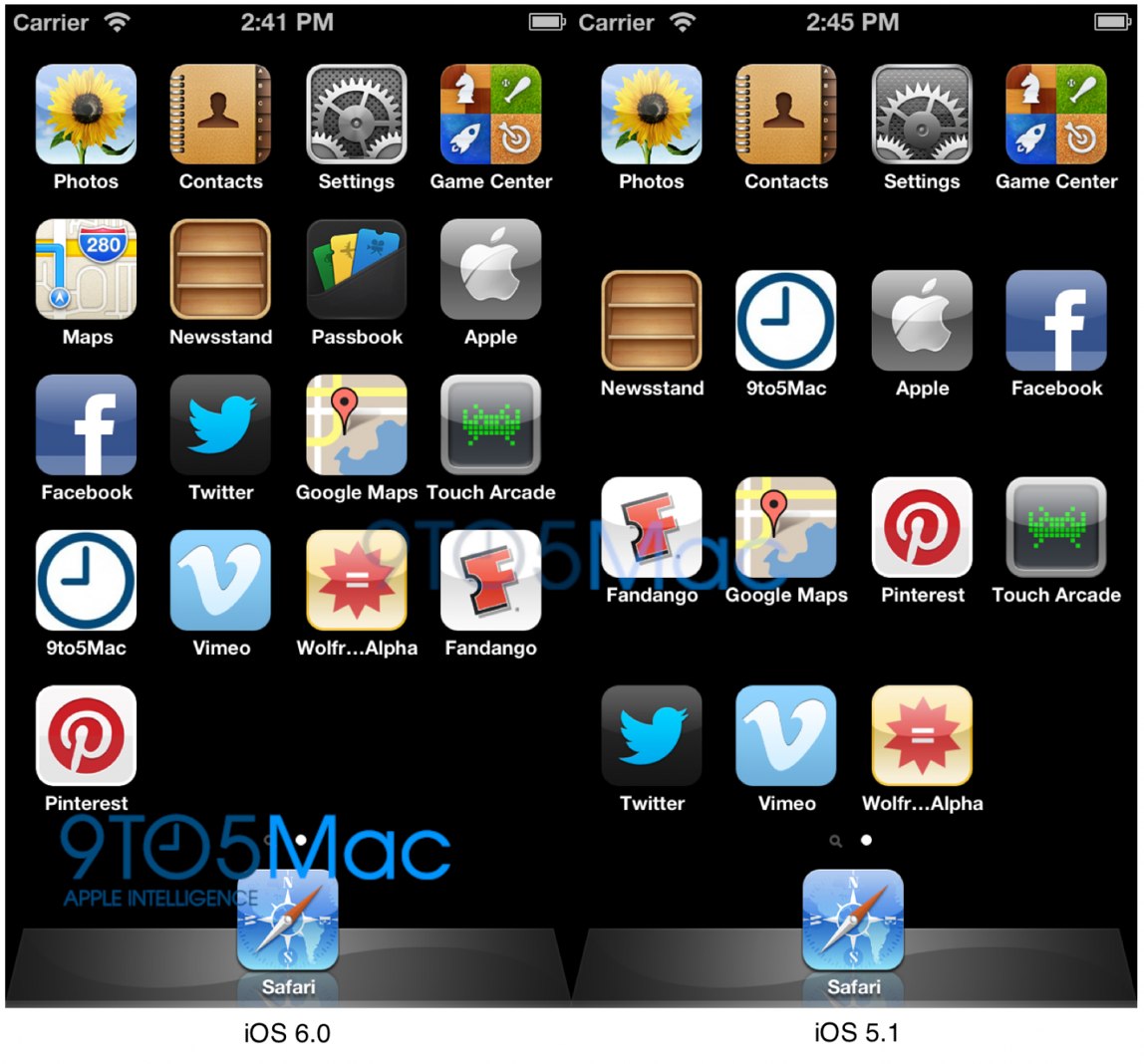
We've been covering the rumors of what the next-generation iPhone 5 will look like since the iPhone 4S launched. At this point we're pretty certain that users can expect a redesigned iPhone with a longer display based on leaked hardware components. Today, we also have further proof stemming from the software side of things. 9to5Mac took the latest iOS 6 beta and was able to run it in the iOS Simulator software at 1136 x 640 resolution. The result? iOS 6 automatically added a fifth row of app icons to the home screen.
Read More | 9to5Mac
Gallery: iOS 6 can scale to 1136 x 640, the expected display resolution of the next iPhone
Sprint slashes price of iPhone 4S by $50, now starts at $149
Posted by Andru Edwards Categories: Apple, Smartphones, Hot Deals,

If you just can't wait until September 21 to get your hands on the new iPhone 5, Sprint just cut the price of the iPhone 4S by $50. You can now get a 16GB iPhone 4S for $149.00, 32GB model for $249.99, and the 64GB version for $349.99 with two-year contract. You've gotta get it directly from Sprint, though, as ordering directly from Apple won't give you the discount. Sprint is also still selling the iPhone 4, but the price on that one is still $99 for an 8GB version with no price cut to be seen. This is obviously in reaction to the news that Apple is set to introduce the next iPhone on September 12, which is set to go on sale on September 21.
Read More | Sprint








