

Find Our Latest Video Reviews on YouTube!
If you want to stay on top of all of our video reviews of the latest tech, be sure to check out and subscribe to the Gear Live YouTube channel, hosted by Andru Edwards! It’s free!
Latest Gear Live Videos
White iPhone 4 hands-on gallery

Posted by Andru Edwards Categories: Apple, Smartphones, Features, Handhelds,

The white iPhone 4. Delayed multiple times, with current understanding that it will be available from Apple to the general public sometime before the end of the year, this is one of the most curious Apple delays in history. We’ve got our hands on a white iPhone 4 model—they aren’t non-existent by any means. In fact, a bunch of employees at Apple have them and use them as their primary device, and the factories over in Asia are pumping out the parts for these phones in order to perfect the white model to get it ready for the launch this fall.
We will be getting into a bit more about what’s holding up the white version of the iPhone 4 in just a bit, and we’ll also let you know how you can get your own. In our opinion, the white model is just gorgeous, but there are one or two things Apple will wanna fix before releasing them to the masses. For now, take a look at our white iPhone 4 hands-on gallery. One interesting note, it’s not just the front and back glass that are white—the dock connector is also white, as is the inside of the headphone jack.
Gallery: White iPhone 4 hands-on gallery






Advertisement
Giveaway: Win $150 in free gear from JackThreads
Posted by Andru Edwards Categories: Announcements, Design, Features, Internet,

Have you heard of JackThreads? In case you haven’t, they’re a super cool clothing site offering discounts of at least 50% off some of the hottest brands in streetwear, surf, skate, and contemporary fashion. All sales are super limited, normally lasting just a couple days, and you’ve gotta have an invite to even join the site to get access to the goods. We’ve teamed up with JackThreads to bring invites to all our readers, and even better, you’ll get $5 in credit added to your account that you can spend right away if you so desire. That was cool and all, but then we thought we could take this a step further, and now we’ve got a full on contest going on. We are going to give away $150 in JackThreads credit to one of you entrants. Here’s how it’s going down:
Here’s how to enter:
- Join JackThreads if you aren’t already a member (it’s free - use our link and you get $5!)
- Follow the Gear Live Twitter account
- On Twitter, post this tweet about our contest: “Hey @gearlive hook me up with $150 for @JackThreads! http://gear.lv/e-jackthreads-150” (Click here to tweet this now)
That’s it! Remember, you’ve gotta be a JackThreads member, and you’ve gotta be following the Gear Live Twitter account so that we can send you a DM if you’re the winner. This one is only open to residents of the US and Canada. We will be announcing a winner on September 24, so you’ve got til Friday to qualify.
Gallery: Giveaway: Win $150 in free gear from JackThreads
NeatDesk for Mac review
Posted by Andru Edwards Categories: Apple, Features, PC / Laptop, Peripherals, Product Reviews,
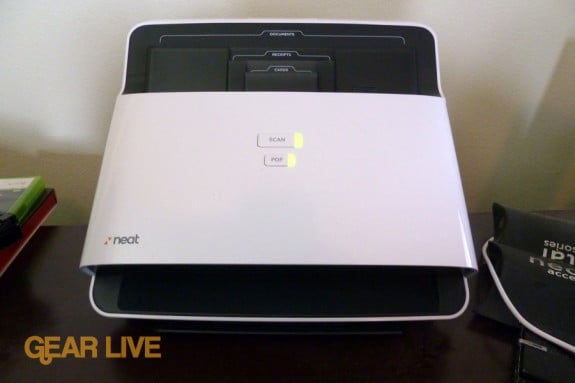
If you’re anything like me, you’ve got tons of paper sitting around that would be better served being scanned into your computer and kept in some sort of document management system, rather than in piles around the house or on your desk. A couple of weeks ago, we got the NeatDesk for Mac Desktop Scanner system in for review. The NeatDesk (available on Amazon) is really more than just a scanner, since it also includes the NeatWorks document management software, which in and of itself claims to do a lot, and works with a bunco of other scanners as well (you can buy NeatWorks software on its own.) When the scanner arrived, we were excited to give it a try…but that feeling soon turned to impending doom. If this thing was anything like the NeatReceipts scanner we’ve been using for the past couple of years, it meant that we’d be in for a day full of long, slow scans. You know what? We couldn’t have been more wrong.
Click to continue reading NeatDesk for Mac review
Gallery: NeatDesk for Mac review
Kindle Lighted Leather Cover gallery
Posted by Andru Edwards Categories: Accessories, Features, Handhelds,
Alongside the new Kindle (see our Kindle 3 review,) Amazon has released the Lighted Leather Cover. Available in multiple colors like black, orange, pink, blue, green, and red, the Lighted Leather Cover protects the Kindle 3 and provides a Kindle-powered light source. That means there are no batteries required to power the built-in, retractable LED light that slides out of the back cover. It’s got a leather exterior and a gray microfiber interior to protect the device. You can pick up the Lighted Leather Cover from Amazon now for $59.
Read More  | Kindle Lighted Leather Cover
Gallery: Kindle Lighted Leather Cover gallery
Amazon Kindle 3 review
Posted by Andru Edwards Categories: Features, Handhelds, Product Reviews, Wireless / WiFi,
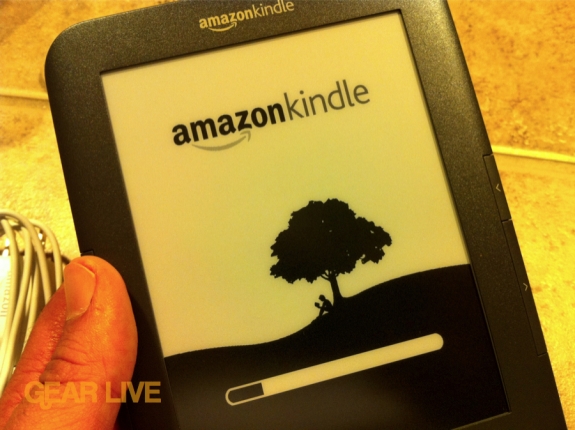
With the release of the iPad, many started writing off dedicated eBook readers like the Kindle and the nook, saying there was no place for devices that were dedicated to doing just one task when there are more powerful devices that can do the task just as well, while also meeting a myriad of other needs. Sure, in theory, that sounds about right; but you have have to take things like price into account. With the third generation Kindle, Amazon decided they’d rethink the price structure for the Kindle eBook reader, while also revamping the design a bit. Rather than going full color like many were hoping for, Amazon instead made the decision to try and make the best eBook reader on the market, and to sell it at an extremely competitive price. They announced the third gen Kindle a month ago, and it has finally started arriving on the doorsteps of eager buyer. So, how’d they do? Read on for our full review.
Click to continue reading Amazon Kindle 3 review
Gallery: Amazon Kindle 3 review
Are smartphones dumbing us down?

Posted by John Kilhefner Categories: Smartphones, Editorial, Features, Handhelds, Internet, PC / Laptop, Science,
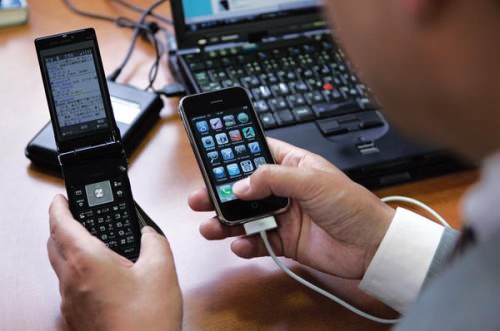
The term ‘smartphone’ may be a tad misleading according to the recently published New York Times article, “Digital Devices Deprive Brain of Needed Downtime”. This is to say that frequent use of digital media can disrupt your brain’s downtime - a necessary component of internalizing information. Without this downtime, the brain has no chance to process information previously learned, resulting in cluttered, inattentive minds.
Chances are there are more than a few of you reading this article while accomplishing some cardio riding your local gym’s indoor bike, or while in class when you really should be listening to your professor’s first lecture of the semester (but don’t stop reading now on account of that!). While having a digital device handy is excellent for spicing up mundane moments, or for capturing your mind away from the tedium of exercising, it does come at a price.
Click to continue reading Are smartphones dumbing us down?
Read More | New York Times
Gallery: Are smartphones dumbing us down?
Join us on the new Digg - we’ve got 1,000 invites!
Posted by Andru Edwards Categories: Announcements, Features, Internet,

Hey, wanna get in on the new Digg before it’s rolled out to the general public? Well, we’ve got 1,000 invites. All you need to do is click that image above, and you’re in (well, if you click it before 1,000 other people do!) We’ve been testing the new Digg site for a couple of months now, and they’ve made tremendous strides from the days of old. You’ll be able to follow us and the stories that we are publishing, and the things you end up liking get pushed to your friends on the site. Definitely a cool way to discover new stories. Let us know in the comments how you like it!
Read More | Join the new Digg!
Gallery: Join us on the new Digg - we’ve got 1,000 invites!
Magic Trackpad review
Posted by Andru Edwards Categories: Accessories, Apple, Features, PC / Laptop, Product Reviews,
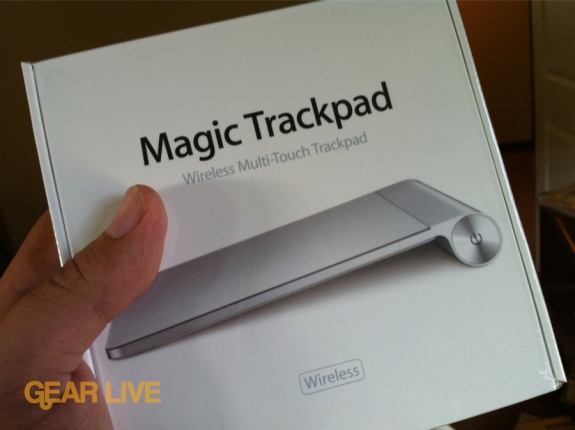
Apple’s Magic Trackpad is an interesting, although not unexpected, move for the company. For a company that seems to have invested in multitouch as the core foundation of its future, it only makes sense that they’d want to bring it over to the desktop rather than relegating it to their iOS devices and notebooks only. In its simplest description, the Magic Trackpad is a laptop trackpad that you use with your desktop Mac. The question is, is it any good? Is it more awkward to use than the natural trackpad on a Mac notebook? Even more importantly, can it (and should it) replace your mouse? We’ve been using the Magic Trackpad for a couple of weeks, and we’ve got some answers for you. Read on for our full review!
Click to continue reading Magic Trackpad review
Gallery: Magic Trackpad review
Win a copy of Bartleby’s Book of Buttons for iPad
Posted by Andru Edwards Categories: Announcements, Apple, Features, Handhelds, Software,

We’ve covered Bartleby’s Book of Buttons a few times here on the site, mostly because we think it’s a great app that has a lot of potential to set the stage for some truly interactive storytelling on the iPad and other gesture-based devices. Okay, enough of all that future talk, let’s talk about what we’ve got going on today. We will be giving away two copies of Bartleby’s Book of Buttons Vol. 1: The Far Away Land for iPad at the end of the day to two randomly chosen entrants.
Here’s how to enter:
- Follow the Gear Live Twitter account
- On Twitter, post this tweet about our contest: “Hey @gearlive hook me up with Bartleby for iPad! http://gear.lv/e-bartleby-ipad-i” (Click here to tweet this now)
That’s it! We’ll announce two winners later on, and get them download codes that’ll score you Bartleby from iTunes at no cost. You can check out our Bartleby photo gallery and our Bartleby video interview with Monster Costume for more - and you can also check it out on the App Store.
Gallery: Win a copy of Bartleby’s Book of Buttons for iPad
Apple Battery Charger makes wireless devices less annoying?
Posted by Andru Edwards Categories: Accessories, Apple, Editorial, Features, Wireless / WiFi,
I was thinking about why Apple would want to release their Apple Battery Charger product, since you can pretty much get batteries anywhere, and I think it comes down to Apple wanting to do their part in eliminating the annoyance that many have with changing batteries when a device runs out of juice. With the introduction of the Magic Trackpad, Apple now has three devices that are powered by AA batteries, with the other two being their wireless keyboard and Magic Mouse. According to Apple, they were able to come into the battery market with a few key advances. One such feature is an intelligent power management system so that once the batteries are charged fully, it goes into a low power state, using about 90% less power than your average charger. That’s nice. The batteries also have a long service life, which Apple says is up to 10 years. Also nice. Still though, this isn’t really a market that Apple needed to be in.
In our opinion, Apple’s goal here was to innovate a bit for the benefit of their own products. They sell you six batteries so you can have two in a wireless keyboard, and two in a Magic Trackpad or Magic Mouse, and then you can also have two always in the charger, ready to be swapped. It pretty much eliminates worry of running out of juice, which gives you all of the benefits of having wireless devices with none of the drawbacks since you always have two fresh batteries ready for you (unless you somehow have both the wireless keyboard and the pointing device run out at the same time.)
We like the strategy. You can pick up the Apple Battery Charger for $29 from Apple.
Read More | Apple Battery Charger








