

Articles tagged Adslice
Latest Andru Edwards Videos
iPhone Duo Review: It’s Not the Next iPhone. (Video)

Posted by Andru Edwards Categories: Apple, Smartphones, Product Reviews, Videos,
For nine years, you've used every iPhone the same way, by swiping. The iPhone Duo, Apple's first foldable, changes that for only the second time, and it's the first time Apple rebuilt the hardware to do it. After a week with it, the Duo has a spot in my pocket. So does my Pro Max.
Click to continue reading iPhone Duo Review: It’s Not the Next iPhone. (Video)
Advertisement
iPhone Duo Review + Pre-Order Problems with Andru Edwards | Power On with Mark Gurman (Video)
Posted by Andru Edwards Categories: Apple, Smartphones, Videos,
I've had an iPhone Duo for a week. Mark Gurman has a pre-order with a November ship date. That gap ran through most of our conversation when I joined Mark on Bloomberg's Power On podcast as his first outside guest, the week Apple's first foldable ships.
I Tested a Ridiculous Number of iPhone Duo Apps. Start Here. (Video)
Posted by Andru Edwards Categories: Apple, Software, Videos,
Load a tape in Deck-Man, close your iPhone Duo, and the album starts playing. Open the phone and it stops, with clicks recorded from a real cassette player to sell the bit. I tested a ridiculous number of Duo apps ahead of launch, and these 25 are where I'd start on day one. The best fits are the ones that give the fold a job.
Click to continue reading I Tested a Ridiculous Number of iPhone Duo Apps. Start Here. (Video)
Talking App Store Indie Games Week with Apple - What You Need To Know! (Video)
Posted by Andru Edwards Categories: Apple, Video Games, Videos,
No Man's Sky runs on an iPhone 11. That's a seven-year-old phone running a procedurally generated universe, and it's the detail I kept coming back to when I sat down with Apple's Carson Oliver, head of the global App Store, and Sebastian Kriese, head of games business development, to talk about App Store Indie Games Week.
Microsoft Surface Laptop Ultra Is Official and Starts at $2,599
Posted by Andru Edwards Categories: Microsoft, PC / Laptop,
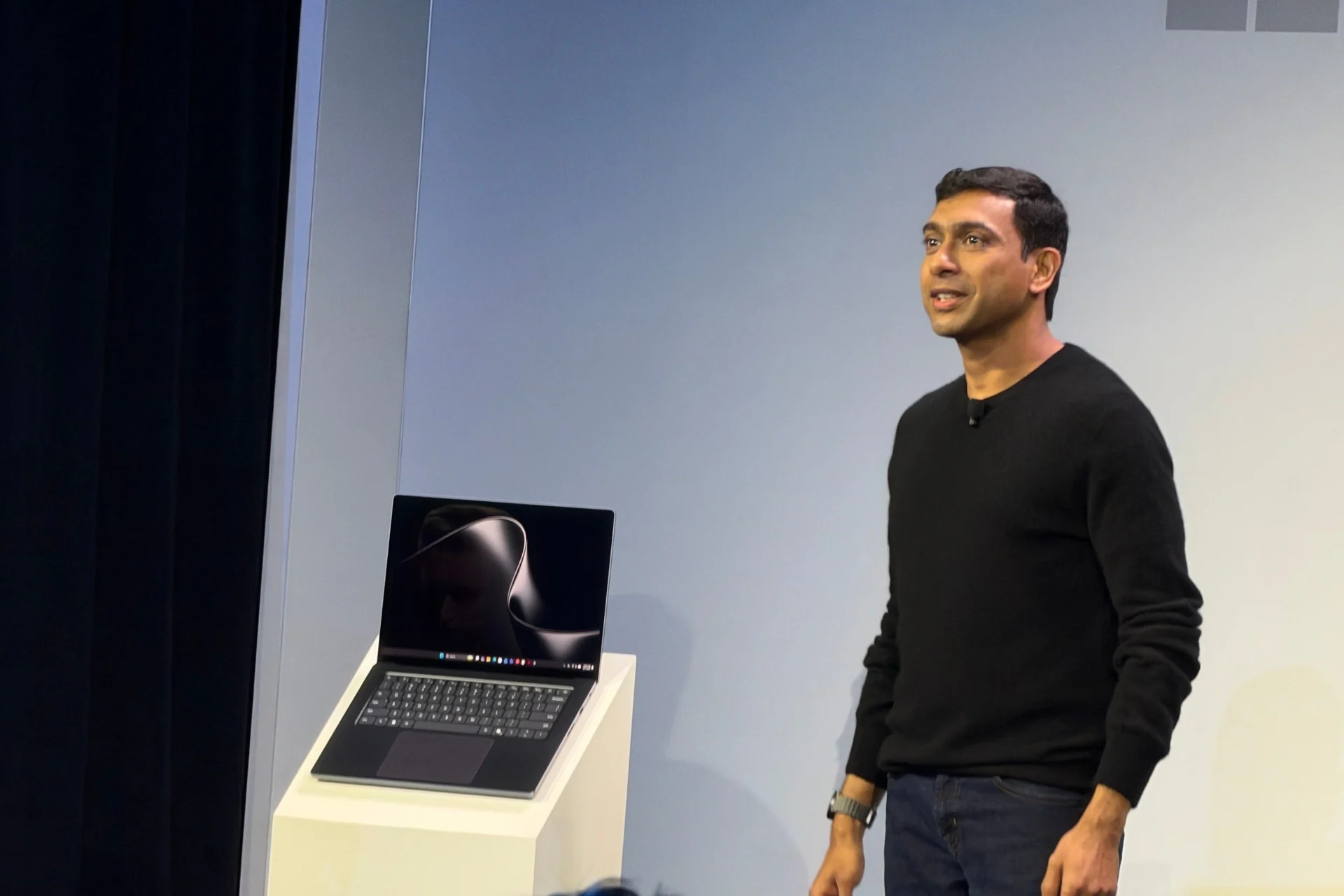
Yesterday the Surface Laptop Ultra was a spec sheet Microsoft had confirmed nothing about. Today Microsoft put the machine on a stage in San Francisco and confirmed nearly all of it, along with the one number the leak never had. The entry configuration costs $2,599.
Microsoft calls this its first "builder class" PC, built for developers and AI researchers rather than for people who want a nice Windows laptop. At $2,599 to start, it sits well outside normal Surface territory. You do not buy this one because your old laptop got slow.
Click to continue reading Microsoft Surface Laptop Ultra Is Official and Starts at $2,599
The Foldable iPhone is Here: Our First Impressions of the iPhone Duo
Posted by Andru Edwards Categories: Apple, Smartphones, Features, Videos,
Apple has finally made an iPhone that folds. I just spent a lot of time getting hands-on with the iPhone Duo at the Apple launch, and the excitement start right when you open it up. It introduces a completely new way to use iOS.
Let's dive into what this $1,999 device actually does!
Click to continue reading The Foldable iPhone is Here: Our First Impressions of the iPhone Duo
The iPhone 18 Pro’s Secret Weapon: How a Variable Aperture Camera Will Change Your Photos
Posted by Andru Edwards Categories: Apple, Smartphones, Features, Product Reviews,
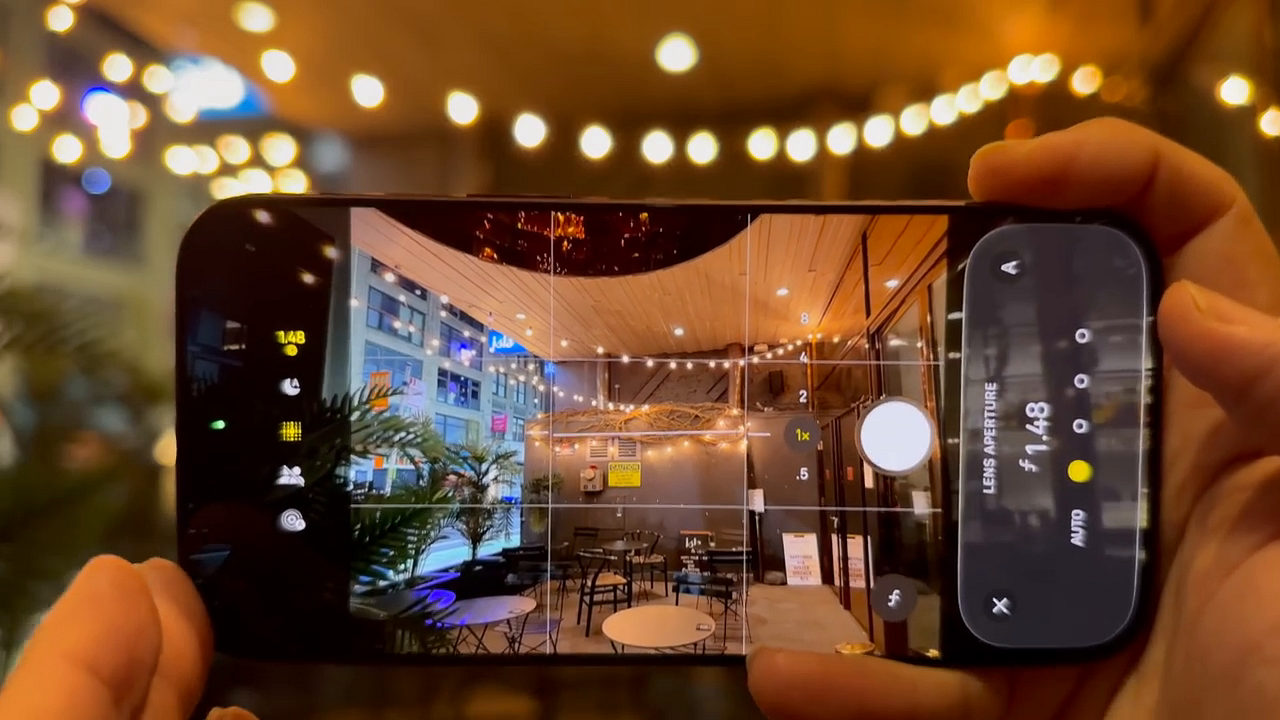
Apple just changed how the iPhone Pro thinks. On the surface, the iPhone 18 Pro might look like a standard, iterative update. But underneath the familiar exterior lies a completely rebuilt architecture. We are talking about a new chip, a massive cooling upgrade, and a camera system that finally does something no other iPhone has ever done. Let's dig into what makes this device a quiet powerhouse.
A familiar design with a few smart tweaks
The body uses a high-heat force aluminum unibody, keeping it lightweight but incredibly tough. Apple introduced four colors this year: Black, Silver, Glacier, and Burgundy. The Burgundy finish is deep, sophisticated, and catches the light beautifully without screaming for attention.
Durability is highly impressive. Both the front and back feature Ceramic Shield 2. You can comfortably run this display without a screen protector and not see a single scratch after heavy daily use.
Up top, the Dynamic Island is about 25% smaller but now shows up to three live activities at once. Apple achieved this by hiding the FaceID IR camera directly behind the display pixels, giving you more screen real estate without losing functionality.
Meta’s $1,299 VR Glasses Weigh 100 Grams Because the Computer Rides in Your Pocket
Posted by Andru Edwards Categories: Wearables, Displays, Video Games,
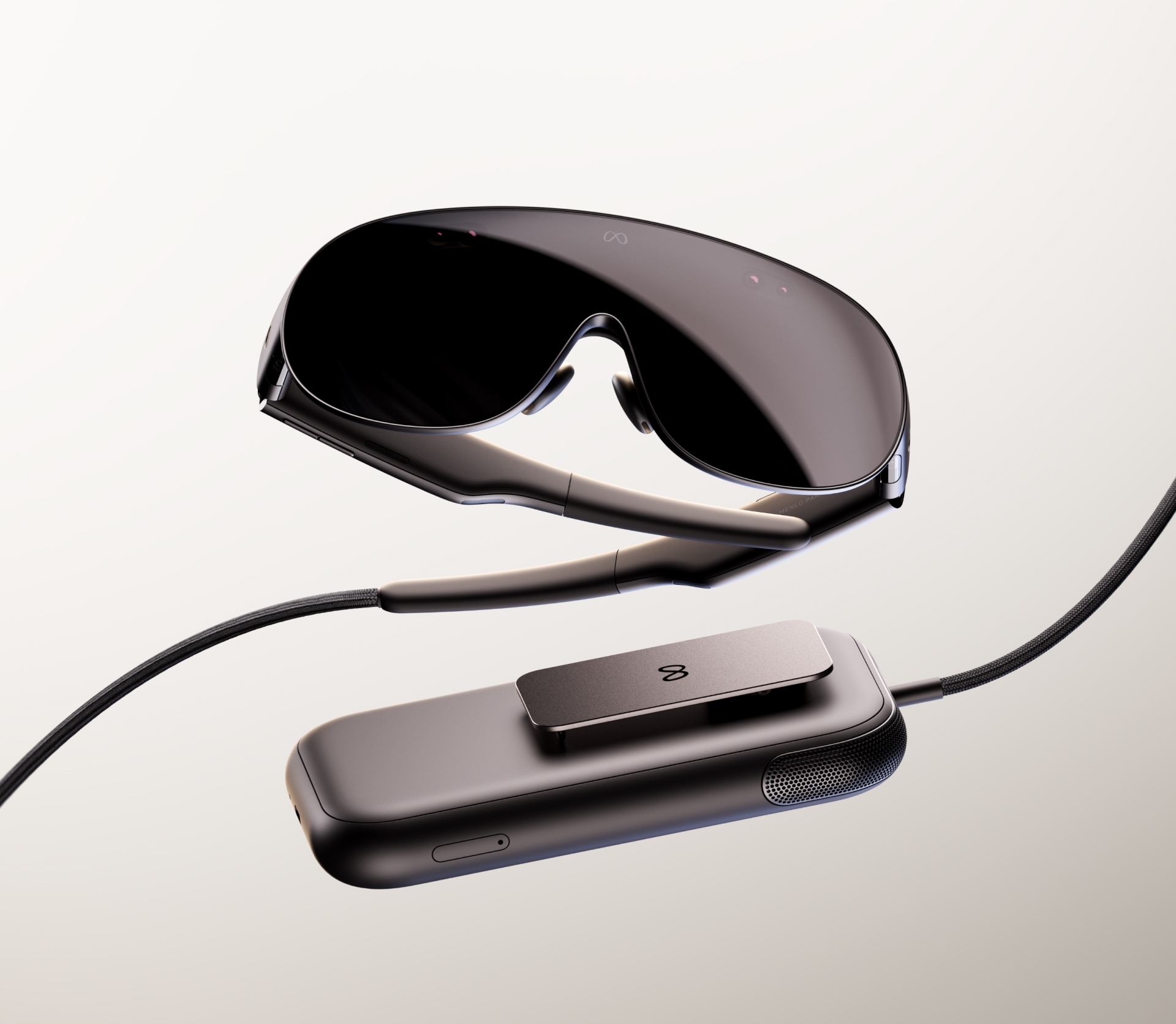
Every VR headset asks you to strap a computer, a battery, and two screens to your face. Meta's new VR Glasses take the computer and the battery off. The glasses weigh about 100 grams, roughly a deck of cards, and everything heavy lives in a phone-sized puck that clips to your pocket and runs a cable up to your temple. They cost $1,299.99 and go on sale in spring 2027.
Mark Zuckerberg spent a big chunk of tonight's Connect keynote on them. Meta had been focusing less on the metaverse unless there was a breakthrough, he said, and then: "This is a breakthrough." He called it the result of more than a decade of work. It's Meta's first new VR hardware in about two years, since Quest 3S in fall 2024, and the pitch on stage came in three words: "Cinema. Computer. Console."
Ray-Ban Meta Audio Ditches the Camera, Keeps the Mics, and Costs $349
Posted by Andru Edwards Categories: Wearables, Portable Audio / Video,

The quickest way to stop people calling your smart glasses creepy is to take out the camera. Meta did that tonight. Ray-Ban Meta Audio, announced at Connect, is Meta's first pair of glasses with no camera at all: speakers, microphones, and an AI assistant in a Ray-Ban frame, starting at $349.
Meta says audio has been the most popular feature on its glasses since day one, and this pair is built around it. At 43 grams, Meta calls them its lightest and slimmest AI glasses yet. They're rated for up to 12 hours of music, podcasts, calls, and assistant use on a charge, plus up to 48 more hours from the included charging case. Pre-orders are open now, and they ship October 13.
Click to continue reading Ray-Ban Meta Audio Ditches the Camera, Keeps the Mics, and Costs $349
YouTube’s Custom Feeds Turn Your Homepage Into a Prompt Box
Posted by Andru Edwards Categories: Google, Internet,
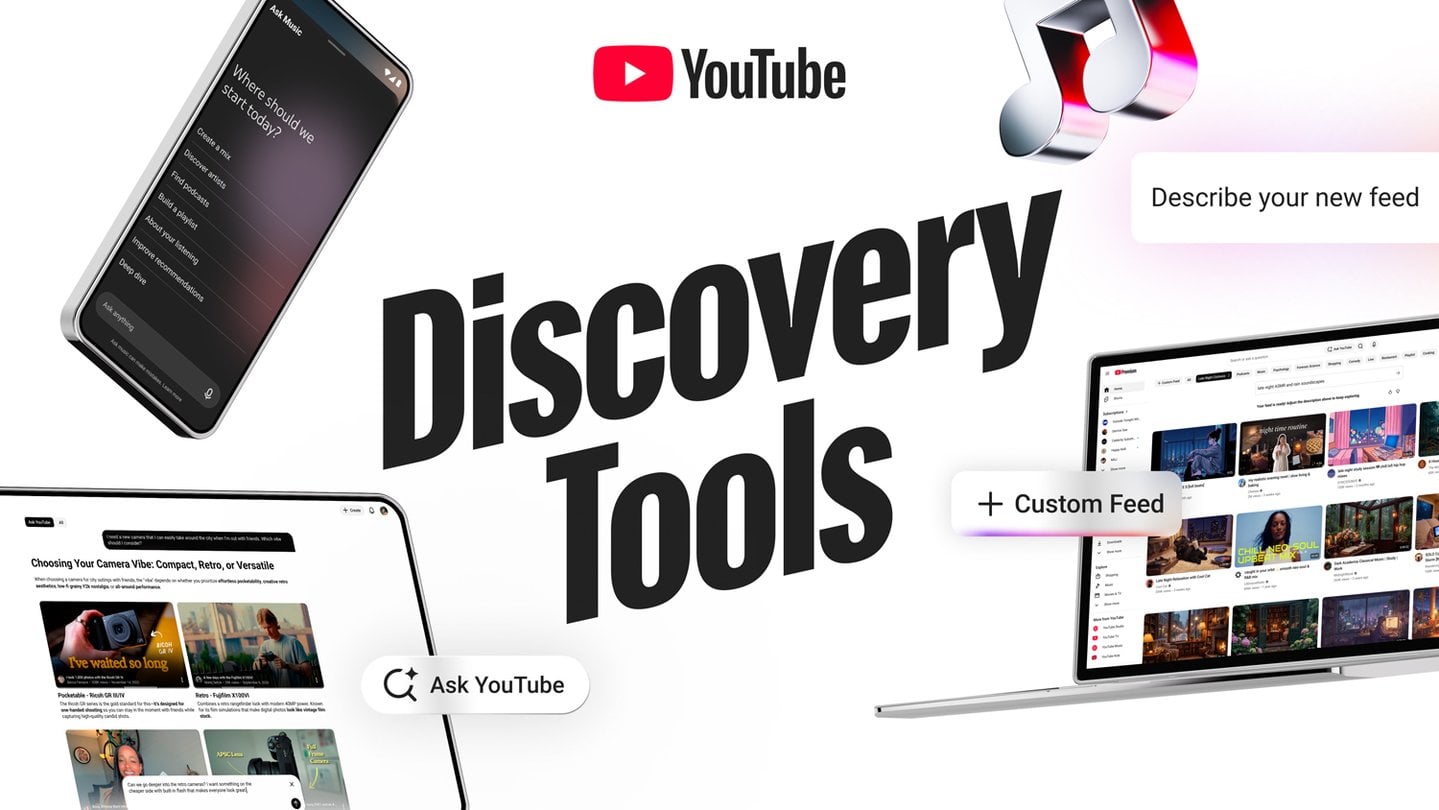
YouTube's homepage has always run on inference. It watches what you finish, what you skip, and what you let autoplay at 1 a.m., then guesses what you want next. Custom Feeds, announced today at Made on YouTube, lets you type the request yourself: "Witty podcasts for my daily 30-minute commute," to borrow YouTube's own example.
Whatever you describe becomes its own tab on the homepage, and you can save several. YouTube says the feeds update automatically with fresh recommendations, so a commute tab keeps pulling in new picks after the first day. Its other examples are "Evening wind down with long documentaries" and "Help me discover new DIY creators." The feature is coming to US users on web, mobile and TVs "soon," with no date attached.
Click to continue reading YouTube’s Custom Feeds Turn Your Homepage Into a Prompt Box