

Latest Gear Live Videos
iPhone 3GS full review

Posted by Andru Edwards Categories: Apple, Cameras, Smartphones, Features, Handhelds, Portable Audio / Video, Product Reviews,
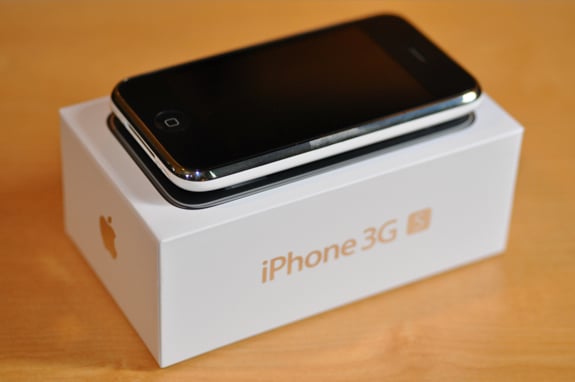
Since Apple announced the iPhone 3GS at WWDC 2009, the buzz has been non-stop. There are obviously those Apple fanboys that are hyping this as the Third Coming, as well as those who are a bit more skeptical as to if the speed boost is truly real, and truly worth it. Oh, and of course, the lead-up to the iPhone 3GS launch hasn’t been without controversy, but AT&T stepped up in a big way to make it easier on iPhone 3G owners who want to upgrade without breaking the bank. So the question remains - is it worth it?
iPhone 3GS: The ‘S’ is for ‘Speed’
Okay, so many of us were speculating that this phone would be called the iPhone video. After all, when video came to the iPod, it was called the iPod video, and video would certainly be the big feature if it was included in the third iPhone, right? Wrong. Video takes a back seat to speed when it comes to the iPhone 3GS. I know, that sounds all sorts of silly, but allow me to explain. Apple has been focused on optimizing and refining OS X, as evidenced by what we are seeing with Snow Leopard. Remember, the iPhone is based on OS X at it’s core, and Apple wouldn’t neglect bringing those refinements to their flagship mobile device.
That said, believe the hype. This phone is very noticeably faster than the iPhone and iPhone 3G—even if you have an iPhone 3G that is already running the faster iPhone 3.0 update. You are able to launch and quit the core apps in a snap. Internet speeds are faster. Launching those games that take a while to load is nowhere near as frustrating. And best of all, despite this being a “little thing,” the little nagging stalls and overall lack of responsiveness are just gone.
Click to continue reading iPhone 3GS full review
Advertisement
Video: iPhone 3GS Safari vs. Mac Firefox speed test
Posted by Andru Edwards Categories: Apple, Smartphones, Features, Handhelds, Internet, Portable Audio / Video, Software,
So, if you are wondering just how fast that iPhone 3GS really is, we’ve got something you may want to take a look at. In this video, we compare the speed of the iPhone 3GS at pulling up Gear Live in Mobile Safari, to that of an iMac doing the same in the latest version of Firefox. Forget about comparing iPhone 3GS browser speeds to the older iPhone 3G, this really shows off the power inside of the latest Apple smartphone.
iPhone OS 3.0 Auto-Login at AT&T Wi-Fi Hotpsots
Posted by Andru Edwards Categories: Apple, Smartphones, Handhelds, Portable Audio / Video, Videos, Wireless / WiFi,
Did you know that if you have an iPhone running that iPhone OS 3.0 under an AT&T plan, you get to use AT&T Wi-Fi hotspots for free? Even better, after you log on to an AT&T Wi-Fi hotspot once, you’ll be auto-logged on to any others that you want to join as well, no extra cost to you. Check out the video above to hear AT&T’s Seth Bloom explain it a bit further.
iPhone 3GS Getting Prepared At AT&T Distribution Center
Posted by Andru Edwards Categories: Apple, Smartphones, Handhelds, Portable Audio / Video, Videos,
It’s the zero hour, and those iPhone 3GS units need to hurry up and get to their final AT&T Store destinations. Wonder how a launch of this size gets managed? Check out the video above, which shows workers at an AT&T distribution center getting the iPhone 3GS scanned, boxed, and ready to ship for tomorrow’s launch.
iPhone 3GS AT&T in-store launch details
Posted by Andru Edwards Categories: Apple, Smartphones, Handhelds, Portable Audio / Video, Videos,
If you are looking to pick up an iPhone 3GS from an AT&T Store tomorrow morning, you’ll want to check out the video above to details on how everything is going to flow tomorrow morning. Basically, stores open at 7:00 AM, and you’ll be able to enter first if you have a pre-ordered phone waiting for you. As soon as the pre-order line is done, you can enter to purchase an iPhone 3GS if you did not pre-order. That second line is good for both current and new AT&T customers, but if you are new, you should head to the AT&T iPhone page first so you can get through the process a bit quicker, since you’ll be pre-qualified.
Slide To Unlock Doormat

Posted by Jenny Lewis Categories: Apple, Design, Smart Home,
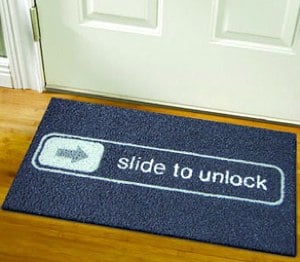 Neither Apple devotees nor iPhone users with other computing proclivities want dirty floors. How can all of those floors POSSIBLY stay clean and yet still let visitors know that this household strongly supports the telephonic ventures of Apple? The “Slide to Unlock” doormat. Made of washable rubber and available from the Meninos Store for $50, it’s a piece not-tech that will add some personality to your entry while keeping the rest of the house ship-shape.
Read More  | Unplggd
Apple begins credit notifications for iPhone 3GS pre-orders
Posted by Andru Edwards Categories: Apple, Smartphones, Corporate News, Handhelds, Portable Audio / Video,
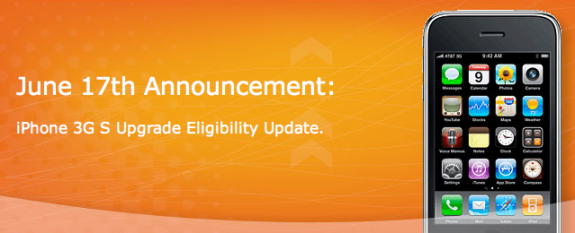
Earlier today we told you how AT&T impressed us by offering “best pricing” upgrades for iPhone 3G users to iPhone 3GS. Some wondered what would happen if they had already ordered the iPhone, especially if they bought it through the Apple Store. Turns out, Apple is already on top of it. I just got an email from the Apple Store Online team, letting me know that, within the next 5 days, I will get getting a $200 refund. You can see the entire text of the email after the break.
Click to continue reading Apple begins credit notifications for iPhone 3GS pre-orders
Belkin iPhone 3G and 3GS Cases

Posted by Sheila Franklin Categories: Handhelds, Misc. Tech,
 Belkin has a new group of cases for the iPhone 3G and 3GS. The ergonomic Grips, at $29.99, have a thick layer of silicone and textured designs. Other models include the Vector Duo at $19.99 and the Ergo and two-toned Vector for $29.99. All allow for charging while the phone is inside. The company also has new Leather cases for $29.99 and BodyGuard cases for $29.99 and $34.99. Some are available now while others are expected next month.
Read More | Belkin
iPhone OS 3.0 Available at 10:00 AM PT
Posted by Andru Edwards Categories: Apple, Smartphones, Handhelds, Portable Audio / Video, Software,
That’s right peeps - you’ll be able to download the iPhone 3.0 firmware in an hour, starting at 10:00 AM Pacific Time. Be ready to get your cut, copy, and paste on!
Apple delays iPhone 3.0 by a day?
Posted by Andru Edwards Categories: Apple, Smartphones, Handhelds, Software,

We’re not sure what the deal is, but we’ve been getting reports from a bunch of users that it seems that Apple may have delayed the release of iPhone OS 3.0 by a day. Originally expected on June 17th, the Apple iPhone OS 3.0 feature page is now showing a date of June 18th for some users. I tested the page on my iPhone 3G, and the date displayed at the top right of the page was June 18th. I then loaded it on my MacBook Pro, and the date was June 17th. Quite odd. What does the page say when you visit it?
EDIT: Looks like the page floating around with the June 18th date actually goes to Apple’s Singapore page. False alarm, June 17th is still on!
Read More | iPhone Software Update








