

Articles tagged Operating Systems
Latest Andru Edwards Videos
Apple OS X 10.11 El Capitan now available, here’s what’s new!

Posted by Andru Edwards Categories: Apple, Corporate News, PC / Laptop, Software,
.jpg)
Apple has released OS X 10.11 El Capitan to the public, and all users with compatible Macs are able to download the updated version of Apple’s desktop operating system for free from the Mac App Store. Just launch the Mac App Store to grab the download, or if you don’t see it, you can use this link to take you right to it: OS X El Capitan
OS X El Capitan brings with it a slew of bug fixes and performance improvements, tightening up everything from last year’s Yosemite release. That said, there are still quite a few user-facing improvements as well. These include:
Click to continue reading Apple OS X 10.11 El Capitan now available, here’s what’s new!
Advertisement
OS X 10.11 El Capitan will be released on September 30
Posted by Andru Edwards Categories: Apple, Corporate News, PC / Laptop, Software,
During a demo of the new iPhone 6s 3D Touch feature at the Hey Siri, Give Us A Hint event, Apple's Craig Federighi opened an email on his iPhone 6s from Phil Schiller that announced that OS X El Capitan would be released on September 30th. Apple's latest OS X 10.11 Mac operating system has been in beta since WWDC 2015 in June. Thanks to that peek at Federighi's email, we now know that all Mac users with compatible computers will be able to update to El Capitan three weeks from today, completely for free.
Click to continue reading OS X 10.11 El Capitan will be released on September 30
Parallels Desktop 11 for Mac brings Cortana to the Mac with Windows 10, El Capitan support
Posted by Andru Edwards Categories: Apple, Microsoft, PC / Laptop, Software,
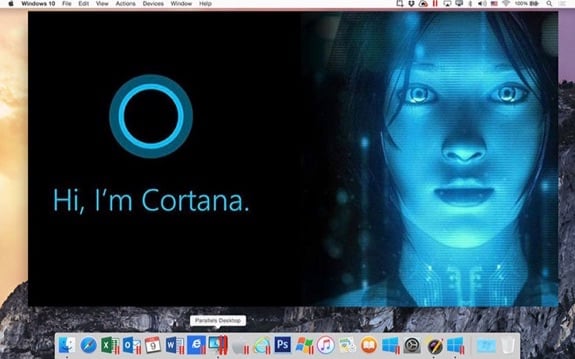
Parallels, the company that makes Parallels Desktop (our favorite software virtualization software for Mac,) has announced the release of Parallels Desktop 11. Interested users can buy Parallels Desktop 11 for $79.99, while users of prior versions 9 and 10 receive upgrade pricing of $49.99. Major operating system support in Parallels Desktop 11 includes support for the latest Microsoft OS, Windows 10, as well as Apple’s upcoming OS X 10.11 El Capitan, which is set to launch this fall.
OS X 10.11 El Capitan Developer Beta 5 now available, here’s what’s new!
Posted by Andru Edwards Categories: Apple, PC / Laptop, Software,
Earlier today Apple released OS X El Capitan Developer Beta 5. Developers who are already running Yosemite can get the 1.34GB update through the Mac App Store, while those who are looking to install it for the first time will need to log in to the Apple Developer Portal. As for the rest of the world, OS X El Cap is set to launch this fall, focusing on tightening up OS X and crushing nagging bugs, while also introducing features like split view apps, expanded Spotlight, an expanded Notes app, performance improvements, and more to Apple's desktop operating system. Those interested in beta testing can head over to the Apple beta website.
OS X 10.10.3 beta 2 build 14D87h released with Photos improvements, diverse emoji
Posted by Andru Edwards Categories: Apple, PC / Laptop, Software,
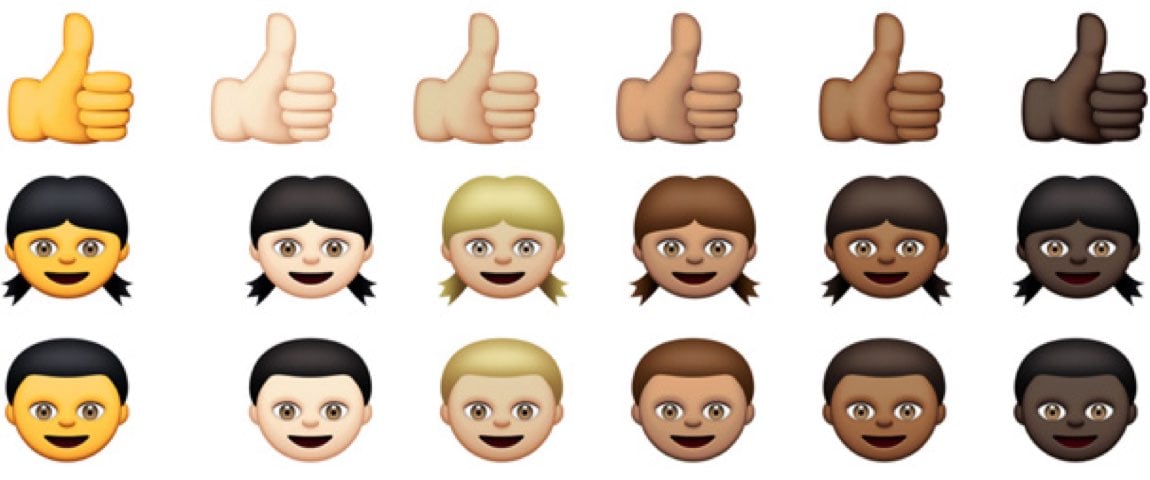
Apple has released the second developer preview of OS X Yosemite 10.10.3, and with it comes a more diverse group of emoji, featuring multiple skin tones. Rather than offering one hue, as has been standard practice for years, Apple will now offer a total of six different skin tones to choose from. You'll also find same sex couples, and families with and without children, all with skin tone modifier options. Other new emoji characters include new country flags being added to the mix.
Also found in the latest OS X developer preview is an update to the Mac version of the beta Photos app.
If you're a dev, you can download OS X 10.10.3 build 14D87h now from the Mac Dev Center, or by using the Software Update feature in the Mac App Store if you're already running beta software.
Apple’s new Photos app for Mac now in beta, here’s what’s new!
Posted by Andru Edwards Categories: Apple, PC / Laptop, Software,
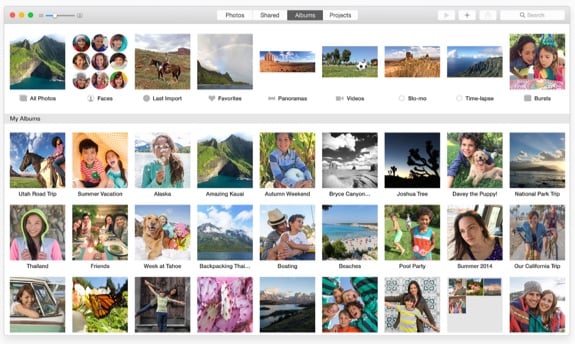
As we mentioned, Apple has released its new Photos app for Mac as part of the OS X 10.10.3 beta release earlier today. For those wondering about features and functionality, here's the rundown straight from Apple:
All new for OS X, Photos automatically organizes your photo library and helps you perfect your photos with comprehensive editing tools. You can also store your photos and videos in the cloud using iCloud Photo Library, and access them on all your devices.
Photos lets you:
- Browse your photos by time and location in Moments, Collections, and Years views
- Navigate your library using convenient Photos, Shared, Albums, and Projects tabs
- Store all of your photos and videos in iCloud Photo Library in their original format and in full resolution
- Access your photos and videos stored in iCloud Photo Library from your Mac, iPhone, iPad, or iCloud.com with any web browser
- Perfect your photos with powerful and easy-to-use editing tools that optimize with a single click or slider, or allow precise adjustments with detailed controls
- Create professional-quality photo books with simplified bookmarking tools, new Apple-designed themes, and new square book formats
- Purchase prints in new square and panoramtic sizes
Apple releases OS X Yosemite 10.10.3 build 14D72i with Photos app
Posted by Andru Edwards Categories: Apple, PC / Laptop, Software,
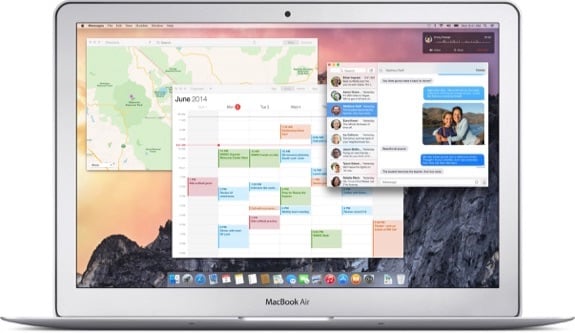
Apple has released the first OS X 10.10.3 (build 14D72i) of Yosemite to developers for testing today, and as part of this release Apple has included a beta version of the new Photos app that was originally revealed back at WWDC 2014. The Photos app will replace both iPhoto and Aperture and become Apple’s single photo library management app. Photos will also support the iCloud Photo Library feature, which allows users to store their entire library of photos and videos on iCloud, having them accessible from any Mac, as well as supported versions of the iPhone, iPad, iPod touch, and web browsers. You can download the new software through the Mac App Store if you're already running a dev version of OS X, or if not, you can find it in the Mac Dev Center.
Apple seeds OS X Yosemite Golden Master to developers
Posted by Andru Edwards Categories: Apple, Corporate News, PC / Laptop, Software,
While Microsoft was busy introducing Windows 10 to the world, Apple released the first OS X Yosemite golden master candidate. Developers and beta testers were seeded with the update today through the Mac App Store, and the golden master designation means that the company is confident that this could be the exact same version that it ships to the general public when Yosemite is released later this fall, barring any last-minute bugs (hence the word “candidate.”) OS X Yosemite was originally introduced back in June during the 2014 Worldwide Developers Conference, where it was shown to have a radical redesign from the current OS X Mavericks, along with much tighter optional integration with iOS 8.
It’s rumored that Apple will ship OS X 10.10 Yosemite next month, alongside an update to the Mac lineup that would include the first iMac with Retina display at 5K resolution.
Windows 10: Microsoft previews the next iteration of Windows
Posted by Andru Edwards Categories: Corporate News, Microsoft, PC / Laptop, Software,
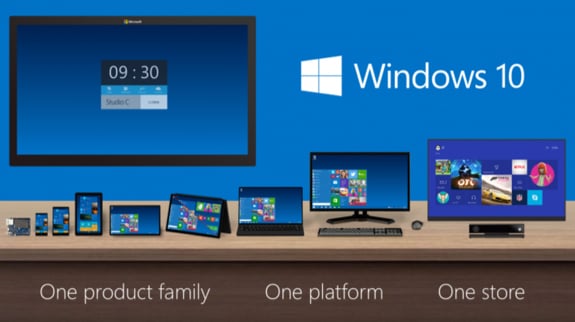
Today, Microsoft officially announced the next version of Windows: Windows 10. If you’re confused, you’re not alone. The currently-available version of Windows is 8.1, which means that Microsoft has inexplicably decided to forego version 9 altogether. Rumors that the next version would be called Windows TH, Windows One, or Windows 9 have now been dashed—Windows 10 is the future of Microsoft’s desktop operating system. It’s also still technically the 9th release of Windows.
At an unveiling event earlier today, the company called Windows 10 the “most comprehensive platform ever,” as it will run on all displays, from 4-inches and up. That means Windows 10 will run on phones, tablets, laptops, desktops, servers, and high definition television screens. “Windows 10 will deliver the right experience on the right device at the right time," said Microsoft's Terry Myerson. "Windows 10 will run on the broadest types of devices ever."
Optimists will say that Microsoft is listening to all of the negative backlash that was met with the release of Windows 8, taking in that feedback, and reverting a bunch of changes to give customers what they want. Others will point out that Windows 10 looks like a mashup of the beloved Windows 7 and the polarizing Windows 8, with a bunch of Mac OS X features (like Expose and Mission Control) thrown in, and is an obvious step backwards. We see both sides of the argument, but it’s also very early to tell, as Windows 10 won’t ship until late 2015.
Click to continue reading Windows 10: Microsoft previews the next iteration of Windows
Microsoft will reveal Windows 9 on September 30th
Posted by Andru Edwards Categories: Corporate News, Microsoft, PC / Laptop, Software,
Microsoft has started sending out invitation to select press to its Windows 9 reveal event that will take place in San Francisco, California on September 30th. Microsoft execs Joe Belfiore and Terry Myerson will both be on hand to talk about “what’s next for Windows and the enterprise.” At the end of the event, we expect the company to release a Windows 9 Technical Preview that will allow developers and enterprise users to take the new software for a test drive to get apps updated and deployment scenarios tested. New features for Windows 9 include Cortana integration, virtual desktops, a new Start menu, Notification Center, and a refreshed UI that will see flatter icons (similar to Apple’s OS X Yosemite.)