

Articles tagged Iphone Firmware
Latest Andru Edwards Videos
iPhone OS 4.0 to arrive 1/27 with new interface, multitasking?

Posted by Andru Edwards Categories: Apple, Smartphones, Handhelds, Rumors, Software,
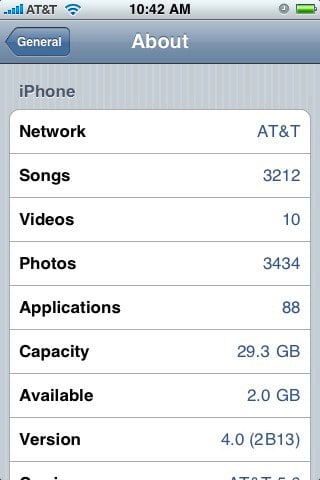
Our pals over at Boy Genius Report are saying they’ve received some inside information about the iPhone OS 4.0, which is heavily rumored to debut, and possibly even be released, at the Apple event on January 27th. Here’s what they are saying about iPhone OS 4.0:
- There will be multi-touch gestures OS-wide. (Would make sense for that as the rumored OS for the iTablet is close if not the same as the iPhone)
- “A few new ways” to run applications in the background—multitasking.
- Many graphical and UI changes to make navigating through the OS easier and more efficient. We haven’t had this broken down, but we can only hope for improved notifications, a refreshed homescreen, etc.
- The update will supposedly be available for only the iPhone 3G and 3GS, but will “put them ahead in the smartphone market because it will make them more like full-fledged computers” more than any other phone to date. Everyone is “really excited.”
- The last piece of information is the most vague, but apparently there will be some brand new syncing ability for the contacts and calendar applications.
As far as we’re concerned, we think that a graphical and UI interface refresh is definitely needed for the iPhone, which hasn’t really seen any major interface changes since it launched. Of course, we will be bringing you all the new on January 27th as it happens.
Advertisement
iPhone OS 3.0 Available at 10:00 AM PT
Posted by Andru Edwards Categories: Apple, Smartphones, Handhelds, Portable Audio / Video, Software,
That’s right peeps - you’ll be able to download the iPhone 3.0 firmware in an hour, starting at 10:00 AM Pacific Time. Be ready to get your cut, copy, and paste on!
Apple delays iPhone 3.0 by a day?
Posted by Andru Edwards Categories: Apple, Smartphones, Handhelds, Software,

We’re not sure what the deal is, but we’ve been getting reports from a bunch of users that it seems that Apple may have delayed the release of iPhone OS 3.0 by a day. Originally expected on June 17th, the Apple iPhone OS 3.0 feature page is now showing a date of June 18th for some users. I tested the page on my iPhone 3G, and the date displayed at the top right of the page was June 18th. I then loaded it on my MacBook Pro, and the date was June 17th. Quite odd. What does the page say when you visit it?
EDIT: Looks like the page floating around with the June 18th date actually goes to Apple’s Singapore page. False alarm, June 17th is still on!
Read More  | iPhone Software Update
iPhone 3.0: Some apps currently incompatible [UPDATED]
Posted by Andru Edwards Categories: Entertainment, App Store News, Free Apps,

We know, there was a lot of excitement surrounding the iPhone 3.0 beta release yesterday, and tons of people rushed to upgrade. However, now we are seeing some of the negatives that are starting to creep up. Sure, the keyboard can be a bit sluggish in some apps, and MMS isn’t working at the moment, whatev on those. What really sucks, though, is the fact that there are some apps that will just flat out refuse to
install. Case in point, the new Fandango app. If you try to install it on your 3.0-enabled iPhone, you’ll get a message telling you that the application isn’t compatible, and that it requires the iPhone 2.2.1 software update. We aren’t feeling that, because we wanna get our Fandango on!
Let us know if you find any other apps that choke on iPhone 3.0.
Update: Looks like the problem here is with installing from the App Store directly on the iPhone. We just tried downloading and installing Fandango using iTunes, and it works swimmingly. Keep that in mind.
[Thanks, Tyler!]
iPhone 3.0 keynote now available in iTunes
Posted by Andru Edwards Categories: Apple, Smartphones, Corporate News, Handhelds, Software,
 Yesterday, Apple finally unveiled the iPhone 3.0 OS. We are stilling digging deep into the update, and will be bringing you our thoughts in just a bit, but we felt that it might behoove us to let you know that you can now download the iPhone 3.0 keynote presentation directly from iTunes now,
 in it’s entirety
(minus the Q&A session.) Go ahead and get a first-hand look at cut, copy, and paste, MMS, global Spotlight search, and all the demos. If you aren’t a developer, then you can look forward to downloading the update in June, which will probably be alongside this years iPhone release.
Read More | iPhone 3.0 Keynote [iTunes Link]
iPhone and iPod touch 2.2.1 firmware released
Posted by Andru Edwards Categories: Apple, Smartphones, Handhelds, Software,
This morning Apple released iPhone and iPod touch firmware version 2.2.1. There doesn’t seem to be a lot to note in this one, compared to some of the other point releases for the platform that we’ve seen in the past. Here’s a look at some of the changes:
iPhone 2.2.1 Software Update
This update contains bug fixes and improvements, including the following:
- Improved general stability of Safari
- Fixed issue where some images saved from Mail do not display correctly in the Camera RollProducts compatible with this software update:
- iPhone
- iPhone 3G
To get the update, just connect your iPhone or iPod touch to your computer and have iTunes check for it.
iPhone 2.2 firmware drops November 21?
Posted by Andru Edwards Categories: Apple, Smartphones, Google, Handhelds, Software,
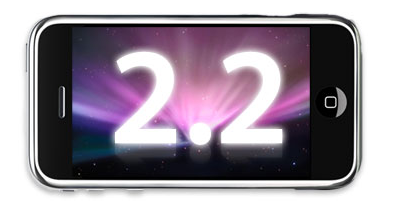
The rumor mill is buzzing today about the soon-to-be-released iPhone 2.2 firmware. iPhone Hellas is saying that we can expect iPhone 2.2 to be available for download on November 21, a mere 10 days away. We have no reason to doubt, since the 2.2 firmware has been in beta for a while now, and everything sounds like it working nicely. With iPhone OS 2.2 you can expect things like walking directions, Google Street View, public transportation information, the ability to share your location with others, over-the-air podcast updates and downloads, and your overall bug fixery.
This is certainly an update we are primed and ready to enjoy, so let’s hope this rumor holds true, cool?
Read More | iPhone Hellas
iPhone 2.2 beta seeded to developers
Posted by Andru Edwards Categories: Apple, Smartphones, Handhelds, Software,

Right on the heels of the iPhone 2.1 release that seems to cure just about all our iPhone-related woes (although, honestly, some are still there,) Apple has just released iPhone 2.2 into beta, and seeded it to their iPhone devs. Officially, we are talking about iPhone OS 2.2 beta 1, and as such, we have no timetable or anything as to when this will actually hit the masses. But still, it’s nice to know that it’s coming, right? What would you like to see addressed in iPhone 2.2?
iPhone Pwnage Tool 2.0.3 now available
Posted by Andru Edwards Categories: Apple, Smartphones, Handhelds, Mods / Hacks, Software,

For those of you out there who can’t live without a jailbroken iPhone, we venture to guess that you’ll be happy to hear that PwnageTool 2.0.3 is now available, thanks to the continuing hard work of the iPhone Dev Team. This new version features a few new features:
- Updated Installer.app to beta 6
- Support for iPhone and iPod touch firmware 2.0.2 5C1
- Adds .de localization for those who read German
If you are already running an older version, you can update right from within PwnageTool, otherwise hit the link below to download the latest version.
Read More | PwnageTool 2.0.3
iPhone firmware 2.0.2 ready to kill some bugs
Posted by Andru Edwards Categories: Apple, Smartphones, Handhelds, Software,

Just two weeks after Apple released iPhone 2.0.1 firmware, we just got word via iTunes that firmware 2.0.2 is now available, and it, too, is all about killing bugs. The update is a little over 248 MB in size, and will be waiting for you when you next go to sync your iPhone. We’ve already gone ahead and done the installation, and we feel so much more bug-free already. Let’s just hope this ends our countless frozen Apple logo issues that have us doing a complete restore of the iPhone 3G almost daily.