

Latest Gear Live Videos
Best Amazon Prime Day 2019 Deals!

Posted by Andru Edwards Categories: Accessories, Smartphones, Handhelds, Home Entertainment, Hot Deals, Smart Home, PC / Laptop, Peripherals, Portable Audio / Video, Video Games,
It's Amazon Prime Day across the world, and as promised, here are some of the best Amazon Prime Day 2019 deals you can get! I will update this list throughout the day:
TECH DEALS
- Ecobee SmartThermostat $200 (save $50)
- Eero WiFi System $150 (save $200)
- 20% off Amazon Warehouse
- Braun Series 7 Smart Shaver $140 (save $60)
- SanDisk Ultra 400GB microSD card $44.99 (save $20.83)
- Microsoft Surface Headphones $189.99 (save $160)
- Oculus Go VR Headset $159 (save $40)
APPLE DEALS
- $250 off the latest iPad Pros
- Take $100 off Apple’s 128GB 9.7-inch iPad
- iPad Air $40 off
- iPad Mini $15
- iPad Pros 2017 $480 off
- Apple Watch Series 4 - $75 off
- Apple AirPods with wireless charging for $179
- Newly-released MacBook Air $200 off
- $50 iTunes & App Store Gift Cards for $40 (save $10)
Click to continue reading Best Amazon Prime Day 2019 Deals!
Advertisement
Amazon Fire TV Cube hands-on review, new AirPods 2 coming soon - Geared Up!
Posted by Andru Edwards Categories: Accessories, Apple, Wearables, Features, Home Entertainment, Portable Audio / Video, Product Reviews,

Amazon is trying to get its Alexa voice assistant into as many homes as possible. Its latest offering: The Fire TV Cube, which essentially turns any TV into a smart TV with Alexa voice control. We try it out live on this episode. The integration with certain apps, like Netflix and Hulu, is pretty cool. Simply saying "Alexa, play Stranger Things," opened the Netflix app and started playing right where we left off. Using voice control to fast forward, switch TV inputs and open apps also works well. But for other apps that aren't integrated, like Sling TV, the experience isn't quite so smooth. The box also doesn't work with over-the-air cable TV, as some reports said it would. In other news, Oculus announced a new virtual reality TV app this week, and some people are unimpressed. We also dive into a report that points to a new line of AirPods coming before the end of the year, including higher-end over-the-ear headphones.
Listen to the episode in the player below or subscribe to Geared Up in your favorite podcast app to listen on the go:
Bleeding Edge TV 594: Amazon Kindle Oasis review
Posted by Andru Edwards Categories: Features, Handhelds, Podcasts, Product Reviews, Videocasts, Videos,
The Amazon Kindle Oasis is the best e-reader every made, but it's also the most expensive. I give you a look at all of the features that the Kindle Oasis has to offer, and a look at the Kindle Oasis vs Paperwhite and Kindle Oasis vs Kindle Voyage. Leave your thoughts in the comments below, letting me know what you think of this Kindle Oasis review!
You can pick up the Amazon Kindle Oasis now.
Don't forget to subscribe to Gear Live's YouTube channel--also, we are giving away awesome perks for our Patreon backers - thanks for your support!
Click to continue reading Bleeding Edge TV 594: Amazon Kindle Oasis review
Amazon Kindle Voyage unboxing & impressions
Posted by Andru Edwards Categories: Handhelds, Videos,
The Amazon Kindle Voyage brings you 300 pixels per inch - a nice, high-resolution e-ink display. There is an adaptive front light, ambient light sensor that adjusts the backlight on its own, depending on your lighting conditions. It's also the lightest and thinnest Kindle ereader that Amazon offers - this is the top of the line model.
As far as pricing goes, it starts at $199 for the Wi-Fi model with special offers, or $219 without special offers. If you need a model with 3G connectivity, those cost $269 with special offers, or $289 without.
You can pick up the Amazon Kindle Voyage now.
Anova Culinary Precision Sous Vide just $139 for Prime Day
Posted by Andru Edwards Categories: Hot Deals, Smart Home,
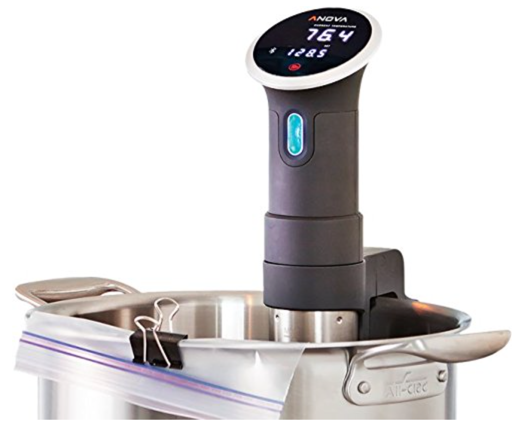
The Anova Culinary Precision Immersion Circulator is one of the best kitchen deals we've seen on Amazon's Prime Day sale. This thing is easy-to-use, connects to your smartphone, and allows you to cook the perfect meal with the touch of a button. Sous vide perfect steaks, chicken, veggies, and more. It's usually $179, but for the next hour or so, can be had for $139!
Astro Gaming A50 Xbox One headset 20% off Amazon Prime Day sale
Posted by Andru Edwards Categories: Accessories, Hot Deals, Video Games,
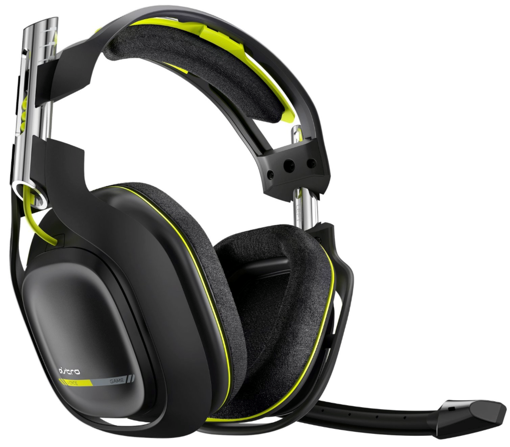
As part of its big Prime Day sale, Amazon is selling the fantastic Astro Gaming A50 headset for the Xbox One at a 20% discount for the next few hours. The headset allows you to communicate with other players, like any other headset, but also offers the added bonus of being able to play the audio from your game as well. So, you get all the sound of your gaming session directed into one of the best gaming headsets around. Grab it now for $239--it typically sells for $299.
Amazon offering GoPro HERO4 Black Prime bundle for $499
Posted by Andru Edwards Categories: Accessories, Cameras, Hot Deals,
.png)
Here's one to act quickly on - Amazon is offering a GoPro HERO4 Black Prime Bundle as part of its Prime Day sale. For the typical cost of the GoPro HERO4 Black, you get:
- GoPro HERO4 Black camera
- GoPro LCD Touch BacPac (Camera Not Included)
- Wasabi Power Battery (2-Pack) and Dual Charger for GoPro HERO4 and GoPro AHDBT-401, AHBBP-401 (with Car and US Plug)
- AmazonBasics Head Strap Camera Mount for GoPro
- AmazonBasics GoPro Carrying Case
- Lexar High-Performance MicroSDHC 32GB memory card
- USB 3.0 Flash Memory Card Reader
All together the bundle would typically cost $691, but today (for the next couple of hours) you can get it for $499.
2014 Holiday Gift Guide: Amazon Kindle Paperwhite
Posted by Andru Edwards Categories: Handhelds, Women, Men, Techies, Under $250, Under $500,
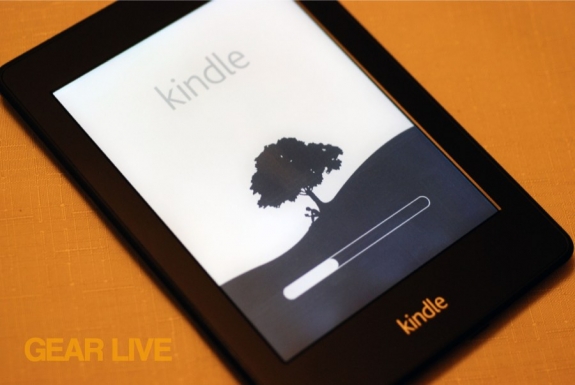
The next item in Gear Live’s 2014 Holiday Gift Guide is the Kindle Paperwhite. Why? well, as great as e-ink readers have been (and they've been pretty stellar,) since the original Amazon Kindle was released, their one tragic flaw has been that they become pretty useless in the dark. You either simply can't read them, or have to use a small light attachment accessory. Enter the Kindle Paperwhite. Amazon has designed what we consider to be the best e-ink reader to hit the market. It's flagship feature is the front-lit display, which works great when you're in the dark and want to read your latest ebook purchase without using a backlit tablet that's hard on the eyes, or an awkward clip-on light accessory. It also supports new features like telling you how much reading time you have before you finish your current chapter, and an all-touch display with virtually no lag. Check out our Kindle Paperwhite review, unboxing gallery, and video after the break for more, and head on over to Amazon to pick up the Kindle Paperwhite for $119 for that bookworm in your life.
Honorable mention: Amazon Kindle Voyage
Click to continue reading 2014 Holiday Gift Guide: Amazon Kindle Paperwhite
Read More  | Amazon Kindle Paperwhite
Andru Edwards on GeekWire Radio: iPhone 6, Surface Watch, Fire Phone, and more
Posted by Andru Edwards Categories: Apple, Smartphones, Handhelds, Microsoft,
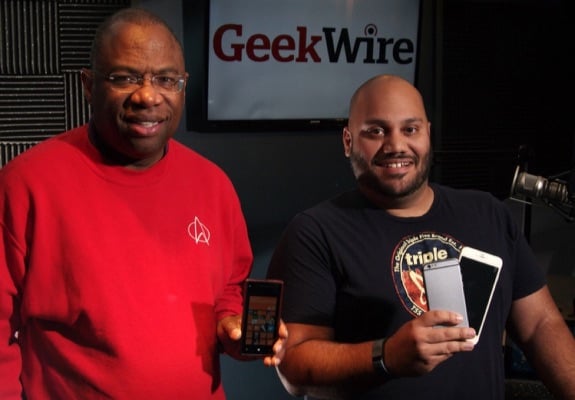
I made another appearance on this weeks episode of GeekWire Radio here in Seattle, Washington, keeping my streak alive as the person with the most guest appearances in GeekWire Radio history! In this episode, which also features Eyewitness News reporter Essex Porter (pictured with me above, and a huge Windows Phone advocate), we talk about a couple of recent Gear Live stories, including:
- iPhone 6 4.7-inch design preview
- iPhone 6 5.5-inch design preview
- Exclusive: I used the Microsoft Surface watch
I brought in the two iPhone 6 mockups in both 4.7- and 5.5-inch varieties, which made for some good conversation. We also chat about the news of the week, which included the release of the Amazon Fire Phone, and we also had a discussion about what Microsoft needs to do to make Windows Phone more accepted by the general consumer. You can listen to the show now by grabbing the MP3 below, or hitting play in the widget.
Read More | GeekWire Radio (MP3)
Fire Phone unlimited free photo storage only applies to smartphone images, doesn’t include videos
Posted by Andru Edwards Categories: Smartphones, Handhelds, Storage,
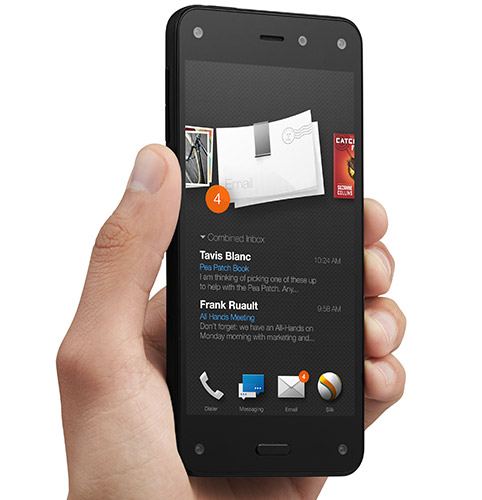
You know how Amazon's Fire Phone includes the perk of unlimited photo storage in your Amazon Cloud Drive account? Well, it turns out there are a couple of caveats. Here's how it works:
- The free storage is applied to the account that the Fire Phone is registered under
- The phone will upload your pictures and videos, but only the pictures get unlimited free space. Videos uploaded will use your Amazon Cloud Drive storage allotment.
- Photos uploaded are in their original, full-resolution format
- The unlimited free storage only applies to photos taken and uploaded with the Fire Phone. If you sync over photos to the phone that weren't taken with it, those will count against your allotment. Similarly, if you upload photos taken with the Fire Phone from another device, they'll also count against your storage space.
- If you give away or sell your Fire Phone, all of your photos will remain in your Amazon Cloud Drive. If you then get a new Fire Phone in the future, the unlimited photo storage benefit will return to your account.
Some have been comparing Amazon's offering to what Apple will be including in iOS 8, and later, OS X Yosemite, where it will also allow you to store all of your photos and videos in iCloud. The difference is that Apple will allow you to automatically upload your entire photo library, regardless of where the images were taken, but there will be a fee if you go over 5GB. There's no unlimited option for images, and certainly not for video.
You can pre-order the Amazon Fire Phone now.








