

Find Our Latest Video Reviews on YouTube!
If you want to stay on top of all of our video reviews of the latest tech, be sure to check out and subscribe to the Gear Live YouTube channel, hosted by Andru Edwards! It’s free!
Latest Gear Live Videos
The Execution of Windows XP

Posted by Sheila Franklin Categories: Corporate News, Microsoft, PC / Laptop, Software,
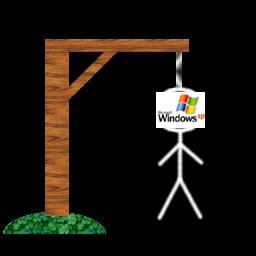 Microsoft has decided to put an end to Windows XP, even though many of its customers are really not sure they want to purchase Vista. From January 2008 on, mega-PC companies such as HP, Dell, and Toshiba will no longer be able to purchase licenses for the software. In a poll from Harris Interactive of 2,223 Americans, findings suggest that although 87% had heard of the operating system, only 12% of those who knew of it were planning to install it. Perhaps this would be a good time to consider some of the competition for our next PC.
Read More  | BBC
| BBC
Gallery: The Execution of Windows XP






Advertisement
HP Ad Promotes Windows XP-Enabled Computer instead of Vista

Posted by Lolita Beckwith Categories: Corporate News, PC / Laptop, Software,

Although Windows Vista has been out awhile now and is selling
well, its release has consistently made headlines for its lack of compatibility with iTunes, PC games and more. So it’s interesting that a Hewlett-Packard ad in this past Sunday’s “USA Today” promotes a Compaq desktop running Windows XP. In fairness, HP states the ad was created before Vista’s release, but is only now appearing in newspapers. However they will “...continue to offer XP Pro pre-configured systems alongside Vista systems.” Hmmmm.
Read More | Cnet
Gallery: HP Ad Promotes Windows XP-Enabled Computer instead of Vista
Breaking: Apple Delays Leopard Until October Due to iPhone

Posted by Andru Edwards Categories: Apple, Corporate News, PC / Laptop, Software,
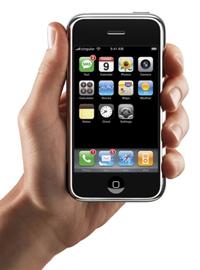 For those who were waiting with baited breath for the launch of Mac OS X Leopard at the Worldwide Developer’s Conference in June, you are going to have to wait a bit longer. Apple just dropped a bombshell, claiming that, despite their promise that they would ship Leopard this spring, we won’t be seeing it on Apple Store shelves until October 2007. The reason for the delay? One word: iPhone. From Apple:
iPhone contains the most sophisticated software ever shipped on a mobile device, and finishing it on time has not come without a price—we had to borrow some key software engineering and QA resources from our Mac OS® X team, and as a result we will not be able to release Leopard at our Worldwide Developers Conference in early June as planned. While Leopard’s features will be complete by then, we cannot deliver the quality release that we and our customers expect from us. We now plan to show our developers a near final version of Leopard at the conference, give them a beta copy to take home so they can do their final testing, and ship Leopard in October. We think it will be well worth the wait. Life often presents tradeoffs, and in this case we’re sure we’ve made the right ones.
Whoa. Think about that for a moment. Apple claims that the software on the iPhone, which is supposedly a stripped down and optimized OS X, is so sophisticated that they had to move resources from the Mac OS X team to the iPhone team to get iPhone out the door in June. Developers who attend WWDC will instead walk away with a beta version of Leopard.
If that isn’t enough proof that Apple sees the iPhone as their main focus right now, we don’t know what else they could do to convince you of that fact. Still, we guess that, on the positive side, the fact that Apple is delaying the OS as opposed to releasing an under-performing version of it’s next-gen OS only to patch it up in a few months, is a good thing.
Read More | Apple Hot News
Gallery: Breaking: Apple Delays Leopard Until October Due to iPhone
Google Earth Maps War Torn Darfur
Posted by Sheila Franklin Categories: Google, Internet, Misc. Tech, Software,
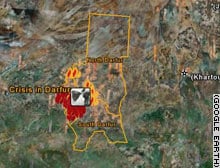 Having reported on Google’s being criticized for its mapping coverage after Katrina, we now see that they may be making up for their faux pas. The site, teamed with U.S. Holocaust Memorial Museum, will help call attention to the deplorable conditions in Darfur by mapping high-res satellite images of the area.
The UN estimates that more than 200,000 people have been killed and 2.5 million displaced in the last four years. Google is utilizing tent icons to mark refugee camps and flame icons to represent villages that have been destroyed. Click on one of the flames and you get the village’s name and statistics about its devastation. Our kudos to Google Earth for working to uncover a problem that others keep trying to overlook.
Read More | CNN
Gallery: Google Earth Maps War Torn Darfur
New Keys To Curtail Hacking of DVDs
Posted by Sheila Franklin Categories: Home Entertainment, Internet, Movies, Software,
 The security team that is in charge of next-generation DVDs says that it has corrected a leak that would allow hackers to discover keys to unlock movies on HD DVD and Blu-ray. DRM (digital rights management) is supposed to prevent the copying of movies, but hackers late last year found computer code on PC based DVD players that unlocked that protection.
The group has developed Advance Access Content System which deactivates those keys and provides them with a new set. These will be included on new systems while older ones will be allowed to download a free patch. Those who decide not to comply will no longer be able to watch DVDs. Stand alone players will not be affected by the news for so far, if there are any leaks in that system, they have yet to be
discovered.
Read More | USA Today
Gallery: New Keys To Curtail Hacking of DVDs
Xbox 360 Spring 2007 Dashboard Update Video
Posted by Andru Edwards Categories: Microsoft, Rumors, Software, Video Games,
If this one is a fake, it’s a darn good one. The guys over at MyGamerCard.net are saying this was leaked on Gamespot, and subsequently pulled, but not before it was downloaded and placed on YouTube for our benefit. What you will find above is a video walkthrough of the Xbox 360 Spring 2007 Dashboard update. Claiming that it will be released on May 7, 2007, it boast quite a few new features, including:
- Ability to add up to 600 Windows Live Messenger contacts to your Friends List.
- Text chat with up to 6 Live Messenger contacts at once during games or movies.
- The Marketplace will be getting its own Dashboard Blade.
- The Marketplace will be skinned independently of the Dashboard, for special events.
- The Marketplace will be getting a new, easier-to-navigate remake.
- Achievement Pop-ups will now display how many points and which Achievement you have gained.
- Low-power downloading (fans off) and auto-off after finishing queued downloads.
- View partially downloaded video files.
What we like most? The fact that you can start watching movies files before they finish downloading, along with the fact that when you earn an acheivment, you get the details in the pop-up notification instead of having to hit the guide button for the full scoop. Everything else seems to be fluff for the most part, unles you have tons of Windows Live contacts. Our main question? Where the hell is Internet Explorer?
Let us know what you think of the video in the comments.
Read More | MyGamerCard.net
Gallery: Xbox 360 Spring 2007 Dashboard Update Video
Google Desktop for Mac Impressions
Posted by Andru Edwards Categories: Apple, Features, Google, Software,
Google just launched the beta version of Google Desktop for Mac, and we have spent a bit of time getting aquatinted with the new Spotlight competitor. We have put together a full Google Desktop for Mac gallery walkthrough if you just want the visuals, but for those who want our full impressions, read on.
Installing Google Desktop for Mac took a bit more than the standard drag-and-drop affair that most Mac programs boast. Obviously, this is because Google Desktop does a lot of it’s work in the background, under the hood. The good thing, though, is that while you wait, you are able to set various preferences for how Google Desktop will operate on your machine.
Click to continue reading Google Desktop for Mac Impressions
Gallery: Google Desktop for Mac Impressions
RoboForm2Go: Your Passwords in Your Pocket

Posted by Sparky Categories: Accessories, USB, PC / Laptop, Software,
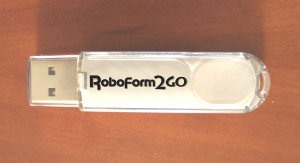 With so many web sites, applications, and services out there on the internet requiring passwords, we are required to remember a dizzying array of usernames and passwords to live our digital life. Browsers and email clients usually have features to remember these passwords for us, but that solution falls short if you use multiple computers, or particularly if your primary internet access comes from public web terminals. Luckily, RoboForm2Go has introduced a portable and secure password management solution in the form of a USB key.
The RoboForm2Go software can be bought separately or pre-loaded onto a USB flash drive. The software requires no install, and can work on any Windows computer with a USB port. The RoboForm2Go software automatically stores your usernames, passwords, and other information for you on the USB thumb drive encrypted with AES 128bit encryption to keep your login information safe should you use the drive. The RoboForm2Go software will also automatically generate random passwords for each new website you visit to help increase security, and will remember your credit card information to make shopping online a breeze.
Click to continue reading RoboForm2Go: Your Passwords in Your Pocket
Read More | RoboForm2Go Product Page
Gallery: RoboForm2Go: Your Passwords in Your Pocket

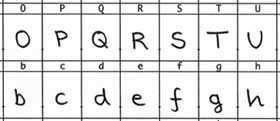
Fontifier is a great little tool for using your own handwriting text on your computer. It takes a sample of your written material and turns it into its own font. Print out their template sheet, write your own characters on it, scan, and upload it. You then preview the results, download, and install. Fontifier is free to try and a mere $9.00 to buy. If your handwriting is as indiscernible as some of ours at Gear Live, just don’t expect anyone to be able to read it.
Read More | Fontifier
Gallery: Fontifier Turns Handwriting into Fonts
Change the iTunes Icon on Your Mac with DockArt
Posted by Lolita Beckwith Categories: Mods / Hacks, PC / Laptop, Software,
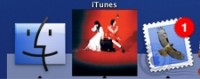 Face it. You get all giddy when it comes to customizing your desktop: screensavers, wallpapers, icons and our favorite…themes. Well, Mac owners, we’ve found a cool one for you. It’s called DockArt, a plugin that changes the iTunes icon in your dock to the album cover of the song currently playing. Developed by Greg Watson, it’s even updated for the newly released version of iTunes 7. DockArt is a free download, however feel free to show some love by donating to the Fidelco Guide Dog Foundation.
Read More | .Mac








