

Find Our Latest Video Reviews on YouTube!
If you want to stay on top of all of our video reviews of the latest tech, be sure to check out and subscribe to the Gear Live YouTube channel, hosted by Andru Edwards! It’s free!
Latest Gear Live Videos
Mountain Lion is the most successful OS X release of all time

Posted by Andru Edwards Categories: Apple, Corporate News, PC / Laptop, Software,
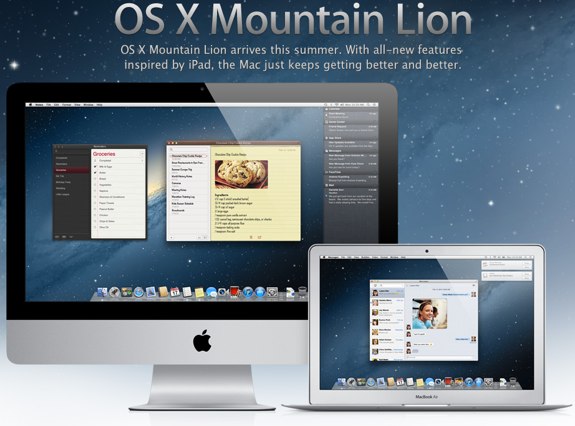
Apple has announced that Mountain Lion is the most successful OS X release ever. In the first four days of availability on the Mac App Store, OS X 10.8 Mountain Lion was downloaded more than 3 million times.
“Just a year after the incredibly successful introduction of Lion, customers have downloaded Mountain Lion over three million times in just four days, making it our most successful release ever,” said Philip Schiller, Apple’s senior vice president of Worldwide Marketing said in a released statement today.
We'd guess that both the low $20 price and the ease of updating thanks to the Mac App Store contributed to the early success. Have you upgraded yet? If you're still on the fence, check out the 10 features that make Mountain Lion a steal. You can get Mountain Lion now on the Mac App Store.
Gallery: Mountain Lion is the most successful OS X release of all time






Advertisement
Power Nap update released for MacBook Pro with Retina display
Posted by Andru Edwards Categories: Apple, PC / Laptop, Software,
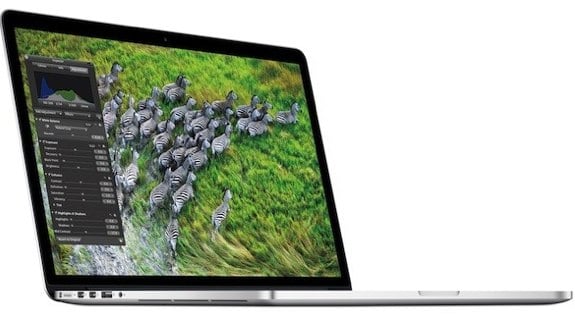
Yesterday Apple released an update for the 2011 and 2012 MacBook Air to enable Power Nap, and today an update enabling the Mountain Lion feature has been released for the MacBook Pro with Retina display. Power Nap is one of the 10 essential Mountain Lion features and it allows your Mac to download Mac App Store updates, OS X updates, email, sync with iCloud, back up to Time Machine, and more all while in sleep mode.
This update fixes several sleep/wake issues to improve the stability of MacBook Pro with Retina display (Mid 2012) computers and is recommended for all users running OS X v10.7.4. It also enables Power Nap support for users running OS X v10.8 or later.
To get the update, head to the Mac App Store software update tab. Lion users will also benefit from the update as well, and can find it in Software Update.
Gallery: Power Nap update released for MacBook Pro with Retina display
10 features that make Mountain Lion a steal at $19.99
Posted by Andru Edwards Categories: Apple, Features, PC / Laptop, Software,

Mountain Lion has been out for a couple of days, available for just $19.99 on the Mac App Store. Judging by our server logs, many of you have already upgraded to the latest Apple OS. For those still on the fence about what exactly you're getting for your Jackson, we figured we'd explain the top user-facing features of OS X 10.8. Sure, Apple is touting that Mountain Lion includes over 200 new features, but redesigned scroll bars are hardly anything to get excited about. Here are the Mountain Lion features that prove that $19.99 is a steal.
Click to continue reading 10 features that make Mountain Lion a steal at $19.99
Gallery: 10 features that make Mountain Lion a steal at $19.99
MacBook Air gets update that enables Mountain Lion Power Nap feature
Posted by Andru Edwards Categories: Apple, PC / Laptop, Software,
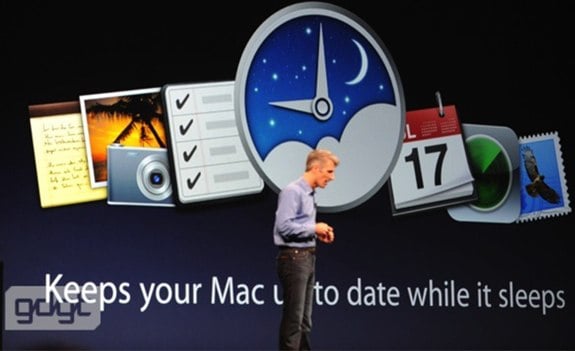
One of the main new features of OS X Mountain Lion is Power Nap. Power Nap allows your SSD Mac to keep itself updated and synced to the cloud, even while it sleeps. While its a highly-touted feature of Mountain Lion, support for the 2011 and 2012 MacBook Air and the new MacBook Pro with Retina display was left out. Today, Apple released a download that enables Power Nap for the aforementioned MacBook Air units, with the promise that an additional download that'll enable the feature on the MacBook Pro with Retina display is "coming soon." You can get Mountain Lion now for $19.99 on the Mac App Store.
Read More  | Apple
Gallery: MacBook Air gets update that enables Mountain Lion Power Nap feature
iWork update 9.2 brings iCloud, Dictation, Retina display support
Posted by Andru Edwards Categories: Apple, Software,
 Another major Apple product to get an update today is iWork. iWork Update 9.2 brings with it support for various features of OS X Mountain Lion, which launched this morning on the Mac App Store. What's new? For starters, iCloud integration finally comes to iWork. You can now store documents in the cloud, and keep them updated across your Mac, iPad, iPod touch, iPhone, and the web. Dictation allows you to speak words, numbers, and sentences into your documents. Lastly, Pages, Keynote, and Numbers have all been updated to take advantage of the MacBook Pro with Retina display. You can grab the iWork 9.2 update now.
Gallery: iWork update 9.2 brings iCloud, Dictation, Retina display support

Following the string of software that Apple has released today, including Mountain Lion and iPhoto 9.3.2, an updated version of iMovie is also available. iMovie 9.0.7 brings with it fixes for a few bugs that users have been experiences. Expect fixes related to third-party QuickTime compenents that would cause iMovie to crash, stability improvements when previewing MPEG-2 video clips in the Camera Import window, and a few audio fixes as well. You can download iMovie 9.0.7 now by launching Software Update on your Mac.
Read More | iMovie
Gallery: iMovie 9.0.7 released
iPhoto 9.3.2 released with Mountain Lion support
Posted by Andru Edwards Categories: Apple, Software,

A bunch of Mac apps are being updated today (like Rdio and Fantastical) to support today's release of OS X Mountain Lion, now available on the Mac App Store. iPhoto joins the list with release 9.3.2, which includes support for Mountain Lion and adds sharing options for Messages and Twitter alongside other performance and stability improvements. You can download the update now.
Gallery: iPhoto 9.3.2 released with Mountain Lion support
Rdio for Mac 2.08 released with Mountain Lion support
Posted by Andru Edwards Categories: Apple, Music, Software,
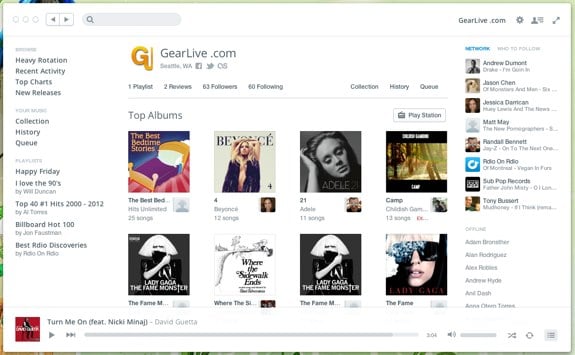
Rdio released a small updated for the Rdio for Mac app today, bringing with it Mountain Lion compatibility. In short, the OS X media keys will now perform as expected with Rdio when running the newly-released OS X 10.8. The changelog:
- Media key support for Mac OS X 10.8 Mountain Lion
- Layout bug fixes
If you haven't tried it, Rdio is our pick for the best streaming subscription music platform available in the US. In fact, you can follow the Gear Live Rdio channel for our song picks and recommendations.
Read More | Rdio
Gallery: Rdio for Mac 2.08 released with Mountain Lion support
Fantastical updated with Mountain Lion, Retina display support
Posted by Andru Edwards Categories: Apple, Software,
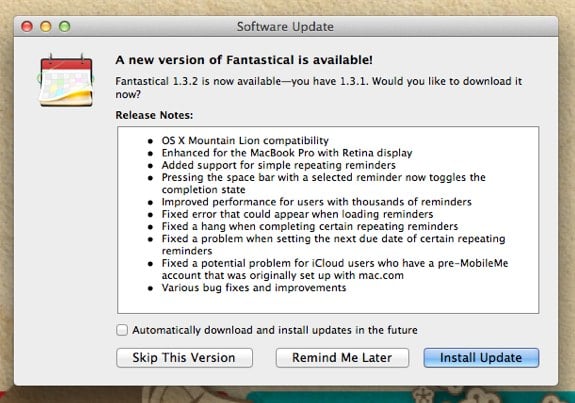
Fantastical, the fantastic calendar replacement app for the Mac, has been updated to version 1.3.2. With that update comes support for the just-released OS X Mountain Lion operating system, as well as enhancements for the MacBook Pro with Retina display. Here's the full changelog:
- OS X Mountain Lion compatibility
- Enhanced for the MacBook Pro with Retina display
- Added support for simple repeating reminders
- Pressing the space bar with a selected reminder now toggles the completion state
- Improved performance for users with thousands of reminders
- Fixed error that could appear when loading reminders
- Fixed a hang when completing certain repeating reminders
- Fixed a problem when setting the next due date of certain repeating reminders
- Fixed a potential problem for iCloud users who have a pre-MobileMe account that was originally set up with mac.com
- Various bug fixes and improvements
If you haven't tried Fantastical, we highly recommend it. You can get a 30-day free trial of the software, and it's selling for 50% off right now on the Mac App Store.
Gallery: Fantastical updated with Mountain Lion, Retina display support
OS X Mountain Lion now available for $19.99 on Mac App Store
Posted by Andru Edwards Categories: Apple, Corporate News, PC / Laptop, Software,
Just as Apple promised yesterday (and as we predicted,) OS X Mountain Lion is now available to all on the Mac App Store. If your Mac is supported, you can head over to the Mountain Lion download page and grab it for $19.99. Make sure you're on a speedy broadband connection though, as the download weighs in at a hefty 4.05 GB. Mountain Lion was announced just five months ago, and has going from Developer Preview to public release fairly quickly thanks to Apple's new annual OS release schedule.
Have you downloaded it? Are you going to wait until 10.8.1? Sound off in the comments!
Read More | OS X Mountain Lion








