

Latest Andru Edwards Videos
Windows 8 upgrades will cost $40 for XP, Vista, and Windows 7 users

Posted by Andru Edwards Categories: Microsoft, PC / Laptop, Software,
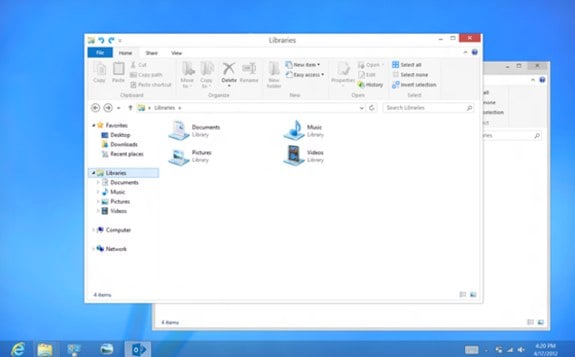
The launch of Windows 8 is just around the corner, and Microsoft has finally confirmed upgrade pricing. Users runing Windows XP, Windows Vista, and/or Windows 7 will be able to upgrade to Windows 8 Pro for just $39.99. That's a big change for Microsoft, as upgrade pricing was previously $99 for Pro OS upgrades, and is a welcome change for consumers. Apple has been releasing major OS updates for under $30 for years now, with Mountain Lion launching later this month for $19.99, and we'd been hoping Microsoft would follow suit and drop the price.
The $40 upgrade fee applies to the digital download. If you prefer a DVD, that'ss run you $69.99 in stores. Also, both of those prices are just for a limited time, running through January 31, 2013. After that, we expect Windows 8 upgrade pricing to double.
Read More  | Windows Blog
Advertisement
2011 Holiday Gift Guide: Ceton InfiniTV 4 USB
Posted by Andru Edwards Categories: Accessories, Features, Home Entertainment, PC / Laptop, Family, Techies, Under $100, Under $500,
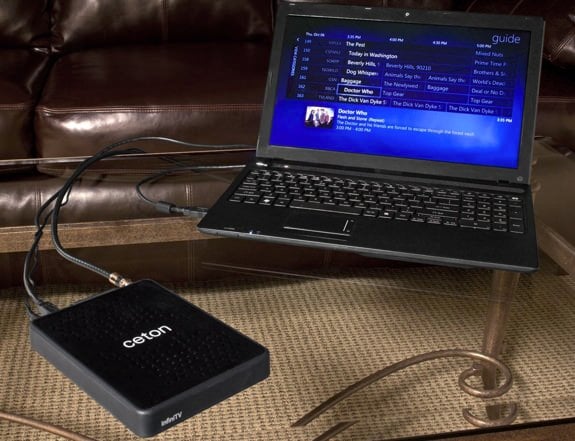
The Ceton InfiniTV 4 USB is one of the cooler items we're featuing in our 2011 Holiday Gift Guide. It basically turns your computer into a fully-functional live TV DVR. We know that features like Media Center exist on PCs, but the problem is that, until now, it's been hard to get a good signal into your computer. The InfiniTV 4 USB fixes that. It's a CableCARD adapter that plugs into your machine using USB. So all you need to do is insert a CableCARD from your cable provider, plug in your cable cord, and plug in to your computer. From there, you'll have access to all of the cable channels that you subscribe to, and you can record up to four different channels at once. See? We told you this was cool. Great for rooms where you only have a computer and no television, but also great if you want to incorporate a Mac or PC into your home theater setup, as it eliminates the need for a cable box, meaning you save on that montly rental fee. The Ceton InfiniTV 4 USB sells for $299, but you can get one on Amazon for $269, saving yourself 10%.
Shintaro Wireless Media Center Keyboard

Posted by Mark Rollins Categories: Accessories, USB, Peripherals, Wireless / WiFi,
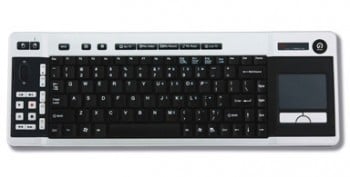 I know that some of you out there like wireless keyboards, so you might appreciate the Shintaro Wireless Media Center Keyboard. The main feature here is a built-in 400dpi trackpad, as well as integrated Media Center hotkeys, volume buttons, plus a USB receiver dongle. The keyboard is powered by 2 AA batteries, and can be purchased for $57.
Read More | Shintaro
Netflix officially comes to Windows Media Center
Posted by Andru Edwards Categories: HDTV, Home Entertainment, Microsoft, Movies,
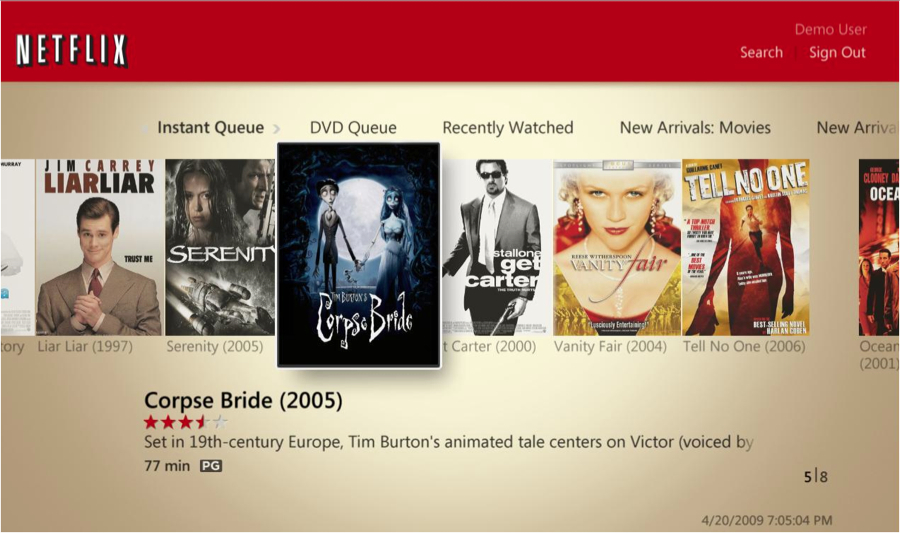
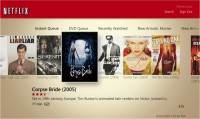
Netflix continues their push for dominance today with their integration into Windows Media Center on PCs running either Windows Vista Home Premium or Vista Ultimate. If your Windows machine runs either of those operating systems, all you have to do is pull up Media Center, and in the TV + Movies section, you’ll now see a Netflix tile, powered by Silverlight. The cool thing here is that, unlike on some other devices, you can browse and search the entire Netflix library, manage both your Instant and DVD Queues, and even sort search results to just show titles available to watch instantly. I must say, we are loving how aggressive Netflix is being about getting their Watch Instantly service on more and more platforms. Wanna bet they soon appear on Apple TV?
Gallery:

Humongous Media Center Remote

Posted by Sheila Franklin Categories: Design, Misc. Tech, Videos,
This is probably the largest remote control in existence. “Michbex” saw a large one at his local mall and decided to make one even bigger. He took two Playstation 2 Dance Dance Revolution Mats and a converter box to connect the 2 controllers to his PC. While he makes it sound like a simple project to hook up with his Windows Media Center, it is the creating that impresses us the most. He has complete instructions on his site in case you would like to build your own.
Read More | Michbex
HTPC Building Series: The Final Tally
Posted by Andru Edwards Categories: Features, HDTV, Home Entertainment, Music, PC / Laptop, Software,
Check out out HTPC on a Budget series and join us in building a great HTPC for under $1,000.
The challenge presented at the beginning of this process was for us to build a great home theater PC while sticking to a budget of $1,000. We knew we were up for the challenge, and wanted to walk you through that process with us. Here’s what we’ve done, as a refresher:
- Let’s Build a Budget HTPC
- Selecting Our Hardware
- The MSI 7411 Motherboard, and Why It Rocks
- Achieving Great 5.1 or 7.1 Surround Sound
- Driving multimedia content to the HTPC
- The ATI TV Wonder 650
- Laying Out All The Components
So, now that we have reached the end of this process, we need to take a look at how we did, right? Were we able to stick to our budget? Let’s see how we did…
Click to continue reading HTPC Building Series: The Final Tally
HTPC Building Series: Laying out all the components
Posted by Andru Edwards Categories: Features, HDTV, Home Entertainment, Movies, PC / Laptop,
Check out our HTPC on a Budget series and join us in building a great HTPC for under $1,000.
In our quest to build the ultimate inexpensive hoome theater computer, we’ve walked you through selecting all the major components that will power our labor of love PC. I’m talking about things like why we picked our chosen motherboard, the MSI MS-7411, a look at how we will drive 7.1 sound from the HTPC to our receiver, and the smart way that we will move content to the HTPC so it’s displayed on our television.
But what about the rest? The pieces that, although not major, are still required to have a - you know - functioning HTPC? Well, that’s where this article comes in. We are going to be giving you a quick rundown of the smaller components that you will need in order to get this thing built, before we do our wrap-up in our next article.
Click to continue reading HTPC Building Series: Laying out all the components
Read More | Series: Building an HTPC on a Budget
HTPC Building Series: The ATI TV Wonder 650
Posted by Andru Edwards Categories: Features, HDTV, Home Entertainment, Movies, PC / Laptop,
Check out our HTPC on a Budget series and join us in building a great HTPC for under $1,000.
We’re starting to wind down the layout of all the parts that are going into our Home Theater PC. First, let’s recap some of the main components that we’ve thrown into this project this far:
- The process of selecting the hardware for the HTPC
- A closer look at our chosen motherboard, the MSI MS-7411
- A look at how we will drive 7.1 sound from the HTPC
- The way that we will move content to the HTPC so it’s displayed on our television
We’ve come a long way to far. In this article, though, I wanted to talk about the TV card that we’ve chosen. Since we are doing this on a budget, we are hoping for a nice balance of good performance at an inexpensive price. This is why we’ve chosen the AMD TV Wonder 650. Amazon has it for 43% off of the retail price. This card supports both over the air HD broadcasts, as well as ClearQAM cable TV.
Click to continue reading HTPC Building Series: The ATI TV Wonder 650
Read More | Series: Building an HTPC on a Budget
HTPC Building Series: Driving multimedia content to the HTPC
Posted by Andru Edwards Categories: Features, HDTV, Home Entertainment, Movies, PC / Laptop,
Check out our HTPC on a Budget series and join us in building a great HTPC for under $1,000.
Continuing our quest to build the ultimate, while inexpensive, home theater PC, the one thing you need to consider when talking about media is how you are going to actually get the media to the computer. After covering the main mission, carefully going through our selection of hardware, giving you a first hand look at the MSI motherboard we chose (and explaining exactly why we chose that one,) and then bringing you up to speed on how we are going to drive 7.1 surround sound from this thing, you were probably thinking that the brunt of the thinking was done, right? Well, while that may be the case, there are still some important considerations that need to be taken into account.
Click to continue reading HTPC Building Series: Driving multimedia content to the HTPC
Read More | Series: Building an HTPC on a Budget
HTPC Building Series: Achieving great 5.1 or 7.1 surround sound
Posted by Andru Edwards Categories: Features, HDTV, Home Entertainment, Movies, PC / Laptop,
Check out our HTPC on a Budget series and join us in building a great HTPC for under $1,000.
In previous posts, while talking about building up our Home Theater PC, from the ground up, and on a budget, we’ve focused on a few goals. Things like what we want to see the system, as a whole, do for our home entertainment experience. We’ve talked, in general, about some of the hardware we plan on ordering to put into this bad boy. We’ve even gone into detail on the one essential piece that is going to drive everything - that being the motherboard. Today we want to focus on how we are going to get amazing sound out of this system.
Click to continue reading HTPC Building Series: Achieving great 5.1 or 7.1 surround sound
Read More | Series: Building an HTPC on a Budget