

Find Our Latest Video Reviews on YouTube!
If you want to stay on top of all of our video reviews of the latest tech, be sure to check out and subscribe to the Gear Live YouTube channel, hosted by Andru Edwards! It’s free!
iBooks 1.1 now available for iPad and iOS 4 iPhones

Posted by Andru Edwards Categories: Books, App Updates, Apple, Free Apps,

Just a heads up—one of the benefits of iOS 4 (which is available now) is that you can install iBooks on your iPhone. It’s not included in the OS itself, which allows Apple to update the app without updating the entire iOS version itself, so you’ll have to download it manually from the App Store. The good news is that it’s available now—so go ahead and grab iBooks, it’s free!
[Thanks again, Jason!]
Advertisement
Pandora updated for iOS 4 backgrounding
Posted by Andru Edwards Categories: Music, App Updates, Free Apps,
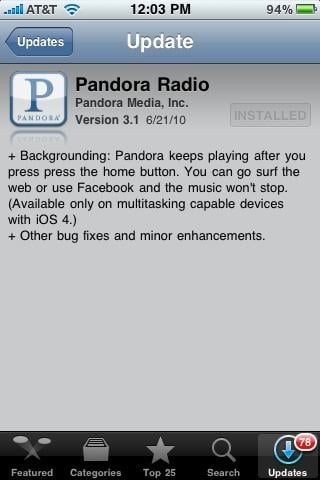
Apple’s iOS 4 is set to launch publicly today, and many app developers have been hard at work updating their apps to support the new iOS 4 functions. Today, one of the most popular apps that exists, Pandora, has been updated to allow for backgrounding on iOS 4. What does that mean exactly? Well, now you can fire up Pandora, pick a station, and the music will keep playing, even if you leave the app (similar to iPod.) A double-tap of the home button, and a swipe to the left, will give you widget controls to let you control the music without even going back into the Pandora app. You can get the update now, or if you don’t have it yet, you can download Pandora for free.
[Thanks, Jason!]
Read More  | Pandora
Twitter for iPhone (Tweetie 3.0) now available
Posted by Andru Edwards Categories: Social Networking, App Updates, New Apps, Free Apps,
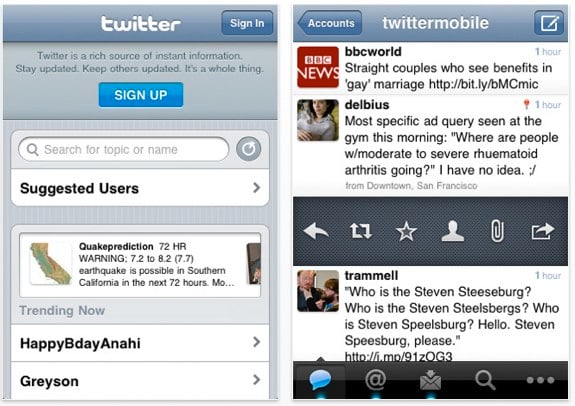
Tweetie has been pretty much universally recognized as the best iPhone Twitter client since it launched, and Tweetie 2.0 took it to the next level. In fact, it was so good, that Twitter decided to buy the app outright, rather than building their own iPhone app. News soon came that Tweetie would become “Twitter for iPhone” and would be made free (Tweetie sold for $2.99) to anyone who wanted it. Well, today is that day, as Tweetie 3.0 has been released with new features (we’ve got a list of them after the break) and is now simply known as Twitter. It’s full-featured, it’s the official Twitter app for the iPhone, and therefore it will have access to more Twitter resources than any other Twitter app out there. We recommend it highly, and you can download it now.
Latest Gear Live Videos
iWork for iPad 1.1 update details
Posted by Andru Edwards Categories: Productivity, App Updates, Apple, $9.99,
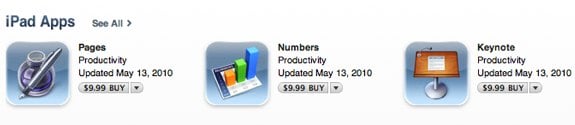
Apple has just updated their iPad iWork suite to version 1.1. All three apps (Pages, Numbers, and Keynote) see feature additions and bug fixes. Here’s the rundown:
Pages 1.1
- Support for French, German, Japanese, Dutch, Italian, Russian, Simplified Chinese, and Spanish
- Toolbar and ruler are now available in wide-screen landscape view
- Documents automatically fit to page width in landscape view
- Enhanced Back/Front slider in the Arrange panel
- Improves reliability when exporting Microsoft Word documents
- Addresses issues with exporting documents previously imported from Microsoft Word
- Fixes an issue with text wrapping in Microsoft Word after exporting a document with a frame around an image
- Addresses a chart font size issue when exporting documents previously imported from Microsoft Word
- Resolves an issue with scrolling after inserting and playing a movie
Numbers 1.1
- Support for French, German, Japanese, Dutch, Italian, Russian, - Simplified Chinese, and Spanish
- Enhanced Back/Front slider in the Arrange panel
- Improves reliability when importing Numbers ’09 spreadsheets
- Addresses a chart font size issue when exporting spreadsheets previously imported from Microsoft Excel
- Fixes an issue when formatting a table pasted from Keynote or Pages
- Addresses an issue where formulas did not properly update when dragging and dropping cells
- Fixes an issue with applying a new style to a table in a template after an Undo
Keynote 1.1
- Support for French, German, Japanese, Dutch, Italian, Russian, Simplified Chinese, and Spanish
- Enhanced Back/Front slider in the Arrange panel
- Added the option to show additional alignment guides at smaller intervals
- Improves reliability when importing Keynote ’09 presentations
- Improves reliability when importing Microsoft PowerPoint presentations
- Addresses a chart font size issue when exporting presentations previously imported from Microsoft PowerPoint
- Fixes an issue preventing access to some table cell color fills in landscape mode with an external keyboard
Twitterfific for iPad 1.0.1 released
Posted by Andru Edwards Categories: Social Networking, App Updates, iPad Apps, Free Apps,

Our current favorite iPad Twitter app, Twitterrific, has just been update to version 1.0.1, which includes a bunch of bug fixes and new features. Here’s the list:
New Features:
- Support for Instapaper via Settings app.
- Support for 3rd party push services like Boxcar.
- Audio notification control via Settings App.
- Support for screen names vs real names via Settings App.
- Support for old style RTs – Forward to Followers in reply actions.
Bug Fixes:
- Fixed a popover bug that could cause timeline scrolling to lock up.
- Fixed a bug that allowed direct messages to be re-tweeted.
- Fixed a bug that allowed direct messages to be marked as favorites.
- Fixed a crashing bug that could occur when viewing certain tweets.
- iTunes and map links now open properly in the mini browser.
- Subscribed Twitter lists now appear in the sidebar.
- Fixed a display problem when opening “full” TwitPic images.
- Fixed several display bugs associated with device orientation.
- Updated the scroll indicator to white for improved clarity.
- Several graphical tweaks & improvements.
- Security improvements.
You can grab, or upgrade to, the new version now in the App Store.
SlingPlayer Mobile for iPhone now 3G capable
Posted by Andru Edwards Categories: Entertainment, App Updates, Video Apps, Above $10,
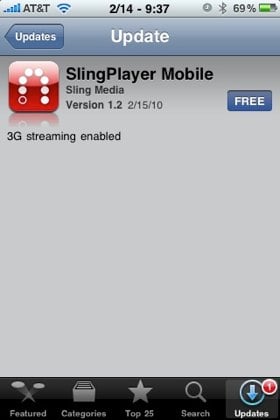
Over the weekend, SlingPlayer Mobile 1.2 was released for the iPhone, and it marks a big step for both the application, as well at AT&T and data streaming. If you are unfamiliar, SlingPlayer Mobile allows you to connect to a Slingbox, which in turn lets you watch live and recorded television right on your device. The problem in the past was that AT&T wouldn’t allow all that data on their network, so you’d have to be connected to a Wi-Fi hotspot in order to use it. Well now, with AT&T supposedly working to optimize and improve their network, they have now allowed SlingPlayer Mobile to work using their 3G connection, giving users a real way to watch TV and control their DVRs remotely, wherever they have cell or Wi-Fi connectivity. We’ve tried it out, and it’s great. We definitely recommend giving SlingPlayer Mobile a try.
Read More | SlingPlayer Mobile for iPhone
Shoot It! app now free in the App Store
Posted by Andru Edwards Categories: Photography, Social Networking, App Updates, Free Apps,
 So check it, Shoot It!, one of our absolute favorite apps in the entire iTunes App Store catalogue has finally gone free. As a refresher, shoot it! allows you to take a snapshot and have it sent as a physical postcard to anyone in North America, Europe, and some parts of Asia. It is all kinds of awesome, and we even used it in our Modern Warfare 2 Xbox 360 console giveaway. Fun times. We highly recommend grabbing it and putting it to good use!
Ping! app updated to 1.0.1, fixes bugs
Posted by Andru Edwards Categories: Social Networking, App Updates, $0.99,

Ping!, the iPhone-to-iPhone messaging app, has just been updated to version 1.0.1, and with the update comes a bunch of bug fixes. Here’s a little of what’s changed:
- You can now unregister your Ping! ID
- Landscape keyboard fixed so you can now send updates from that view
- Duplicate messages will no longer be received
- Notification settings icon fixed
- There’s now an in-app invitation email
Ping! certainly isn’t the prettiest app in the world, but it is definitely functional, and allows free iPhone-to-iPhone messaging without having to use SMS, and it’s way faster. You can pick up Ping! for $0.99.
Tweetie 2 makes long-awaited debut
Posted by Andru Edwards Categories: Social Networking, App Updates, New Apps, Reviews, $2.99,
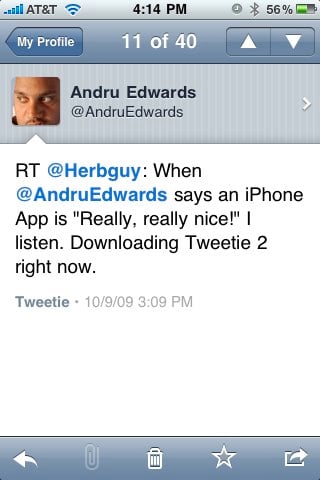
Tweetie 2 has just launched and is now available for the iPhone and iPod touch, and the popular Twitter app brings with it many, many improvements and feature additions. Some of the more notable additions include full app persistence, which means that if you leave the app for any reason and come back to it, Tweetie 2 will remember exactly where you were. There’s also a nice offline mode, that lets you read, favorite, and even write drafts of tweets. Once you connect to the Internet again, everything gets synced up.
Many users have been waiting for video support and push notifications to come to Tweetie as well, and Tweetie 2 delivers on both fronts, but we feel both are lacking. With video support, we’d love to see Posterous added as a hosting service, as opposed to just yFrog and TwitVid. As is pertains to push notifications, Tweetie 2 gives it to you, but only on a per-user basis. So you have to go into each user that you want to receive notifications from, and enable them in a menu that is buried a couple of levels deep. We’d love an option to get all mentions and direct messages pushed to the phone from Tweetie 2, rather than having to rely on another Twitter app that can do it (like SimplyTweet) or an app dedicated to pushing content (like Boxcar.)
Still, don’t let those two issues deter you. We’ve been playing with it for a while, and can say without hesitation that Tweetie 2 is now our iPhone Twitter application of choice. It is fast, elegant, and a great deal at $2.99. You can buy Tweetie in the App Store now, we’ve got a full feature list for you after the jump. Oh, and feel free to follow Gear Live and App.tapper on Twitter!
Click to continue reading Tweetie 2 makes long-awaited debut
Read More | Tweetie 2
OmniFocus for iPhone 1.5.1 feature list, now available
Posted by Andru Edwards Categories: Productivity, App Updates, Above $10,
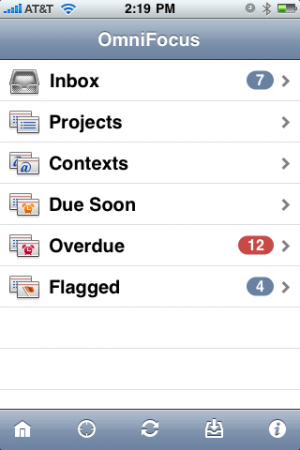 OmniFocus for iPhone has just been updated to version 1.5.1. While that number ma give it the appearance of being a minor update, there are actually plenty of additions, changes, and fixes. Here’s a look at the more important ones:
- Nearby remembers whether you last used Map or List view.
- Added settings for whether the app badge counts overdue actions, due soon actions, both, or neither.
- You can assign locations to contexts by editing the nearby list.
- Fixed a bug where the map sometimes wouldn’t recenter after launching directly into Map view.
- Fixed some bugs in the Sync Settings interface.
- Removed “mailto” from the Send Feedback email address.
- Cleaned up some animation transitions with the item title on the details screen.
- Image attachments now display on a black background.
- When selecting a start or due date, you can now tap multiple times on the Day, Week, and Month buttons to increment the date further.
- Updated the interface for repeating actions. Repeating actions now distinguish between repeating on a fixed schedule (“repeat every”), starting again some period after completion (“start after”), and becoming due again some period after completion (“due after”). Please note that OmniFocus 1.6 for Mac only supports “repeat every” and “due after”; the “start after” option is coming to the Mac in v1.7.
- Fixed sorting in the All Actions lists.
- Fixed a bug with restoring the top-level All Actions view state during launch.
- Inline browsing now works with “Http” URLs, not just “http”.
- Fixed a bug with unselectable attachment rows.
- Contexts once again show a section header between subcontexts and actions.
- Fixed a bug where toolbar buttons could disappear after syncing on the Settings screen.
- Disabled attachment editing while recording or playing back an audio attachment.
- Fixed a potential crash in the Repeat screen.
- Improved the margins of the title field on the Title & Note screen.
- Fixed a bug where entering a note for a new inbox item could lose your item title.
- When filing an action or project, the Move screen once again indents items to indicate hierarchy.
- Copying an action now places its task XML, its title (as text), and its omnifocus: link on the pasteboard. You can now paste a link from one task into the notes of another task, then click on the link to switch over to the linked item.
- Added support for pasting more types of images into attachments.
- Fixed a number of layout issues in the experimental landscape mode. (We’re not quite ready to enable this by default yet, but definitely getting closer!)
- Fixed some crashes and other bugs with the experimental undo support. (Undo is also still a work in progress, so it’s also disabled by default.)
Of course, you’ll find OmniFocus for iPhone in the App Store, and the 1.5.1 update is available now.
Read More | OmniFocus for iPhone









Advertisement
© Gear Live Inc. {year} – User-posted content, unless source is quoted, is licensed under a Creative Commons Public Domain License. Gear Live graphics, logos, designs, page headers, button icons, videos, articles, blogs, forums, scripts and other service names are the trademarks of Gear Live Inc.