

Find Our Latest Video Reviews on YouTube!
If you want to stay on top of all of our video reviews of the latest tech, be sure to check out and subscribe to the Gear Live YouTube channel, hosted by Andru Edwards! It’s free!
Tuesday August 23, 2005 6:47 pm
Installing OCZ Platinum RAM in iMac G5 Makes Me Mad

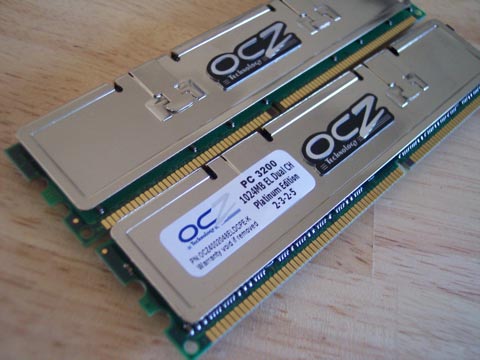
Boy, am I glad that’s over. What a freaking ordeal. You see, a few days ago I continued my Mac switch (which, up to that point, included a Mac mini and 12” PowerBook G4) with the purchase of a 20” 2.0 GHz iMac G5. The thing costs about $2,000 after taxes are said and done, and maxing out the RAM would have cost an extra $400. Of course, I have upgraded RAM in many a computer - heck, I have built plenty of computers from scratch. Looking on Newegg, I saw a great deal for 2 sticks of 1 GB OCZ Platinum PC3200 RAM. With that purchase, I saved about $200 doing it myself instead of having Apple do it. The RAM arrived today, and the war between me and my iMac began.
So, following the instructions given on Apple’s website, I unscrewed the three holders that are located at the bottom of the screen bezel. The back plate of the iMac lifted off very easily, and the RAM modules were in plain sight. Mind you, I actually put in an extra 256 MB of RAM into this thing the other day, because I wanted a bit of a boost since I run Virtual PC on the iMac as well. Basically, I know what I am doing.
I popped out both sticks of RAM, and inserted the first stick of OCZ Platinum memory. It went in with a pleasant click, and I moved on to the next. The problem is, it refused to click. I pushed a bit more firmly, and nothing. I removed the RAM to make sure I wasn’t inserting it backwards or anything. It all looked in order, so I tried again. Still nothing. What the heck??? I removed both RAM modules, and tried putting them in opposite slots. The RAM that was just giving me problems slipped into the top bay without a problem - I barely had to push on it! I then tried inserting the other once again, and no dice.
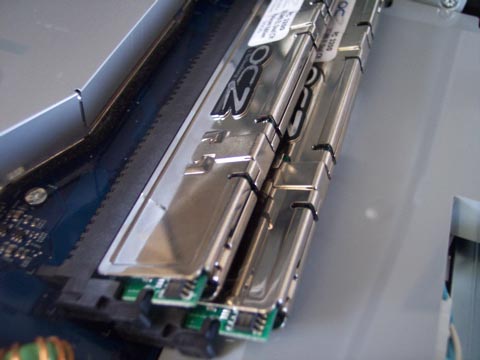
Finally. Victory, at last.
Then, I thought I figured it out. Maybe I was inserting the RAM in the wrong order! So I removed both sticks, and this time began with the lower of the two bays. I had tons of space available, so I figured it would be simple. Nothing could be further from the truth. Desparately I pushed - I push hard, I did it while gently twisting, I shed a tear as I imagined my stubborness resulting in a broken RAM module, or worse, RAM slot or motherboard. Then the rage came. I started pushing with all my might, and one side clicked. Was it time for celebration? Heck no, because the other side refused to budge. No longer caring, as victory seemed so close, I decided to hammer on the RAM with my knuckle. I basically punched the RAM into place!
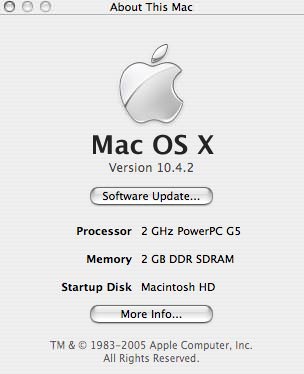
I installed the other stick, with no problem, closed up shop and booted up. Luckily, the 2 GB of RAM was being picked up by the OS. I have no clue what I would have done if it only showed 1 GB - but quite possibly I may have done the knuckle hammer right through the screen.
I should note, it seems that the problem stems from the fact that I was using RAM with heatsinks. They do fit, you just need to be a little forceful with them.
- Andru Edwards








