

Find Our Latest Video Reviews on YouTube!
If you want to stay on top of all of our video reviews of the latest tech, be sure to check out and subscribe to the Gear Live YouTube channel, hosted by Andru Edwards! It’s free!
Thursday November 10, 2005 2:32 pm
CanaryWireless Digital Hotspotter Review

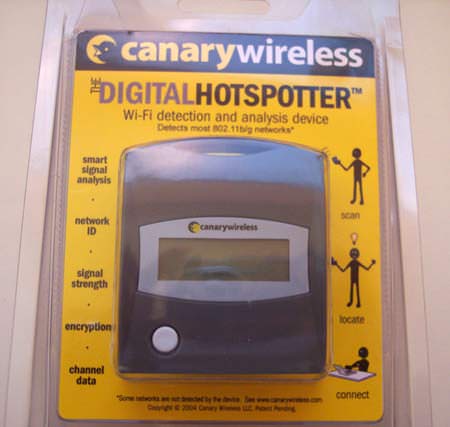
When we received the Canary Wireless Digital Hotspotter, I was unsure of how useful the product would be in this day and age. After all, I have been doing just fine flipping open my PowerBook and checking to see if there was a wireless signal around. Why would we need a device that is dedicated to detecting wi-fi networks that are surrounding you? Well, you have to use it to know. The CanaryWireless Digital Hotspotter is an extremely helpful little device, and we explain why after the jump.
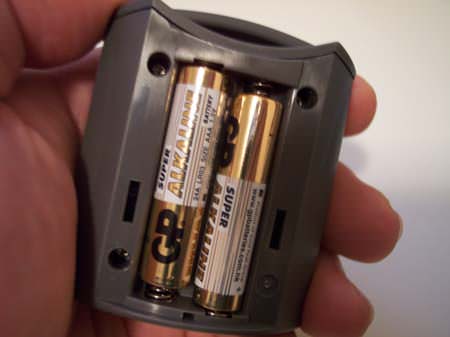
So, the CanaryWireless Digital Hotspotter is not a complicated device. The packing in minimal, simply explaining that the unit is a wi-fi detection and analysis device. One thing of note, it only detects 802.11b/g networks. While this is fine for just about everyone, you will not be detecting 802.11a. The package includes the Hotspotter itself, along with a couple of AAA batteries. Insert the batteries, and you are done with setup.
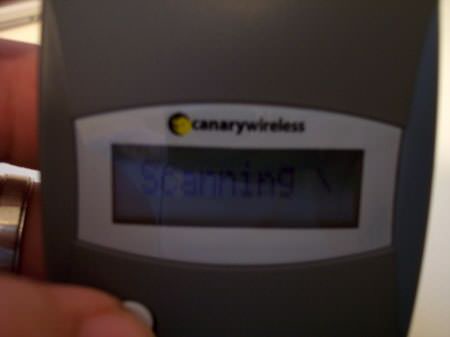
We mess with such a large array of gadgets that we almost forgot how simple something can be. The Digital Hotspotter has one button. This thing is super simple to operate. His the button once, and it turns on and begins scanning for a network. One the units LCD, it let’s you know what’s up:
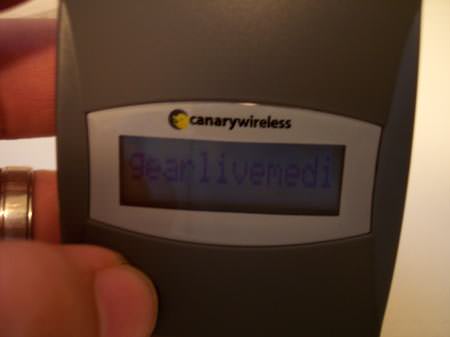
After a few seconds, the Hotspotter reports back with the first wireless network that it finds. The LCD goes on to display the SSID, signal strength, whether the network is open or closed, and the channel. If the network isn’t suitable for you, hit the button again, and it scans for any remaining networks, providing the same information for anything else it finds.
 Walking around, it was way more convenient to break out the Digital Hotspotter with the one-button operation and all. No need to stop, open up the PowerBook, and search for a signal. However, I found another nice benefit. Since the Hotspotter tells you the channel of any network you are near, you can use this to your advantage in your home. If you find a neighbor is on channel 1, and another is on channel 3, you know to set yours up near 11 so reduce interference. This is one device we are recommending to anyone that uses Wi-Fi. It’s simple - but it’s that good. You can pick one up for about $50 USD, and the batteries last for about two months.
Product: Canary Wireless Digital Hotspotter
Price: $50 USD









Forum Discussion
Come join the discussion on this topic over on the Gear Live message boards. You need to be a member to participate, so sign up if you haven't already - it's free!