

Latest Gear Live Videos
How to create free iPhone ringtones with iTunes

Posted by Andrey Malskiy Categories: Apple, Smartphones, Features, Handhelds, Software,
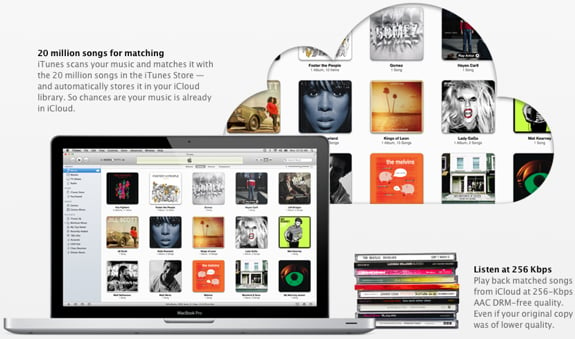
With recent updates to iTunes, Apple removed the native funtion that allowed you to create ringtones from the songs you've purchased. You can still purchase ringtones directly from iTunes for about a buck, but seriously, who would wanna pay a $1 for a 30 second clip of music that will get old in three weeks? That's where we step in and bring you our tutorial on how to use iTunes to create iPhone ringtones using any track you've got in your library, completely for free. Yep - you aren't limited just to tracks purchased from iTunes, and you don't have to give up any money that would be better spent on something at the dollar menu at the nearest drive-thru. Read on for our full walkthrough!
Click to continue reading How to create free iPhone ringtones with iTunes
Advertisement
Mix Tape: More Money for Eminem, More Football for Faith Hill

Posted by Veronica Santiago Categories: Artist News, Performances, Rumors, Country, Hip-Hop & Rap, Rock,
 -Eminem’s publishing company is owed money by Universal Music Group, according to the U.S. Court of Appeals. It was ruled that UMG needs to pay royalties for iTunes purchases and ringtone sales.
-Musical performers will help kick off the official start of football season. On September 9, Taylor Swift and the Dave Matthews Band will perform in New Orleans prior to the Minnesota Vikings/New Orleans Saints game. The pregame show will air on NBC and the NFL Network.
-Speaking of football, a familiar voice will sing us into the Sunday evening battles. Country star Faith Hill has been chosen to once again perform the “Waiting All Day for Sunday Night” theme song. Faith has had that gig since 2007.
-The boys of New Jersey may soon take over Las Vegas. Bon Jovi is reportedly “excited” by a multimillion-dollar offer to take up residency at one of the area hotels.
Learn to Speak R2D2!

Posted by Kris Madden Categories: Movies, Reviews,

R2D2 Translator assists in commanding your astromech droid in its native tongue. Unfortunately, the online application cannot translate your R2’s language into English. For that, Comix 411 recommends purchasing a protocol droid, well versed in the “doots” and “beeps” of astro-droids. C-3PO’s and TC-14’s are excellent droids for language translation, with their encyclopedic knowledge of more than six million galactic languages. However, if you are without a protocol droid, this translator helps direct your R2-unit on the cheap.
Read on for helpful phrases and info on setting up a custom R2 ring-tone for your cell phone.
Click to continue reading Learn to Speak R2D2!
Jagamaga Free Ring Tones

Posted by Sheila Franklin Categories: Smartphones, Hot Deals, Music, Portable Audio / Video,
 Tired of your ringtones? Jagamaga.mobi offers free mobile media that includes tunes from such artists as Danger Mouse, Enrico Caruso, and Zap Mama. All of them are licensed under Creative Commons, and Andreas Mehrens has put them together in hopes of promoting lesser known artists, although we are pretty sure most people have heard of Caruso. Then again, we may be dating ourselves. There are also some pretty cool sound effects. No need to register, simply check them out and take your choice.
Read More  | Jagamaga
Get the iPhone commercial ringtone

Posted by Andru Edwards Categories: Apple, Smartphones,
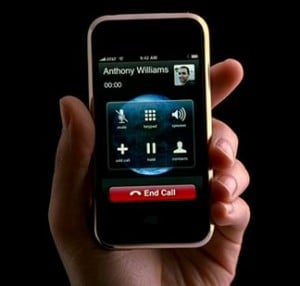 One of my annoyances with the iPhone has been that the ringtone that Apple uses in all the commercials is not available on the phone. Small issue, I know - but if you are showing off a phone that has a certain ring, isn’t it natural to expect that if you buy that phone, that it would have the ability to ring the same way?
Well apparently, if you own a Mac and have iLife 08 installed, you already have the ringtone available on your system. All you need to do is fire up GarageBand to turn it into a ringtone for your iPhone. You can find the file in the following directory:
/Library/Audio/Apple Loops/Apple/iLife Sound Effects/Work - Home/
The file is called “Cell Phone Ringing”. Go ahead and give it a try. For those of you who don’t have iLife, or are running Windows, you can download the iPhone TV Commercial ringtone. Fantastic. However, I don’t think this will be replacing “Music is My Hot, Hot Sex” as my default anytime soon…but it’s the principle.
EDIT: Okay, after listening to the file again, it doesn’t sound exactly like the ring from the commercial, but it’s very, very close.
Read More | LifeClever
Freebie Ringtones and Wallpaper from MS Mobile
Posted by Sheila Franklin Categories: Smartphones, Editorial, Hot Deals, Microsoft,
 Microsoft Mobile is offering free holiday-themed ringtones and wallpaper for smartphones and pocket PCs if you are a part of their Owner’s Circle. There are 9 wallpapers to select from, and in addition to their recently added Halo ringtones, you can choose between Bells, Frosty’s Groove, More Merry, Sleigh Bells, Snowflakes (we had to preview that one,) Below Freezing, Charity ( which sounds like the Salvation Army bell,) Cookies and Milk, and more. If you are not a member, you can sign up for their newsletter to receive the “gifts,” even though it seems that MS is getting the better deal.
Read More | Smartphone Thoughts
Got the Fever for the Flavor of a Ringle?
Posted by Sheila Franklin Categories: Smartphones, Corporate News, Editorial, Music, Portable Audio / Video,
 As if releasing a new dancing MP3 Player isn’t enough, Sony BMG has also teamed with the Universal Music Group and devised the Ringle, which contains 3 tunes and a ringtone in a slip-sleeved cover CD. At this point, Sony is the only company that will be offering them at retail outlets. They figure that if we can download tracks and ringtones individually, we will rush right out to purchase them for a $5.98 or $6.98 list price. Excuse our naivety here, but isn’t downloading the way to avoid overcrowded shopping malls?
Read More | Reuters
Apple Announces iPhone Ringtones
Posted by Andru Edwards Categories: Apple, Smartphones, Corporate News, Music, Software,
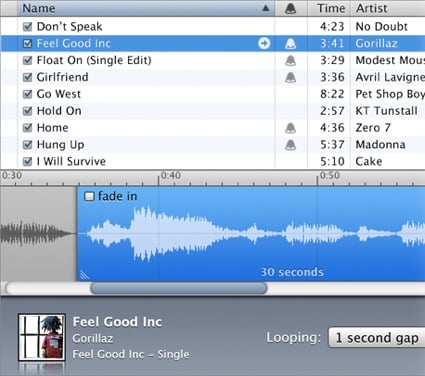
Earlier today, Apple announced ringtones for the iPhone, by way of a new version of iTunes. This will all happen by using a new Ringtone Composer that is built in to the new version of iTunes. You will find a new bell icon next to any purchased songs that are “eligible” to be turned into a ringtone, and will be able to choose any 30 second (or less) portion of that song to use as a ringtone. You have to own the song, and then when you want to buy your ringtone, that will cost you another $.99. $1.98 buys you both the song and the ringtone, which is completely unnecessary, what with program like iBrickr, iFuntastic, and others, that allow you to use any track in your iTunes library as a ringtone - for free.
Still, for those who are uncomfortable modifying their iPhone in any way, here is your chance at expanding your ringtone library.









Advertisement
© Gear Live Inc. {year} – User-posted content, unless source is quoted, is licensed under a Creative Commons Public Domain License. Gear Live graphics, logos, designs, page headers, button icons, videos, articles, blogs, forums, scripts and other service names are the trademarks of Gear Live Inc.