

Latest Gear Live Videos
Mac Pro shipping estimates slip to April, but you can get one sooner

Posted by Andru Edwards Categories: Apple, PC / Laptop,
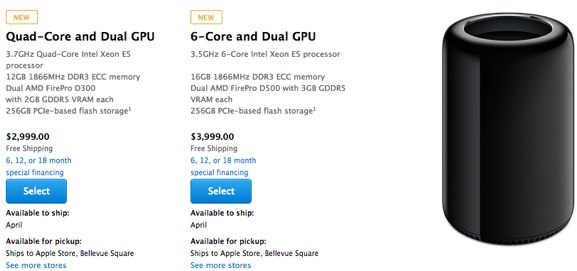
If you're looking to order the new Mac Pro, you should be aware that shipping estimates from Apple have just slipped to April worldwide. This comes approximately three weeks after shipping estimates slipped from February to March. While this doesn't necessarily mean that supply is getting worse, it does seem to show that Apple is having a hard time catching up with the demand on the most powerful Mac it has ever made.
Of course, as we mentioned recently, you can order the Mac Pro from B&H Photo and get it shipped much, much sooner (and tax free as well in most areas!) Go to the Mac Pro page and choose to be notified when they are in stock - B&H seems to get models in a couple times per week.
If you're wondering if the cost is worth it, be sure to check out our full Mac Pro review.
Read More  | Mac Pro at B&H
Advertisement
Apple Mac Pro (2013) review: in a class of its own
Posted by Andru Edwards Categories: Apple, Features, PC / Laptop, Product Reviews,

Power. The Apple Mac Pro (late 2013) is the newest Mac on the block, and it's also the most powerful computer ever made by Apple. It deserves to be, too, as the Mac Pro lost that title as Apple let that product line slip into virtual irrelevancy. After all, the previous Mac Pro spent the last four-or-so years at a technical standstill. It didn't have any Thunderbolt ports, no USB 3.0, no PCIe flash storage...heck, it didn't even have an 802.11n Wi-Fi option. For all intents and purposes, Apple had allowed the Mac Pro, the one machine that was aimed at meeting the needs of the most demanding customers, to become a dinosaur.
That is, until the release of the newly-redesigned Mac Pro (late 2013) model. With its smooth metallic cylindrical shape that looks like it was plucked off of an alien spaceship, smaller and lighter profile, and top-of-the-line specs that include PCIe SSD storage, dual workstation-class GPUs as standard, the newest Intel Xeon processors (up to 12 cores!), 802.11ac Wi-Fi, and a bunch of I/O ports which include Thunderbolt 2 and USB 3.0, this thing is a beast. It's modern--no, futuristic.
For all of you professional video editors, photographers, graphic artists, 3D animators, audio engineers and the like, we're betting that Apple has piqued your interest. After all, this is a Mac which can drive up to three 4K displays simultaneously. That's a lot of power. Wondering if it should be your next purchase? It's expensive, starting at $2,999 (and climbing up to $9,559 depending on how you configure it,) so we're here to help you in your decision making. Follow along as we bring you our full Mac Pro (late 2013) review, after the jump.
Click to continue reading Apple Mac Pro (2013) review: in a class of its own
Bleeding Edge TV 500: Apple Mac Pro (late 2013) first-look
Posted by Andru Edwards Categories: Apple, Features, PC / Laptop, Podcasts, Videocasts, Videos,
We give you a look at the newly designed Apple Mac Pro in this episode! Apple has rebuilt the Mac Pro from the ground up to be a multimedia powerhouse, optimized for tasks like video editing, audio work, 3D modeling, and other such pro tasks. Here are the specs on the Gear Live Mac Pro featured in this episode:
- 3.5 GHz Intel Xeon E5 Six-Core
- 64GB of 1866 MHz DDR3 ECC RAM
- 256GB PCIe-based Flash Storage
- Dual AMD FirePro D500 GPUs (2 x 3GB)
- Six Thunderbolt 2 Ports
- Four USB 3.0 Ports, One HDMI 1.4 Port
- Supports up to Three 4K Displays
- 802.11a/b/g/n/ac Wi-Fi, Bluetooth 4.0
- Unique Compact Cylinder Design
- Mac OS X 10.9 Mavericks
Apple has these on backorder for about 8 weeks, but if you order a Mac Pro from B&H Photo, you should be able to get one shipped out much sooner, if not immediately.
Don't forget to subscribe to Gear Live's YouTube channel!
Click to continue reading Bleeding Edge TV 500: Apple Mac Pro (late 2013) first-look
Apple releases Numbers 3.1, here’s a look at what’s new
Posted by Andru Edwards Categories: Apple, Software,
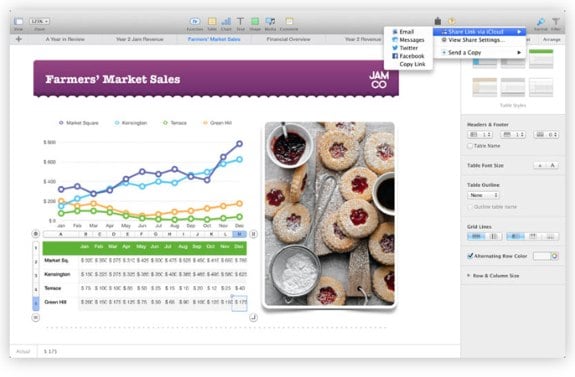
Apple has released Numbers 3.1, and with the update comes the ability to sort data by column values of multiple areas, calculation progress indicator, and more. Here's the full list:
- Sort by multiple columns
- Sort a subset of rows
- Text autocompletes when editing cells
- Chart date and duration values
- Optionally highlight rows and columns on mouseover
- Progress indicator for calculations
- Custom number formats in charts are preserved on import of Numbers ’09 and Microsoft Excel spreadsheets
- Share password-protected spreadsheets via iCloud link
- Export password-protected spreadsheets to XLSX format
- Improvements to AppleScript support
- Improved compatibility with Microsoft Excel 2013 spreadsheets
- Bug fixes and stability improvements
You can download Numbers 3.1 now from the Mac App Store.
Apple releases Pages 5.1, here’s what’s new
Posted by Andru Edwards Categories: Apple, Software,
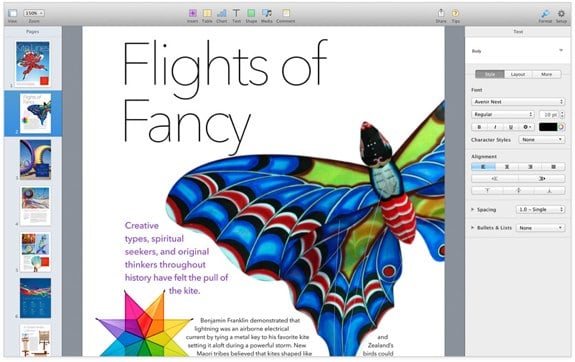
Apple just released Pages 5.1, which includes new features like alignment customization, vertical ruler, character counter, and more. Here's a list:
- Vertical ruler
- Share password-protected documents via iCloud link
- Customizable alignment guides
- Set keyboard shortcuts for styles
- View character count with or without spaces
- Improved precision for inserting and pasting objects
- Create charts with date, time, and duration values
- Delete sections from the page navigator
- Improved compatibility with Microsoft Word 2013 documents
- Export password-protected documents to DOCX format
- Custom number formats in charts are preserved on import of Pages ’09 and Microsoft Word documents
- Start a list automatically using new special characters
- Improved support for bidirectional text
- Improved ePub export
- Bug fixes and stability improvements
You can download Pages 5.1 now from the Mac App Store.
Read More | Apple Pages
Pixelmator 3.1 released with Mac Pro dual GPU optimizations
Posted by Andru Edwards Categories: Apple, Software,
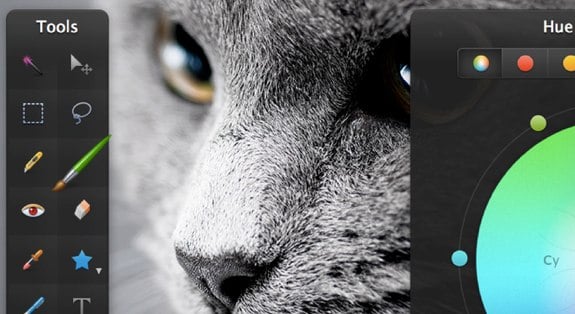
One of our favorite Mac apps, Pixelmator, received a massive update today. Pixelmator 3.1 Marble brings a bunch of new improvements, the biggest of which might be full compatibility with the the Mac Pro's dual GPUs, as well as 16-bit support on Apple's flagship desktop as well. Both GPUs are used together when applying effects, and optimizations are in place for each model, including 4-, 6-, 8-, and 12-core Intel Xeon processors. Aside from all the new Mac Pro goodness, there are a lot of other improvements to layer styles, RAW image handling, and effects.
One other cool addition is the ability to order finished prints of your work right from within Pixelmator. You can download Pixelmator from the Mac App Store.
Also, if you're on the lookout for a new Mac Pro and don't want to wait the 2 months that it will take Apple to ship it, check out B&H Photo which has the Mac Pro in stock!
Read More | Pixelmator
Top 10 Gear Live stories of 2013
Posted by Andru Edwards Categories: Apple, Smartphones, Editorial, Features, Handhelds, Mods / Hacks, Movies, Software, Videos,
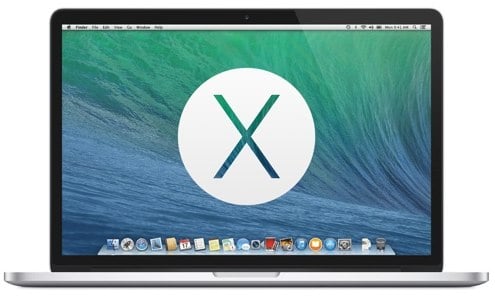
We've come to the end of another year, and as we wave goodbye to 2013, we figured it was only fitting that we share the most popular stories published on Gear Live this year, as determined by our readers (we've also got the top ten most read stories regardless of publish date, as well as the ten most popular Gear Live videos of 2013!) These are the ten stories that were read the most, and when you consider that fact, it's pretty surprising to see what made the list. Let's kick it off with our most read story of the year:
OS X 10.9 Mavericks Developer Preview 3 now available:
Anticipation for Apple's newest desktop operating system, OS X 10.9 Mavericks, trumped all other news here on Gear Live in 2013!
Click to continue reading Top 10 Gear Live stories of 2013
Top 10 most read Gear Live stories in 2013
Posted by Andru Edwards Categories: Apple, Smartphones, Wearables, Features, Internet, Mods / Hacks, Music, Portable Audio / Video, Software,
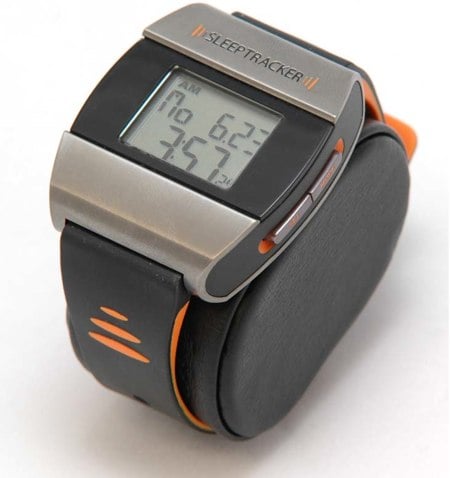
Sure, we've given you a list of our top 10 most popular stories of 2013, but we figured we'd go a bit more broad than that. We also thought it would be interesting to give you a look at the top ten most read stories on this site this year, period, regardless of what year they were posted. We must say, we're just as surprised as you are at what did (and didn't) make the list! For example, you guys seem to really like Apple. Here we go:
- Sleeptracker Watch review: This one focuses on a watch that tracks your sleep data and aims to wake you up when you are in your lightest phase of sleep. The result is that you wake up feeling more rested, and more refreshed.
- Flash on iPhone is just around the corner: This five-year-old article made it's way back after being linked to by John Gruber of Daring Fireball. Since then we've learned that just because it's in testing behind closed doors, doesn't mean that it's going to make it's way to public release. Also, John, why couldn't you have linked to when we broke what was the biggest Apple software leak of the decade?
- Mod your Xbox without a mod chip: This is an all-time favorite of our readers. It dropped out of the top 10 last year, but has reappeared for 2013.
- Apparently that Xbox 360 Red Ring of Doom issue hasn't been fixed
- OS X 10.9 Mavericks Developer Preview 3 now available
- How To Mod Your iPhone on Windows Using iBrickr
- Apple releases iOS 7 beta 2 with iPad support: iOS 7 beta 1 supported the iPhone and iPod touch only. When beta 2 arrived with iPad support, many were excited.
- TiVo out-of-home remote streaming arrives on Roamio Plus, Roamio Pro DVRs: We'd been waiting for this feature for a long, long time, and it is finally here.
- Exclusive details on the next Nike+ FuelBand: We got exclusive details on the new Nike+ FuelBand months before its release.
- iPhone 5s review: Our review of Apple's flagship smartphone for 2013.
Any surprises? For a trip down memory lane, check out the top ten most-read stories in 2012, 2011, 2010.
We've also compiled a list of the stories that have dropped out of the top ten between 2012 and 2013, which you can check out after the jump, and don't miss the ten most popular Gear Live videos of 2013 either!
Click to continue reading Top 10 most read Gear Live stories in 2013
MacBook Pro (late 2013) review
Posted by Andru Edwards Categories: Apple, Features, PC / Laptop, Product Reviews,
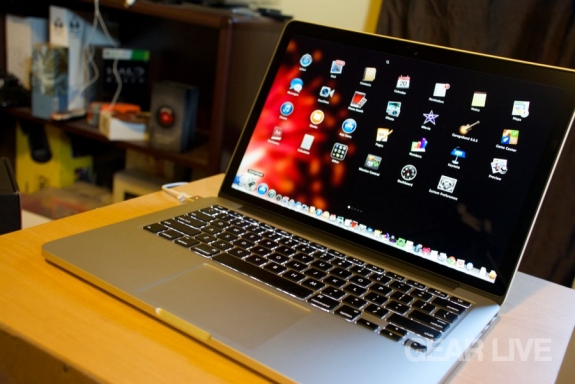
A couple of weeks ago, Apple introduced the world to the iPad Air, but during the same event, the new 2013 MacBook Pro lineup was also revealed, going on sale that same afternoon. These new MacBook Pros would ship with OS X 10.9 Mavericks, the new desktop operating system that was also released that same day, completely free of charge. The 2013 MacBook Pro line sees some significant updates--things like a thinner body, Retina display, PCIe storage, and Haswell processors. So, how do all these changes come together at the end of the day, and is the end result enough for you to give it your attention? Does a thinner, lighter, cheaper, and more powerful package add up to more than the sum of its parts? We answer all this and more in our 13-inch MacBook Pro (late 2013) review.
Click to continue reading MacBook Pro (late 2013) review
Apple iPad Air event: All the details
Posted by Andru Edwards Categories: Apple, Handhelds, PC / Laptop, Software,
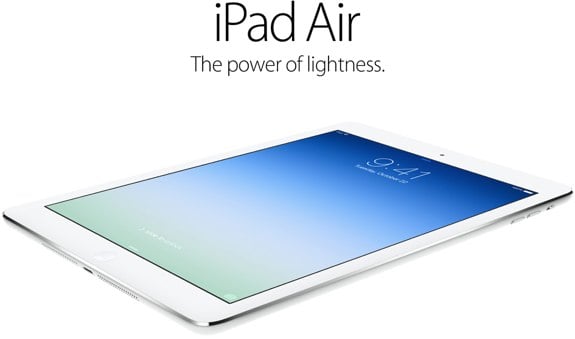
Yesterday, Apple made what will likely be its final product announcements of 2013, and there was plenty they had to go over during the 2013 Apple iPad event. The star of the show was the iPad Air, although some might argue that OS X Mavericks launching for free was the biggest surprise of the day. We covered all the news, and have broken everything down by category below to make it easy for you to catch up.
iPads
Macs
- 15-inch MacBook Pro updated, now starts at $1999
- 13-inch MacBook Pro refreshed with Retina display, starts at $1299
- The new Mac Pro launches in December for $2999
OS X & iOS
- OS X Mavericks will launch today, completely free
- Apple releases iOS 7.0.3 with iCloud Keychain, iMessage fix, Touch ID tweaks
- OS X Mavericks now available, grab it from the App Store for free
iWork
- Apple releases Numbers 3.0, here’s a look at what’s new
- Apple releases next major version of Keynote, here’s what’s new
- Apple Pages hits 5.0, here’s a look at what’s new
iLife
- iMovie 10.0 now available, here’s a list of all the new features
- Apple releases major iPhoto ‘11 update, here’s what’s new
What was your favorite announcement of the day?









Advertisement
© Gear Live Inc. {year} – User-posted content, unless source is quoted, is licensed under a Creative Commons Public Domain License. Gear Live graphics, logos, designs, page headers, button icons, videos, articles, blogs, forums, scripts and other service names are the trademarks of Gear Live Inc.