

Latest Gear Live Videos
Dell Opens Custom Lid Design Studio, Let’s You Decorate Your Laptop

Posted by Patrick Phelps Categories: Corporate News, Design, PC / Laptop,
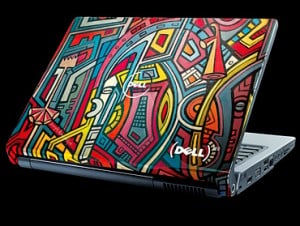 Dell announced today that their Studio laptop line is taking customization to the next level – you can now have one of more than 100 designs tattooed on the lid of your Dell Studio 15 or 17 laptop in Dell Design Studio, a unique online experience which allows the purchaser to personalize their new laptop with exclusive, original artwork.
The company says it has commissioned over 100 works of original art from a number of different artists, such as Mike Ming, Guillaume Wolf, Tristan Eaton, Brittany Waldner and Joseph Amedokpo. Online shoppers in the U.S. can apply a design, change viewing angles, zoom in on details, and read an artist’s inspiration or bio with a few mouse clicks. Once you have chosen your favorite design, it can be applied to the lid of the Studio system being ordered, at a cost of $75; choose one of the 52 (PRODUCT)RED designs and Dell directly donates $20 to the Global Fund, which helps fund AIDS programs in Africa.
Dell notes that the art is permanently infused or “tattooed” into the laptop display’s back, making it extremely durable. The question is: will you change your wardrobe to match your computer, or just pick out a design that goes with what you already wear?
Maybe, eventually (we hope), the consumer will be able to submit their own artwork for a truly custom lid – but let’s not get ahead of ourselves…
Read More  | Business Wire
Advertisement
Fujitsu Introduces Lifebook P1630 and U820 Tablets for Small People with Even Smaller Fingers
Posted by Patrick Phelps Categories: GPS, Handhelds, PC / Laptop,
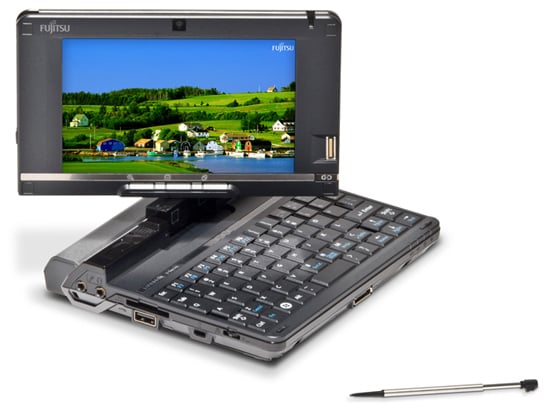
If you’re trying to decide whether to put a GPS or mini notebook on your holiday wish list, you’re in luck. Fujitsu announced two new mini notebooks today, the 8.9 inch Lifebook P1630 and the “I can just about fit it in my pocket” 5.6 inch U820. Both come with super-sharp WSXGA touchscreens and offer full Windows functionality, but the 1.3-pound, itsy-bitsy U820 includes a 1.6GHz Atom processor, integrated GPS, and comes preloaded with Garmin Mobile PC, effectively turning it into a high-end nüvi with the added ability of being able to navigate directly to your Outlook contacts. The U820 comes with a starting price of $1,049.
If you don’t want or need the navigation feature (and have adult-sized fingers), the P1630 includes a 1.20 GHz Core 2 Duo, built-in accelerometer, 64GB SSD option and a piggy-bank-raiding base price of $2,179.
Dell Announces The Inspiron Mini 12: $600, 12-inch display

Posted by Ponzi Black Categories: PC / Laptop,
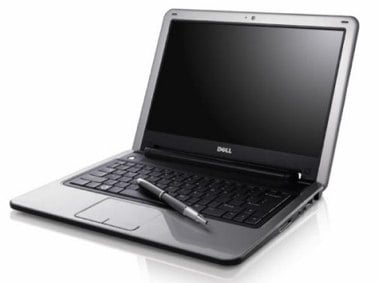 Dell has officially announced the newest member to their netbook family of mini laptops, the Inspiron Mini 12. The Mini 12 comes with an Intel Atom Z520 1.3GHz or the Z530 1.6GHZ processor, 80GB hard drive, 1GB of RAM, Bluetooth, WiFi, a Webcam and a 12-inch display. The laptop comes loaded with Windows Vista Home Basic, and has a starting price of less than $600. The Mini 12 is currently only available in Japan, but will come to the U.S. soon.
The specs make this a very capable machine, but running Vista with only 1GB of RAM make take some of the wind out of its sprint. You could always load it with XP when it arrives and then have a very fast machine, the likes of the MacBook Air, but for a fraction of the price.
Read More | Business Wire
HP Teases Mini 1000 Netbook

Posted by Aaron Zollo Categories: PC / Laptop, Portable Audio / Video,
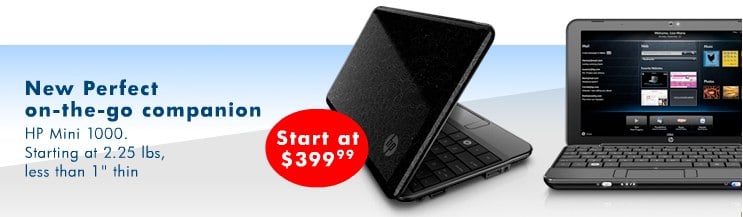
HP is now showing this new Mini 1000 Netbook on their online store. The Mini 1000 is not yet available to purchase and when clicking HP’s link, it brings you to their main store where it is nowhere to be found. They do however give you the price and some general specs. The mini laptop sports a nice gloss black finish on the outside, with a matte black finish inside. The price starts at $399 and comes in at 2.25 pounds, has a 10-inch screen and is under 1-inch thick. We can assume the Mini 1000 will carry the Intel Atom processor, but there is no confirmation of that just yet. If using an Atom processor, this Netbook from HP should provide a nice jump over previous Via chipsets in HP’s past offerings. You should be able to do all the internet has to offer, including videos, music and more with a fullsize experience for such a small piece of gear.
Read More | HP
Unboxing Live 043: Aluminum & Glass MacBook Pro

Posted by Andru Edwards Categories: Apple, Features, Laptop, Videocasts,
Sure, we’ve already put up a MacBook Pro 2008 unboxing gallery, but we figured there might be a few of you out there who’d want to see the unboxing action in video form - so here it is. We bring you a look at the newly redesigned MacBook Pro, which launched just a few days ago. In case you missed it, the MacBook Pro now has an aluminum unibody enclosure, a glass display (which means, glossy - not matte,) and even a glass single-button trackpad.
If you’re wondering how these stack up to the older models, be sure to check out our MacBook and MacBook Pro redesign comparison video.
MacBook Pro Product Page
Apple Spill Detection Waterproofs Your MacBook Warranty
Posted by Patrick Phelps Categories: Apple, PC / Laptop,
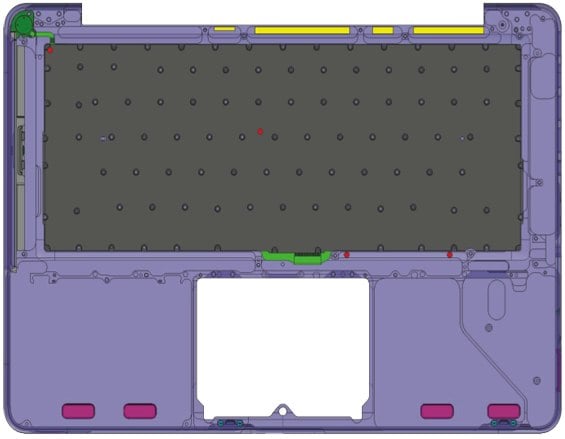
Spill your morning coffee on your MacBook and then take it in for covered warranty service? Those days are ending; water damage is obviously a violation of the AppleCare warranty, and the new MacBook and MacBook Pro computers, introduced last week, include what cellphones have had for years: Liquid Submersion Indicators, which alert technicians to water damage. Located under the keyboard and near the trackpad, the sensors change color when exposed to a liquid. Once these sensors are activated, there is no way to undo the process, so you’re just gonna have to fess up next time, so please - no more Shirley Temples near the hardware, okay?
Read More | Los Angeles Times
Bleeding Edge TV 294: MacBook, MacBook Pro redesign comparisons
Posted by Andru Edwards Categories: Full Episodes, Gizmatic, Apple, Design, Features, PC / Laptop, Podcasts, Videocasts, Videos,
A few days ago, at the Apple notebook event, the company unveiled their newly redesigned MacBook (gallery) and MacBook Pro (gallery) portables. We were able to get our hands on the new MacBook and MacBook Pro, and in this video, we compare each to their last generation counterpart. That’s right, we put the white MacBook up against the newer aluminum MacBook, compare the older MacBook Pro to the new one, and to top it all off, we bring in a MacBook Air for comparisons sake as well. Hit the video to get a look at all the aluminum and glass unibody goodness.
Unboxing Live 042: Aluminum MacBook
Posted by Andru Edwards Categories: Apple, Features, Laptop, Videocasts,
We’ve already hit you guys with the MacBook unboxing gallery, showcasing the brand new redesign for Apple‘s non-Pro notebook. In case you missed it, the MacBook now sports an aluminum enclosure, a glossy glass display, and even a glass trackpad. The old-school white one is still available, but really, those are now an afterthought. We unbox the new aluminum MacBook in this episode of Unboxing Live, so sit back and hit play to get a look at the goods.
We’ve also got another video in the works, comparing the new model to the older model, over on Bleeding Edge TV.
MacBook Product Page
MacBook aluminum unboxing gallery
Posted by Andru Edwards Categories: Apple, Features, Galleries, Laptop,
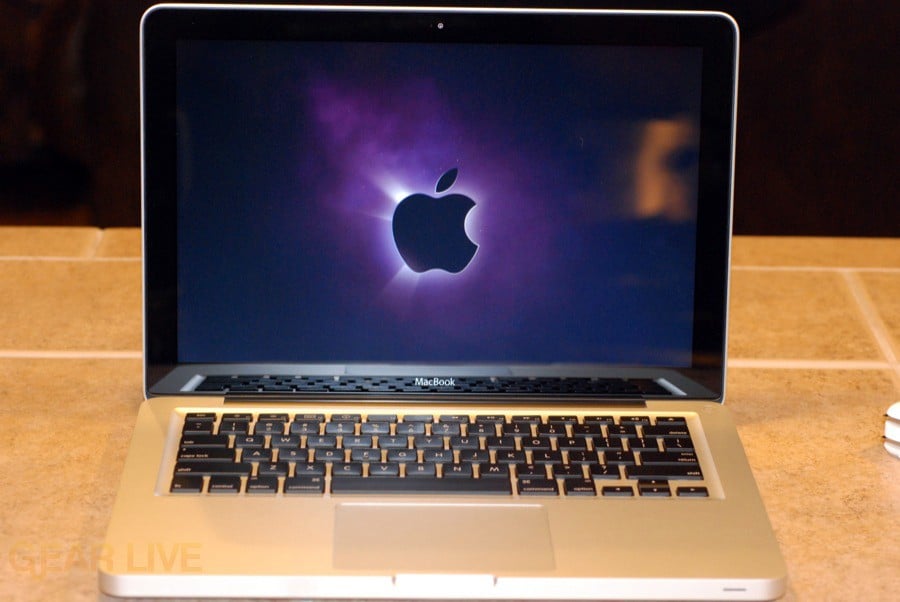
Two days ago, Apple revealed their redesigned MacBooks and MacBook Pros during their notebook event. We were able to track them down, and now have our hands on the new goods. First up, we bring you an unboxing gallery for the newly redesigned MacBook. It’s made of aluminum, and looks like a miniature MacBook Pro. The screen is glossy, and it no longer has a built-in FireWire port. We will have video up soon, but in the meantime, check out the MacBook 2008 unboxing gallery.
MacBook 2008 unboxing gallery
Gallery:
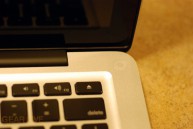



Apple updated MacBook Air with NVIDIA graphics, more storage
Posted by Andru Edwards Categories: Apple, PC / Laptop,
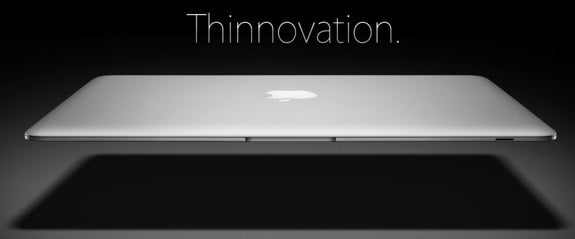
During this mornings notebook event, Apple announced that the MacBook Air was getting a bump in some of its specs. First and foremost, the Air is getting updated to the new NVIDIA 9400M graphics chipset, which should be a nice upgrade. Even better, if SSD is your thing, you’ll be pleased to know that a 128GB solid state drive is now available, along with a standard 120GB drive if that is more your thing. microDVI has been replaced by a mini DisplayPort, which we are seeinc across the board with Apple. You can grab the base model for $1799, or go with the SSD model with 1.86GHz Core 2 Duo for the lowered price of $2499 (that one is due in November.)
Read More | MacBook Air announcement









Advertisement
© Gear Live Inc. {year} – User-posted content, unless source is quoted, is licensed under a Creative Commons Public Domain License. Gear Live graphics, logos, designs, page headers, button icons, videos, articles, blogs, forums, scripts and other service names are the trademarks of Gear Live Inc.