

Latest Gear Live Videos
iOS 6 beta 2 now available

Posted by Andru Edwards Categories: Apple, Smartphones, Handhelds, Software,
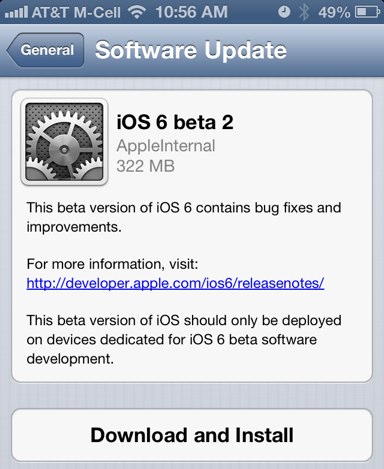
Apple has just released iOS 6 beta 2 as an over-the-air download a few minutes ago. This release comes exactly two weeks after the initial iOS 6 beta, which was released during WWDC 2012. If you're on an iPhone 4S the download is 332 MB in size, while the same update on the new iPad weighs in at 527 MB. Check Software Update in your settings app to grab it now.
Advertisement
Yelp check-ins coming to iOS 6 Maps
Posted by Andru Edwards Categories: Apple, Smartphones, Rumors, Software,

It looks like Apple has even more in store for its mapping solution that'll make its debut in iOS 6 this fall. According to a Bloomberg report, iPhone users will be able to use Maps directly to check in to the local spots that they're visiting courtesy of Yelp's check-in service. Of course, this leaves us a bit confuses, as almost no one uses Yelp check-ins when compared to Foursquare or Facebook, but we're guessing that Apple doesn't wanna get too reliant on any one company for iOS features. Still, in this case, we think Yelp is a bit of a disappointment for system-level iOS 6 check-ins.
Read More  | Bloomberg
In iOS 6 you’ll be able to use FaceTime over cell networks
Posted by Andru Edwards Categories: Apple, Smartphones, Wireless / WiFi,
Beginning in iOS 6, you'll be able to use FaceTime over cellular networks. This feature was announced during the WWDC 2012 keynote and is a big deal because it means you can FaceTime with anyone, as long as you have a cell signal. You can be out and about getting your video chat on, and this will bring FaceTime out from the occassional use category and into something that may actually prove to be very useful.
Siri in iOS 6 brings sports, cinema, restaurant integration
Posted by Andru Edwards Categories: Apple, Smartphones, Handhelds, Software,
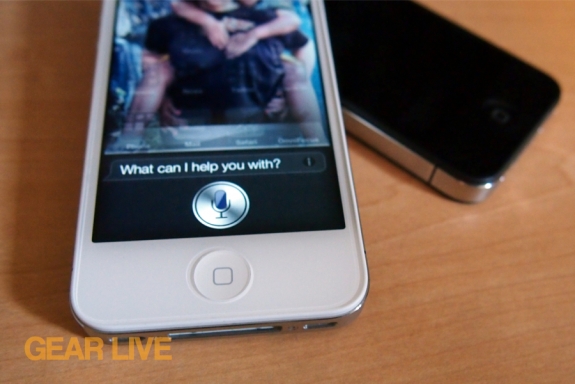
Apple's Siri hs learned a bunch of new tricks that it will be bringing with it alongside the launch of iOS 6 later this fall. During this morning's WWDC 2012 keynote, we got a look at a few of them. First, iOS chief Scott Forstall demo'd sports integration. Siri will now be able to tell you about recent sports scores, individual players, and even odd trivia (as an example, Siri was able to answer a question that asked who was taller between "LeBrone or Kobe".) Next, restaurant reviews and reservations. Through integration with OpenTable and Yelp, Siri can now show more details about restaurants, reviews, and pricing. In addition, you can tap to make a reservation right in the OpenTable app. Siri can also show you details about movies. You can get movies reviews from Siri thanks to a partnership with Rotten Tomatoes, movie trailers, as well as local showtimes. Siri can even show you movie catalog information. While all that is awesome, we are even more excited about the fact that Siri can now be used to do things like launch apps and post to Twitter.
All of this new Siri functionality will also come to the new third-generation iPad in iOS 6 as well, adding English and French tuned for Canada, Spanish tuned for Spain, Mexico, and the US, Korean, Mandarin tuned for Taiwan, Cantonese tuned for Hong Kong, and Mandarin and Cantonese tuned for China.
iOS 6 beta 10A5316k now available for download
Posted by Andru Edwards Categories: Apple, Smartphones, Handhelds, Software,
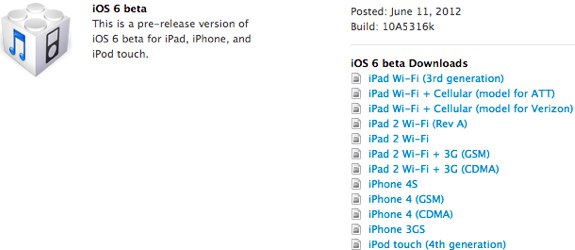
iOS developers, it's time to get your iOS 6 beta on! Apple has just released the iOS 6 beta build 10A5316k, which they went over during today's WWDC 2012 keynote, and you can download it now. iOS 6 supports iPhone 3GS, iPhone 4, iPhone 4S, iPad 2, the new iPad (2012), and the fourth-generation iPod touch. There are also download links for an update to the second- and third-generation Apple TV.
Watch today’s WWDC 2012 keynote video now!
Posted by Andru Edwards Categories: Apple, Smartphones, Handhelds, PC / Laptop, Software, Videos,
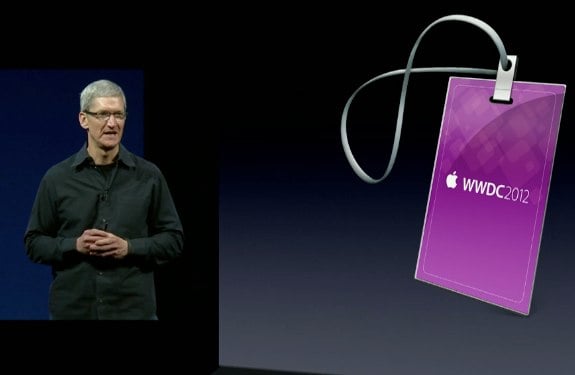
We've been hitting you with as much coverage of this morning's WWDC 2012 keynote as you can handle, but we're sure you wanna check things out for yourself, right? Well, we've got you covered there too. Apple has just released the video of the keynote address that revealed a new MacBook Air, MacBook Pro with Retina display, Mountain Lion, and iOS 6.
Read More | Apple
Virgin Mobile to offer $30 per month pre-paid iPhone plan
Posted by Andru Edwards Categories: Apple, Smartphones, Corporate News, Handhelds,
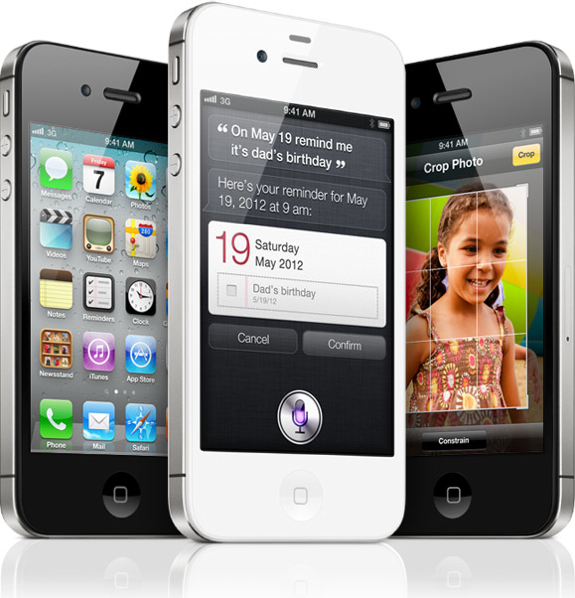
Cricket recently announced its pre-paid iPhone plan, and now Virgin Mobile has stepped in with details of its own, and it looks to be a steal. Beginning on June 29th, you can buy an unsubsidized iPhone 4S (16 GB for $650) or iPhone 4 (8 GB for $550) from Virgin Mobile, and from there you'll pay $30 for 300 minutes with unlimited texting and unlimited data. If you actually use your device for talking and need more talk time, you can pay $40 for 1200 minutes or $50 for unlimited talking. For $15 more, you can enable mobile hotspot on your device as well.
Click to continue reading Virgin Mobile to offer $30 per month pre-paid iPhone plan
iOS 6 to bring Siri to the iPad
Posted by Andru Edwards Categories: Apple, Handhelds, Rumors, Software,
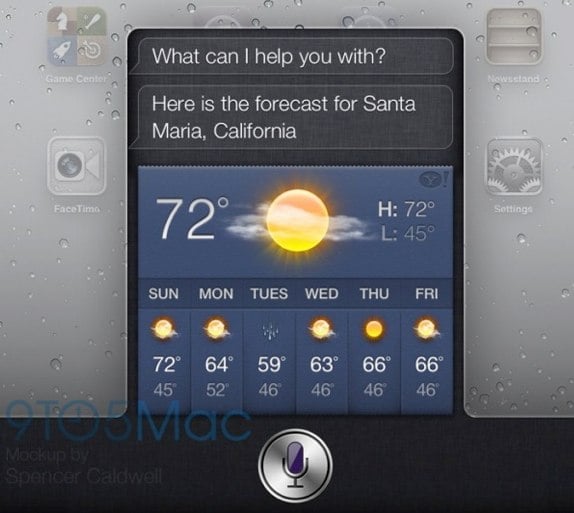
With iOS 6 set to debut next week at WWDC 2012, rumors about what we'll see in the next major version of Apple's mobile operating system are heating up, and 9to5Mac is reporting that Siri will make its debut on the iPad at the event. In the mockup above, you see how Siri for the iPad is described to look. The interface isn't full-screen, and instead slides up from the bottom of the iPad display. All the Siri features from the iPhone 4S are present in the iPad version, and there are also rumors that Siri will see upgraded functionality that will allow it to do more things in iOS 6 as well. We'll have all the details from WWDC when it kicks off next week on June 11.
Read More | 9to5Mac
4-inch iPhone display leaked on video?
Posted by Andru Edwards Categories: Apple, Smartphones, Rumors, Videos,
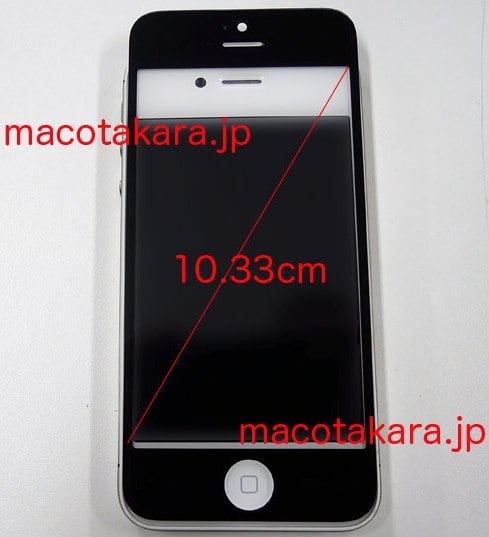
It looks like the leaks regarding the new iPhone just keep on coming! Today we've got a video that purportedly shows off the front glass of the device, showing that it's indeed taller than that of the iPhone 4S (and every other iPhone before it.) The glass has space for a 4.07-inch display, and maintains the same width and home button. Also similar to previous leaks, the FaceTime camera has been moved to be centered above the earpiece. It's looking more and more like we'll be seeing a larger screen on the next iPhone.
Click to continue reading 4-inch iPhone display leaked on video?
Read More | Macotakara
Cricket to offer pre-paid iPhone plan on June 22
Posted by Andru Edwards Categories: Apple, Smartphones, Corporate News, Handhelds,
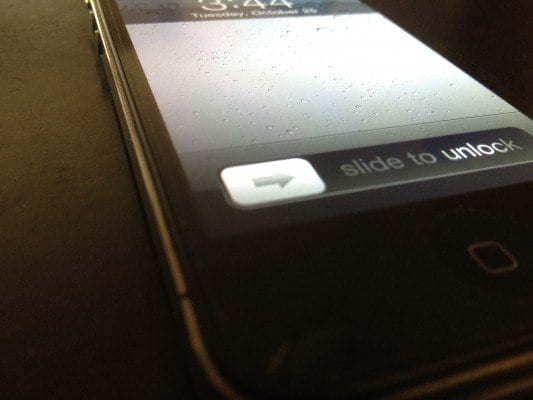
Ever since AT&T killed its prepaid plans for the iPhone, we've been waiting for another US carrier to step up, and now Cricket is ready to bring the prepaid love back to Apple's smartphone. Beginning on June 22nd, Cricket will sell the iPhone alongside a $55 month-to-month plan that brings unlimited voice, text, and data with it. No need for a contract. You can choose from a 16 GB iPhone 4S for $500 or an 8 GB iPhone 4 for $400, and that unlimited data actually tops out at 2.3 GB (which is actually a limit.) Still, this frees you from having to be stuck in a two-year contract.
Read More | Cricket Pre-Paid iPhone Plan









Advertisement
© Gear Live Inc. {year} – User-posted content, unless source is quoted, is licensed under a Creative Commons Public Domain License. Gear Live graphics, logos, designs, page headers, button icons, videos, articles, blogs, forums, scripts and other service names are the trademarks of Gear Live Inc.