

Latest Gear Live Videos
How good (or bad) are apps for Android tablets?

Posted by Andru Edwards Categories: Apple, Google, Handhelds, Software,
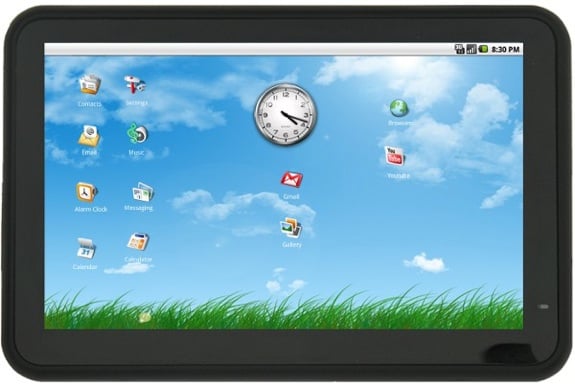
The following is a column sent to us by Skip Ferderber. We though it hit home on a lot of points, and decided to republish it with his permission:
Let’s start with a popular tech-talk premise especially among Apple iPad afficionados: Among the reasons Android tablets come up short is because there are only a handful of apps specifically optimized for them.
If there’s no big bucket of optimized Honeycomb apps, then it’s too soon to get an Android tablet ... not when you can get an iPad with more than 100,000 tablet-optimized apps.
The tech blogosphere (including yours truly) reported early on that only 10 apps were specifically redesigned to take advantage of the Honeycomb operating system, the Android software specifically engineered for a new generation of powerful tablets with heavy-duty processing power and bright high-resolution screens such as the Motorola Xoom and the Samsung Galaxy Tab 10.1. A March Wired article reported it had found only 50 Honeycomb-optimized apps.
Well, hold on there, buckaroos.
What happens when non-optimized apps — the same apps you use on your Android smartphone — are run on a Honeycomb tablet? What’s the user experience like? Can you live with it? I decided to find out.
Click to continue reading How good (or bad) are apps for Android tablets?
Advertisement
Angry Birds Seasons brings the Easter goodness
Posted by Andru Edwards Categories: Games, App Updates, $0.99,
Rovio on Monday launched an Easter version of Angry Birds Seasons, available now for iOS, Android, Symbian, and Palm devices.
"Spring is upon us and the time is ripe for some chocolate eggs and Easter bunnies! So shed the winter gear and get in—Easter Eggs have never been this delicious!" Rovio said in its update notice. "If you think St. Patrick's Day was a blast, well, you ain't seen nothing yet! This episode will again prove that Angry Birds is the most generous update giver of them all!"
The Easter update includes 15 new springtime levels. Rovio also promised that it "will soon launch the biggest alternate reality game with Angry Birds ever—be prepared to seek for clues around the world to discover the secrets hidden in Angry Birds Seasons!"
Angry Birds Seasons is available for $0.99 on the App Store and free from Android app stores and the Ovi Store. Players who have already downloaded Angry Birds Seasons will get the Easter version as a free upgrade.
Click to continue reading Angry Birds Seasons brings the Easter goodness
Activision snubs Facebook and App markets

Posted by John Kilhefner Categories: Smartphones, Corporate News, Video Games,

While other developers and publishers are diving into the burgeoning Facebook and smartphone App markets, Activision would rather not waste their time.
“We don’t view the App Store as a really big opportunity for dedicated games,” said Kotick at the Reuters’ Global Media Summit.
Bold words from Activision, but then again, Call of Duty: Black Ops did rake in enough money to run a small country - $650 million in its first five days.
“It’s a different question assessing it as a business opportunity,” said Kotick. “Right now we don’t see an opportunity for us to participate in that market.”
One can only wonder how much longer their Call of Duty and World of Warcraft cash cows can be milked before they have to start looking into newer ways to generate revenue amongst a shifting gaming community.
Read More  | Finger Gaming
Coby reveals new Kyros MID7015 Android tablet
Posted by John Kilhefner Categories: Google, Handhelds, PC / Laptop,
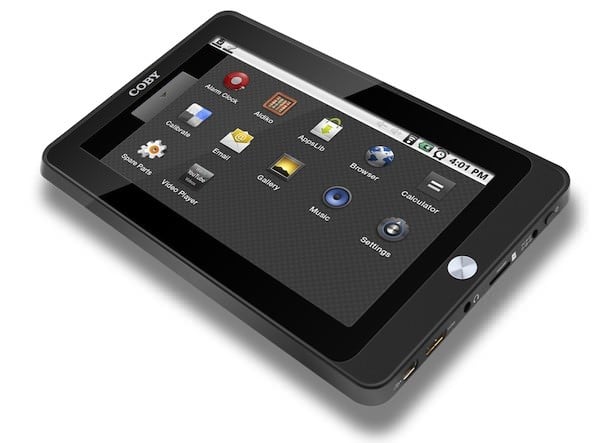
Coby has just released another Android tablet which is available now for $250. Coby’s new Android tablet, the Kyros MID7015, is equipped with a 7-inch resistive touchscreen, Android 2.1 (AppsLib marketplace only,) 4GB of built-in memory, a microSD card slot with an upgrading capacity of up to 16GB, and an HDMI port for 1080p video.
Read More | Coby
Acer introduces Android 3.0 tablets
Posted by John Kilhefner Categories: Google, Handhelds, PC / Laptop,
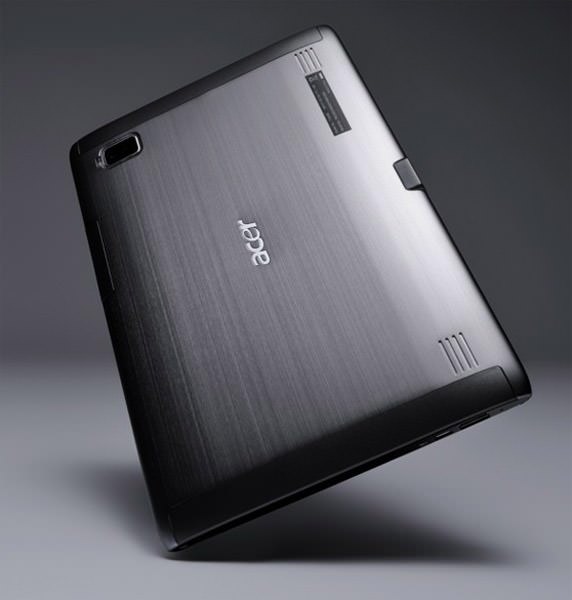
Acer unveiled their new Android 3.0, or "Honeycomb" powered tablets in 7- and 10.1-inch versions. Each tablet will have 1280x800 resolution, while the 10.1-inch version will have a 1080p HDMI out.
Android introduces content rating

Posted by Patrick Lambert Categories: Smartphones, Google, Software,
The Android marketplace has often been called the wild west, as compared with the more organized Apple App Store. It's hard to always know which apps are available, and if those apps are suitable for everyone. Providing users with more information about the apps they download has apparently been a top request, and now the Android team at Google is introducing a rating system which all apps will have to adopt going forward. Starting next week, developer who want to sell software in the Android marketplace will need to signify if their app is intended for All, Pre-Teens, Teens or Mature people only. For those already in the marketplace, the developers will have to add a rating, or they will be marked as Mature.
Read More | Android Blog
Skype for Android update fixes some issues, ignores others

Posted by Jazz English Categories: Smartphones, Handhelds, Software,
 Skype update it's Android application today with version 1.0.1.
The first thing addressed is the support for screen resolutions common to more Android phones. Skype also announced that the hardware back key will now send the application to the background, while still allowing calls and IMs. Skype stated that this fix should also lesson battery consumption. Other fixes include:
- Signing out from Skype now exits Skype.
- Improved login stability and behavior.
- Improved performance with large contact lists.
- Reduced application size.
Problems having to do with the Galaxy S line of phones remain and Skype simply states that they "do not recommend installing Skype 1.0.1 for Android on this device with Android 2.1 and below."
Read More | Skype Blog
Android is…dead?
Posted by John Kilhefner Categories: Toys,
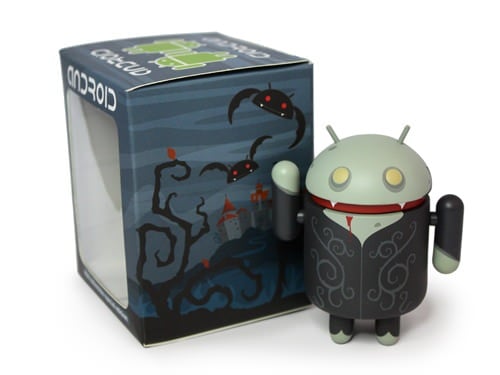
No, this has nothing to do with our Windows Phone 7 review, so don’t go selling your Google stock just yet. What we have here is a three inch limited edition vinyl collectible in the form an undead vampire Android mascot. This collectible will have a rotating head as well as movable arms, and a Halloween-themed window box. A vampire Android desktop wallpaper can also be downloaded for free to get you in the blood sucking mood this 31st. Get your hands on a dead Android this Halloween at 2pm EST.
Click to continue reading Android is…dead?
Read More | Dead Zebra
Square mobile payments app now available on iPad, iPhone, Android
We can’t say enough about the love we have for what the folks over at Square are doing. In a nutshell, they are bringing credit card processing to the masses by way of connected smartphones (like iPhone and Android devices) and iPads as well. You download the free app and sign up, and they send you a free credit card reader that hooks into the audio jack on your device. From there, whether you are a big business, small coffee shop, a seller at the flea market, or just wanna collect half the check from your friend after dining out, you can can accept a credit card payment right on your phone. The video above explains it way better than we can, but the news here is that Square is now available for iPhone and iPad, as well as Android.
Read More | Square app
AisleBuyer intros new mobile app - checkout lines obsolete?

Posted by Finnian Durkan Categories: Smartphones, Handhelds,
 To buy online, or to brave the the crowds of sharp-elbowed, pushy bargain hunters at your local Nordstrom/GAP/Barnes & Noble/Lover’s Packa—Macy’s? It is the eternal question: do you purchase from the safety and security of your own home, eschewing any ability to try on the clothes or flip through the book that you are about to purchase, or do you strap on your helmet and elbow-pads and, head down, make ready for battle at your local fashion outlet? Well, AisleBuyer is trying to make the question moot by offering the best of both worlds.
Today at the National Retail Federation Retail Innovation and Marketing Conference in San Francisco, CA AisleBuyer is offering a sneak preview of its new mobile app that promises to make waiting in line a thing of the past. When entering a store, shoppers who have iPhones and Android devices will be able to download the AisleBuyer app and use it to scan items for product information, reviews and more. When they are ready to purchase, they can checkout instantly using the same app. Shoppers can also browse online product reviews, and AisleBuyer will also provide helpful hints, such as suggestions for purchases that work with, but are not included in, their purchase (i.e. batteries or SIM Cards). Add to this the fact that you save trees by not producing a receipt and you can rest assured that children of hippies will be buying this app in droves to offset their lithium-ion battery usage… I’m looking at you, environmentally-conscious/ironic Prius-owners.









Advertisement
© Gear Live Inc. {year} – User-posted content, unless source is quoted, is licensed under a Creative Commons Public Domain License. Gear Live graphics, logos, designs, page headers, button icons, videos, articles, blogs, forums, scripts and other service names are the trademarks of Gear Live Inc.