

Find Our Latest Video Reviews on YouTube!
If you want to stay on top of all of our video reviews of the latest tech, be sure to check out and subscribe to the Gear Live YouTube channel, hosted by Andru Edwards! It’s free!
Hulu Plus now available for iPhone and iPad

Posted by Andru Edwards Categories: Entertainment, iPad Apps, New Apps, Free Apps,
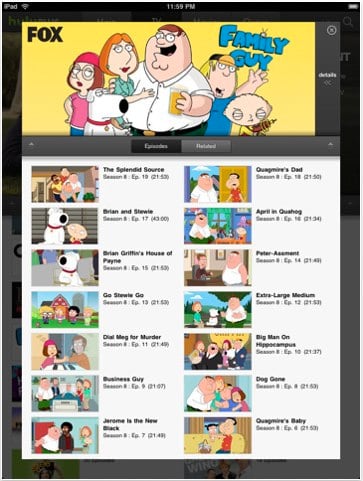
We just gave you the rundown on Hulu Plus, which is Hulu’s new subscription-based service that gives you access to way more content on way more devices. A few of those devices happen to the be iPhone 4, iPad, and iPhone 3GS. Hulu Plus will actually work on both Wi-Fi and 3G, dynamically optimizing quality for the best experience possible. The app is available now, so go ahead and download Hulu Plus now!
Read More  | Hulu Plus app
Advertisement
Preview: Sonos Controller for iPad
Posted by Andru Edwards Categories: Music, iPad Apps, New Apps, Videos, Free Apps,
Here at Gear Live, we’ve been in love with Sonos for years now. If you are a music lover, they are a company that you should definitely check out. One thing we love is that Sonos released a free app that allows you to control your system from an iPhone or iPod touch, rather than having to rely on their proprietary controller. Since the iPad hit the streets, we’d been wondering when we would see some love on that platform from Sonos as well. Now we have the answer. The Sonos Controller for iPad app will be hitting the App Store in late August, but you can see a preview of it in action above.
iBooks for iPhone now available on iOS 4
Posted by Andru Edwards Categories: Books, New Apps, Apple, Free Apps,
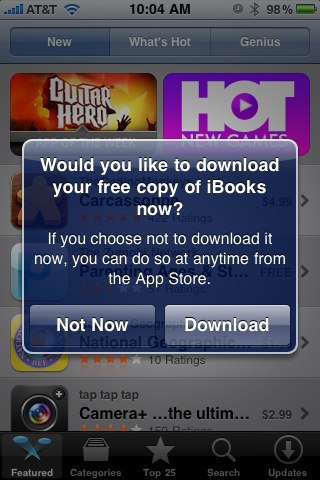
Just a quick heads-up for anyone wanting to start reading books from the iBookstore on their iOS 4 iPhones—the iBooks app is now available for download in the App Store. In fact, if you go into the App Store from the iPhones itself, you’ll get a notification letting you know that iBooks is available, and asking you if you’d like to download it right then and there. As Apple announced at WWDC 2010, iBooks for iPhone will sync your book data, including bookmarks, notes, pages read, etc., across all iPhones, iPod touches, and iPads that you have them running on.
Latest Gear Live Videos
Netflix announced for iPhone
Posted by Andru Edwards Categories: Entertainment, New Apps, Free Apps,
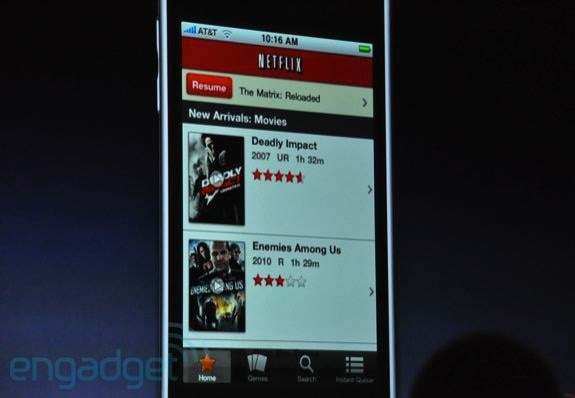
Netflix CEO Reed Hastings took the stage this morning at WWDC 2010 to announce that Netflix would officially be coming to the iPhone. The app will support continuing movies that you’ve started watching on other devices right where you left off, and will also include all of the Netflix home page functionality right in the app as well. Adaptive bitrate technology will optimize the data stream, even while on the go. Expect Netflix for iPhone to ship this summer.
Twitter for iPhone (Tweetie 3.0) now available
Posted by Andru Edwards Categories: Social Networking, App Updates, New Apps, Free Apps,
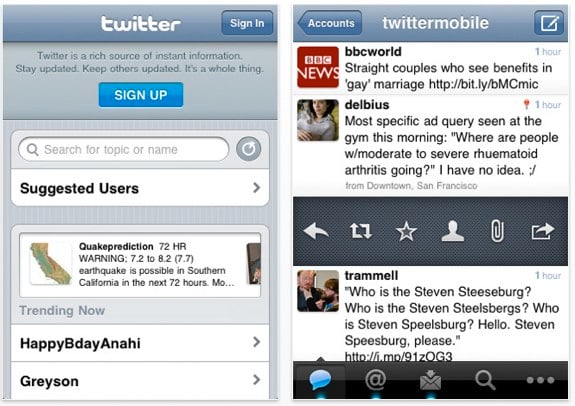
Tweetie has been pretty much universally recognized as the best iPhone Twitter client since it launched, and Tweetie 2.0 took it to the next level. In fact, it was so good, that Twitter decided to buy the app outright, rather than building their own iPhone app. News soon came that Tweetie would become “Twitter for iPhone” and would be made free (Tweetie sold for $2.99) to anyone who wanted it. Well, today is that day, as Tweetie 3.0 has been released with new features (we’ve got a list of them after the break) and is now simply known as Twitter. It’s full-featured, it’s the official Twitter app for the iPhone, and therefore it will have access to more Twitter resources than any other Twitter app out there. We recommend it highly, and you can download it now.
Square mobile payments app now available on iPad, iPhone, Android
Posted by Andru Edwards Categories: Finance, Utilities, iPad Apps, New Apps, Free Apps,
We can’t say enough about the love we have for what the folks over at Square are doing. In a nutshell, they are bringing credit card processing to the masses by way of connected smartphones (like iPhone and Android devices) and iPads as well. You download the free app and sign up, and they send you a free credit card reader that hooks into the audio jack on your device. From there, whether you are a big business, small coffee shop, a seller at the flea market, or just wanna collect half the check from your friend after dining out, you can can accept a credit card payment right on your phone. The video above explains it way better than we can, but the news here is that Square is now available for iPhone and iPad, as well as Android.
Read More | Square app
Wi-Fi Sync: Wireless iPhone and iPad syncing app
Posted by Andru Edwards Categories: Utilities, New Apps, Videos,
Wi-Fi Sync is an iPhone app that we are absolutely hoping and praying makes it into the App Store. Why? Well, take a look at the video above. Basically, it solves a problem that we’ve been begging Apple to solve for years now—we want to be able to sync our devices with our computers over the network, rather than having to be tethered to a USB connection just to get our latest tunes and apps onto our phones and iPads. Wi-Fi Sync seems to be a nice, easy, and elegant solution to making that happen. You just pair your computer with your phone through the Wi-Fi Sync software, and you are good. Our only fear is that Apple will reject the app, since you’d think if they wanted Wi-Fi syncing to be available on Wi-Fi devices like the iPhone, iPod touch, and iPad, they’d have already done it. Still, we’re keeping our fingers crossed.
Super Monkey Ball 2 hits the iPhone and iPod touch
Posted by Andru Edwards Categories: Games, New Apps, $9.99,

Sega has just launched Super Monkey Ball 2 for the iPhone and iPod touch, aiming to follow up on the original that took the App Store by storm. The new version includes over 115 levels, as well as 2-, 3-, and 4-player Wi-Fi play. One of the biggest gripes with the original Super Monkey Ball was that the accelerometer didn’t seem to cooperate as well as the player expected it to, making for a frustrating experience. Having played the sequel, it appears that Sega has taken care of those problems, as Super Monkey Ball 2 for iPhone and iPod touch seems a lot more responsive and fluid.
In case you aren’t familiar, Super Monkey Ball games feature monkeys that are encased in balls. You tilt the iPhone to roll the ball towards a goal, and as you progress through the game, that goal is increasingly more challenging to get to without falling off of the level. It’s a good time. You can pick up Super Monkey Ball 2 for $9.99.
Read More | Super Monkey Ball 2 [iTunes]
Tweetie 2 makes long-awaited debut
Posted by Andru Edwards Categories: Social Networking, App Updates, New Apps, Reviews, $2.99,
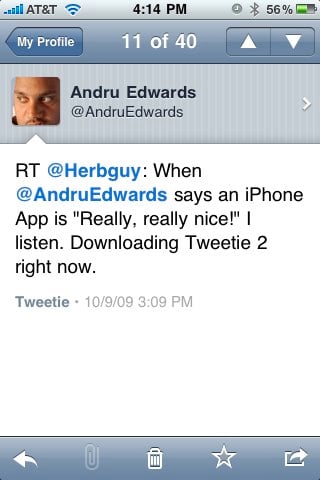
Tweetie 2 has just launched and is now available for the iPhone and iPod touch, and the popular Twitter app brings with it many, many improvements and feature additions. Some of the more notable additions include full app persistence, which means that if you leave the app for any reason and come back to it, Tweetie 2 will remember exactly where you were. There’s also a nice offline mode, that lets you read, favorite, and even write drafts of tweets. Once you connect to the Internet again, everything gets synced up.
Many users have been waiting for video support and push notifications to come to Tweetie as well, and Tweetie 2 delivers on both fronts, but we feel both are lacking. With video support, we’d love to see Posterous added as a hosting service, as opposed to just yFrog and TwitVid. As is pertains to push notifications, Tweetie 2 gives it to you, but only on a per-user basis. So you have to go into each user that you want to receive notifications from, and enable them in a menu that is buried a couple of levels deep. We’d love an option to get all mentions and direct messages pushed to the phone from Tweetie 2, rather than having to rely on another Twitter app that can do it (like SimplyTweet) or an app dedicated to pushing content (like Boxcar.)
Still, don’t let those two issues deter you. We’ve been playing with it for a while, and can say without hesitation that Tweetie 2 is now our iPhone Twitter application of choice. It is fast, elegant, and a great deal at $2.99. You can buy Tweetie in the App Store now, we’ve got a full feature list for you after the jump. Oh, and feel free to follow Gear Live and App.tapper on Twitter!
Click to continue reading Tweetie 2 makes long-awaited debut
Read More | Tweetie 2
Preview: ngmoco’s new iPhone FPS: ELIMINATE

Posted by Drea Avellan Categories: Games, New Apps, Reviews,

Oh, San Francisco. Home to the 49ers, majestic bridges, historic Alcatraz, cable cars and even countless videogame development studios. Amongst these studios, in a cozy restored building cloaked by the AT&T Park, lives Neil Young’s iPhone & iPod Touch game developer—NGMOCO.
ngmoco has been put out some of the most successful games for the iPhone & iPod touch, including the Rolando series, Topple and Word Fu. Ranging from puzzle, strategic and adventure, ngmoco knows how to create entertaining portable games. Now, they are set to release one of their most exciting titles yet, ELIMINATE. ELIMINATE is a 3G/Wi-Fi enabled First-Person Shooter (FPS) game, which takes advantage of micro-transactions, where you can upgrade characters, weapons, and the like.
Uncomplicated games currently dominate the App Store platform, due to their casual nature and mass appeal. The creation of more complex genres, such as FPS and strategic games, require a higher level of thought and consideration— a challenge ngmoco was more than willing to take on. ELIMINATE brings with it an FPS online arena with intuitive controls that make it simple to jump in and play, and while the game might be a pick up and play experience, they haven’t ignored the importance of creating a story. ELIMINATE casts you as an employee of Arsenal Megacorp, a company in question for the use of humans in testing as a way of perfecting their gear. You and three other players are the guinea pigs of this project—SURPRISE!
Click to continue reading Preview: ngmoco’s new iPhone FPS: ELIMINATE









Advertisement
© Gear Live Inc. {year} – User-posted content, unless source is quoted, is licensed under a Creative Commons Public Domain License. Gear Live graphics, logos, designs, page headers, button icons, videos, articles, blogs, forums, scripts and other service names are the trademarks of Gear Live Inc.